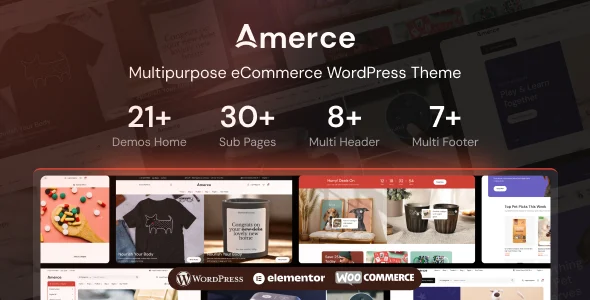
Amerce – Multipurpose eCommerce WordPress Theme
Amerce Multipurpose eCommerce WordPress Theme delivers an Elementor and WooCommerce 10.x codebase with Ajax shop flows for agencies building multi-vertical stores.
- Daily automated updates
- VirusTotal 0/70 clean
- Licensed under GPL
- Secure 256-bit checkout
- Instant direct cloud link
What Is Amerce Multipurpose eCommerce WordPress Theme?
Amerce Multipurpose eCommerce WordPress Theme is a PHP and SCSS Theme, engineered for WordPress developers and agencies to build WooCommerce storefronts across fashion, electronics, furniture, skincare, sportswear, bicycle, and pet accessory verticals. It resolves the architectural bottleneck of rebuilding cart, filter, and variation-interaction logic for every new store project by shipping pre-wired Ajax commerce modules and 10+ home page demo layouts. In production workflows, it functions as a deployable base theme that agencies stage via one-click demo import, then adapt through the Elementor builder and a child theme.
Key Features of the Theme
The runtime executes through a layered flow: PHP templates override the WooCommerce template hierarchy to render shop, product, and checkout views, while client-side JavaScript dispatches XMLHttpRequest calls against WordPress admin-ajax endpoints to mutate cart and catalog state without full-page reloads. Bootstrap 5.x supplies the grid and component layer beneath the SCSS source files, and Elementor drives layout composition on both frontend and backend editing surfaces.
Architectural Highlights
- Ajax catalog pipeline: Shop filtering, search, add-to-cart, remove-from-cart, and infinite scroll all run as asynchronous requests; the DOM patching layer replaces only the product grid and off-canvas cart fragments, reducing LCP-relevant full reloads during browse sessions.
- Variation state synchronization: Attribute swatches (image and color), per-variation galleries, variation compare, variations listing, and quick shop for variable products share a synchronized state layer, so selecting a swatch updates the gallery, price, and add-to-cart payload in real time.
- Merchandising modules: Frequently Bought Together, Buy X Get Y, volume discounts, cross-sells, free shipping progress bar, sale countdown timers, sticky add-to-cart bar, product badges, 360-degree view, product video, and custom product tabs hook into the single-product template.
- Conversion instrumentation: Fake live viewing counters, fake sale popups, sales notifications, and cart tracking render client-side urgency signals; live visitors counters reflect session activity to shorten decision cycles.
- Interaction depth on product media: Inner zoom, inner circle zoom, external zoom, and lightbox viewers attach to the product image gallery with hover-driven magnification events.
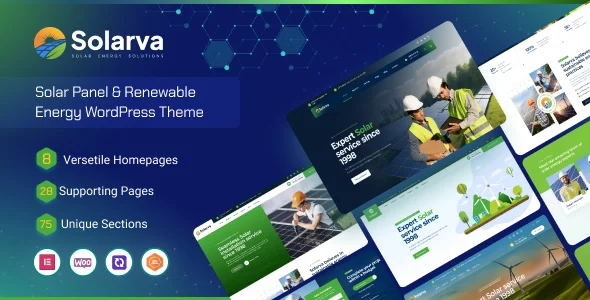
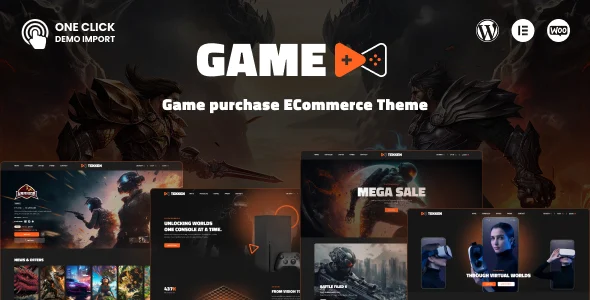
Grid and list shop views, mega menu, advanced mobile side navigation, sticky and transparent headers, off-canvas sidebar, and quantity stepper buttons round out the storefront shell. Mailchimp integration, SVG logo support, unlimited color tokens, and Google Fonts selection run through the theme options panel. For agencies needing adjacent verticals, the same Elementor workflow applies to Dermal for clinic and med-spa builds, while GameX covers gaming eCommerce stores with comparable Ajax shop flows.
Who Should Use This Theme?
This codebase targets WooCommerce-focused agencies and freelance developers shipping multi-vertical retail clients who need swatch-driven catalogs, bundled upsell logic, and multilingual storefronts via WPML without writing custom commerce JavaScript. It also fits store owners running Contact Form 7 for product inquiry flows under the Ask a Question module. It is not intended for block-editor-first teams: the package is not Gutenberg optimized and ships no widget-ready sidebars, so FSE-purist workflows will conflict with the Elementor and theme-options rendering path. Developers requiring high-resolution or retina-critical assets should note the package is not marked high resolution, though the responsive layout targets desktop and mobile breakpoints.
Compatibility & Runtime Requirements
Baseline deployment requires a WordPress host aligned to the supported core versions and the companion plugins listed below.
| Engineering Metric | Deployment Specification |
|---|---|
| Base Technology / Framework | PHP, HTML, CSS, SCSS, JS; Layers WP framework; Bootstrap 5.x |
| Runtime Requirements | WordPress 6.6.x through 7.1.x; standard PHP runtime per host |
| Data Exchange / Protocols | Ajax requests (admin-ajax), Mailchimp API integration, WPML translation layer |
| Core Dependencies | WooCommerce 9.x–10.x, Elementor, Contact Form 7, WPML |
| Storage / Asset Footprint | PHP, HTML, CSS, SCSS, and JS files in the ThemeForest package; demo content and child theme included |
How to Install & Deploy the Theme
Deployment follows the standard WordPress theme administration path; the package activates fully upon installation.
- Environment pre-check: Confirm the server runs a supported WordPress version (6.6.x–7.1.x), install WooCommerce (9.x or 10.x) and Elementor, and verify PHP memory settings accommodate demo content import.
- Package upload: Upload the theme archive through the WordPress appearance installer or transfer the PHP, CSS, SCSS, and JS files directly into the themes directory of the target site.
- Direct activation: Activate the theme in the administration panel; the theme options panel, mega menu, Ajax modules, and child theme become operational immediately, with no additional gating steps.
- Configuration & testing: Run the one-click demo importer to stage a home page layout, configure swatches, filters, and merchandising modules in the options panel, then exercise add-to-cart, filter, and checkout flows across mobile and desktop viewports.
Frequently Asked Questions
Does the package include a child theme for template-level customization?
Yes. A child theme ships inside the package, letting developers override WooCommerce template files and enqueue custom SCSS or JS without modifying parent theme source, protecting configuration through iterative rebuilds.
Are the fake live viewing and fake sale popup modules configurable or removable?
Yes. These urgency features operate as toggleable upsale modules within the theme options, so agencies can disable social-proof instrumentation per client policy while keeping the remaining merchandising modules intact.
How does the current release handle checkout and disabled compare/wishlist states?
Version 1.0.3 fixed checkout page labels and country/state JavaScript behavior; version 1.0.2 resolved an Ajax error that broke add-to-cart when compare and wishlist buttons were disabled on product cards.