Beratung – Consulting Finance WordPress
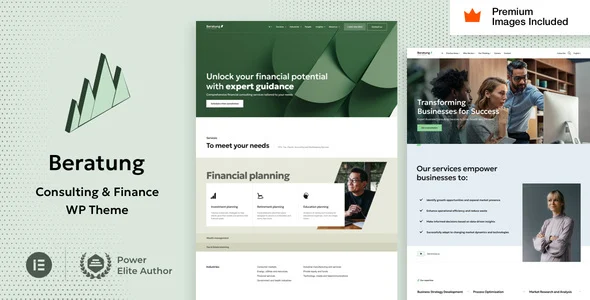
Beratung Financial Advisors Business Consulting WordPress Theme is an Elementor Pro-built finance theme for agencies deploying advisory, wealth, and consulting sites.
- Daily automated updates
- VirusTotal 0/70 clean
- Licensed under GPL
- Secure 256-bit checkout
- Instant direct cloud link
What Is Beratung Financial Advisors Business Consulting WordPress Theme?
Beratung Financial Advisors Business Consulting WordPress Theme is a WordPress theme, engineered for agencies and independent developers building advisory, wealth management, and consulting websites on a native Elementor Pro stack. It resolves the common architectural conflict between standalone theme option panels and page builder rendering by delegating all layout, header, footer, form, and popup construction to Elementor Pro widgets, so the codebase only extends and styles existing builder primitives. In production workflows, it functions as a stable presentation layer over WordPress 6.x through 7.1.x, where an agency team can replicate the live demo, swap content through the Global Styles panel, and ship client sites without maintaining a parallel configuration plugin.
Key Features of the Theme
At runtime, every page is parsed and rendered through the Elementor Pro DOM tree: widget definitions are hydrated into section and container markup, styles compile from Less source files, and the theme layer injects only styling and animation extensions on top of builder widgets. This keeps the template hierarchy thin and reduces asset fragmentation.
Architectural Highlights
- Builder-Native Rendering: Headers, footers, mega menus, forms, popups, 404 pages, maintenance and coming-soon screens, search results, and blog and product archives are all built as Elementor Pro dynamic templates, unifying edit state across the builder and eliminating duplicate template overrides.
- Widget-Level Code Isolation: Theme extensions register as additions to Elementor and Elementor Pro widgets, and developers can strip the theme code per widget, controlling exactly which styles and animations ship to production.
- WPML Multilingual Routing: Certified compatibility with WPML allows localized advisory, accounting, and insurance content to resolve through WordPress language routing without custom translation shims.
- Demo Import Pipeline: The setup wizard requires Elementor Pro for demo content import and includes all demo images, so staging environments match the published demo pixel-for-pixel and remain reusable for client projects.
- Responsive and RTL Output: Layout is responsive with Elementor Pro controlling mobile and tablet breakpoints, and full RTL support covers right-to-left locales at the CSS layer.
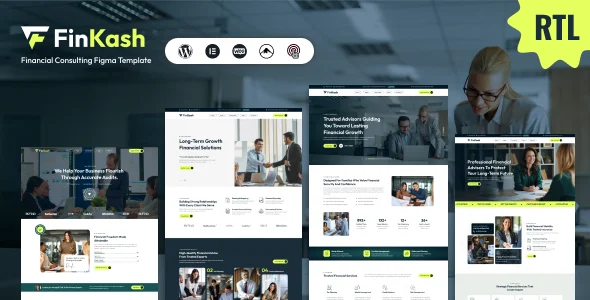
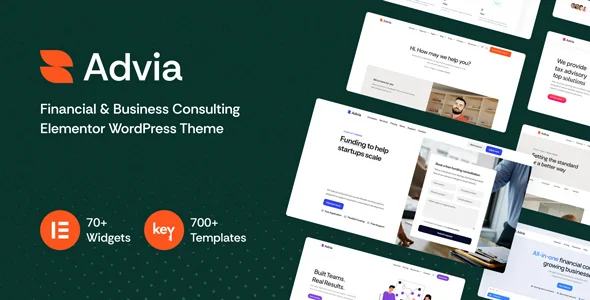
For agencies running parallel finance-sector builds where a different widget set or starter-site count is preferable, deploying Finkash – Finance Consulting WordPress Theme or Advia – Financial & Business Consulting Elementor WordPress Theme provides alternative Elementor codebases with one-click demo import within the same deployment stack.
Who Should Use This Theme?
This package fits WordPress engineers and small agency teams delivering corporate web presences for financial planners, wealth boutiques, insurance brokerages, accountants, and management consultancies. It suits projects where editors must maintain content themselves after handoff, since the Elementor Pro Global Styles panel replaces any proprietary theme options panel and Gutenberg optimization covers block-editor content entry. Teams managing multilingual corporate clients benefit directly from WPML support. It is not intended for developers who need a heavily PHP-coupled theme framework with custom post types and proprietary admin screens, or for non-technical users unwilling to install WordPress plus Elementor and Elementor Pro as mandatory runtime dependencies.
Compatibility & Runtime Requirements
Baseline runtime constraints center on WordPress core versions and the Elementor Pro dependency that gates both demo import and theme setup.
| Engineering Metric | Deployment Specification |
|---|---|
| Base Technology | WordPress theme; PHP, Less, and JS source files; widget-ready sidebar regions |
| Runtime / Language Requirements | PHP execution under WordPress 6.0.x, 6.8.x, 6.9.x, 7.0.x, and 7.1.x |
| Data Exchange / Communication Protocols | Standard WordPress HTTP admin requests; forms and popups handled via Elementor Pro modules |
| Core Dependencies / Engine Compatibility | Elementor, Elementor Pro (required for demo importer and setup), WPML; Elementor One ecosystem compatible |
| Database / Storage Footprint | Standard WordPress content tables via Elementor template storage; demo assets including licensed imagery imported into the media library |
| Browser Support | Firefox, Safari, Chrome, Edge |
How to Install & Deploy the Theme
Deployment follows a standard WordPress administrative sequence, with Elementor Pro confirmed active before the importer runs.
- Environment Pre-check: Verify the server runs a supported WordPress version from 6.0.x through 7.1.x, and that Elementor and Elementor Pro plugins are installed, since Elementor Pro is required for demo content import and theme setup.
- Package Upload: Transfer the theme archive through the administration interface under Appearance, or place the extracted PHP, Less, and JS file tree into the themes directory of the target site.
- Direct Activation: Activate the theme to initialize the builder extensions; all administrative menus, widget style additions, and demo import tooling become operational immediately, and the included setup verification confirms basic configuration.
- Configuration & Testing: Run the demo content importer to reproduce the reference layout, then adjust typography and color tokens through the Elementor Pro Global Styles panel, configure breakpoints for mobile and tablet, and validate rendered output against the demo across the supported browsers.
Frequently Asked Questions
Do the demo images remain usable on client sites after import?
Yes. All images shown on the demo come bundled with the demo content and carry usage rights included in the package, so imported photography can be reused on production client sites without purchasing separate image stock.
Is Gutenberg block editing available alongside the Elementor layer?
Yes. The theme is Gutenberg optimized, so editorial content such as posts and pages can be authored through the block editor while structural templates, headers, footers, and archives stay under Elementor Pro control.
Does the theme require a separate theme options plugin at runtime?
No. The architecture eliminates a dedicated theme options panel; global styling state is synchronized through the Elementor Pro Global Styles panel, so only WordPress, Elementor, and Elementor Pro need to be learned and maintained.