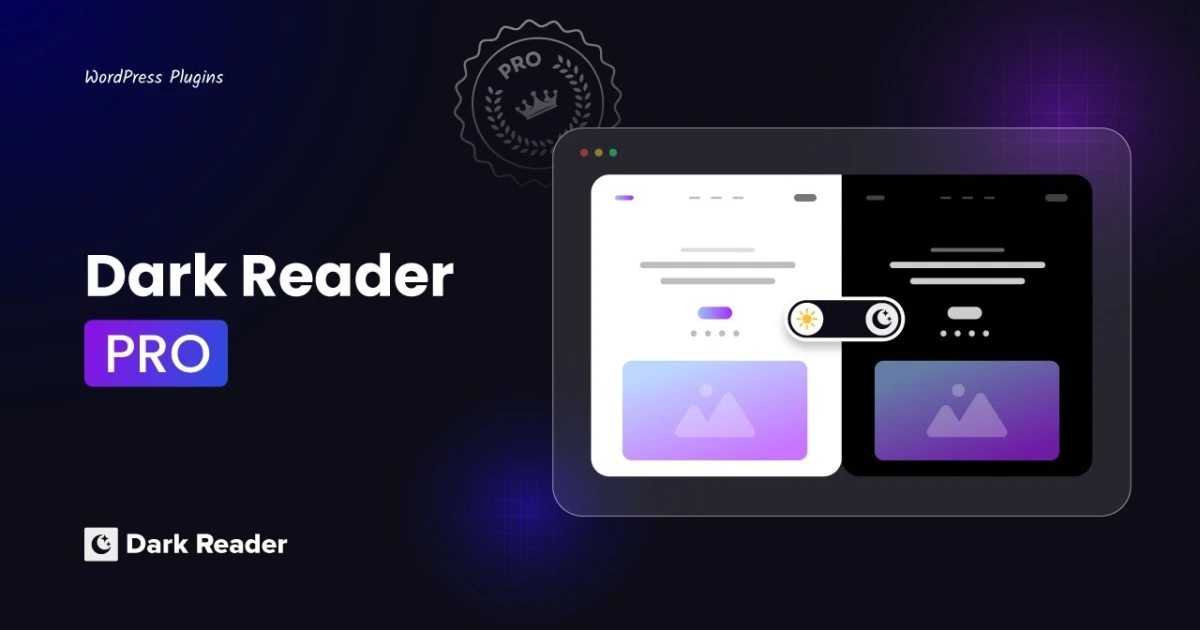
Dark Reader Pro
Dark Reader Pro is a WordPress dark mode plugin that applies front-end and admin color inversion, letting developers and agencies deploy night themes fast.
- Daily automated updates
- VirusTotal 0/70 clean
- Licensed under GPL
- Secure 256-bit checkout
- Instant direct cloud link
What Is Dark Reader Pro?
Dark Reader Pro is a WordPress plugin, engineered for developers and agencies to deploy dark mode interfaces across a WordPress site without hand-writing CSS overrides. It resolves the recurring bottleneck of retrofitting dark color schemes onto themes that ship light-first palettes, a task that otherwise demands per-template selector auditing and stylesheet duplication. In production, it operates as a front-end presentation layer: the existing theme, post types, and database schema remain untouched, while color rendering is transformed at output time.
Key Features of the Plugin
The plugin hooks into WordPress output on the server side, injects its color-processing engine into the page, and evaluates rendered CSS rules in the browser to generate dark equivalents before paint. Settings are persisted through the WordPress options API and exposed via an administrative panel, so no database schema writes occur outside standard WordPress storage. Deployment-time behavior is controlled by filters, letting developers constrain which pages, post types, or user roles receive the dark transformation.
Architectural Highlights
- Dynamic color algorithm engine: The engine parses computed styles for backgrounds, borders, text, and images, then remaps luminance values algorithmically. This produces consistent dark output across third-party widgets without a manually maintained selector list.
- Front-end and admin dual scope: Dark mode can be applied independently to the public site and the wp-admin dashboard, with each scope toggled through its own setting. Administrators who prefer a light dashboard keep the default state while visitors receive the inverted rendering.
- Time-based and toggle-based switching: Activation can follow a schedule based on the visitor’s local clock, or run through a floating switcher widget that dispatches a client-side state event. The chosen state is persisted in the browser so repeat visits retain the user preference without server round-trips.
- Exclusion and targeting controls: CSS selector exclusions, URL patterns, and page-level rules let developers opt specific sections out of inversion. This is essential for brand-marked components, embedded media, and maps that render incorrectly under color remapping.
- Image handling: Photographic assets are detected and skipped or dimmed according to configuration, preventing the washed-out look caused by naive invert filters on JPEG and PNG content.
For teams building the underlying site itself, pairing the module with an Elementor-driven theme such as Atek – AI Technology IT Solution WordPress Theme gives the color engine a predictable Bootstrap 5 container structure to remap, reducing selector-edge cases during QA.
Who Should Use This Plugin?
This codebase targets WordPress developers, agency delivery teams, and site maintainers who need a sitewide night interface on an existing theme without forking templates. It fits client builds where accessibility preferences or brand guidelines call for a dark presentation tier, and staging workflows where the dark layer must be validated per template before release. It is not intended for non-technical operators expecting pixel-perfect dark designs out of the box: any theme with deeply custom inline styles or canvas-heavy components will require selector exclusion tuning and visual review. Sites running page builders also benefit from predictable markup; when dynamic content blocks need conditional dark rendering, combining the engine with Dynamic Content For Elementor lets developers gate widgets and templates per context rather than patching CSS after the fact.
Compatibility & Runtime Requirements
Baseline constraints follow standard modern WordPress hosting: a current PHP runtime, an updated WordPress core, and browser support for the CSS processing APIs the engine relies on.
| Engineering Metric | Deployment Specification |
|---|---|
| Base Technology / Framework | WordPress plugin architecture (PHP, JavaScript, CSS) |
| Runtime / Language Requirements | PHP compatible with currently supported WordPress core versions; modern JavaScript in the visitor browser |
| Data Exchange / Communication Protocols | HTTP asset delivery; client-side state persistence via browser storage; WordPress options API for configuration |
| Core Dependencies / Engine Compatibility | Works against active WordPress themes, including Elementor- and Gutenberg-rendered output; no parent theme requirement |
| Database / Storage Footprint | WordPress options table only; no custom tables created |
How to Install & Deploy the Plugin
Deployment follows the standard WordPress plugin lifecycle; activation enables every module immediately, with no registration or external verification step involved.
- Environment pre-check: Confirm the server runs a PHP version matching your WordPress core requirements, that the target site is on a current WordPress release, and that the active theme renders correctly in light mode as the transformation baseline.
- Package upload: Upload the plugin archive through the Plugins administration screen, or extract the folder into wp-content/plugins over SFTP if managing files directly.
- Direct activation: Click Activate in the plugin list. All core modules, administrative menus, and the color-processing engine become fully operational at once.
- Configuration & testing: Open the plugin settings panel to select front-end scope, dashboard scope, schedule mode, or manual switcher behavior. Walk key templates, post types, and checkout or form pages, adding selector exclusions where brand assets or media render poorly under inversion.
Validate output against Lighthouse after deployment, since an added stylesheet and a client-side processing pass can shift paint timing on slow connections; the exclusions panel is the primary lever for trimming evaluation scope on heavy pages.
Frequently Asked Questions
Does the plugin modify theme files on disk?
No. All color transformation is applied at output time through injected assets and client-side processing, so the active theme directory and its template files remain original and survive theme updates without merge conflicts.
Can dark mode be restricted to logged-in users only?
Yes. Scope settings allow the transformation to apply per audience, so administrators can ship a dashboard-only dark interface, a visitor-only front-end mode, or both, controlled entirely from the settings panel.
Does it add custom database tables?
No. Configuration is stored through the standard WordPress options mechanism, which keeps uninstall cleanup trivial and avoids any migration steps when moving the site between staging and production environments.
Are images and embedded media inverted too?
No by default. The engine detects photographic and raster assets and either skips or dims them based on configuration, while vector icons and CSS-drawn elements are remapped so UI chrome still reads correctly in dark output.