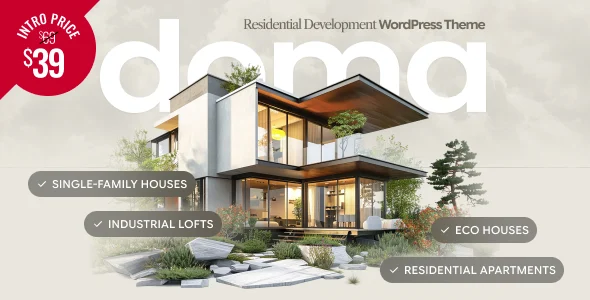
Doma – Real Estate Development WordPress Theme
Doma Real Estate Development WordPress Theme: a Bold Builder-driven property presentation engine with four demos, Property Info elements, and Cost Calculator for developer sites.
- Daily automated updates
- VirusTotal 0/70 clean
- Licensed under GPL
- Secure 256-bit checkout
- Instant direct cloud link
What Is Doma Real Estate Development WordPress Theme?
Doma Real Estate Development WordPress Theme is a WordPress theme built on the Bold Builder drag-and-drop editor, engineered for property developers and agencies presenting residential projects, apartment buildings, villa developments, and single-property portfolios. It resolves the presentation bottleneck of generic multipurpose themes by shipping a focused element set — Property Info, Card Agent, Details, Interactive Image, Image Grid, Moving Cards, Sliding Cards, and Scrolling Images — designed specifically for architecture, amenities, and specification display. In production workflows, it functions as the presentational layer of a development site, with four demo variants sharing one design foundation so agencies can re-skin a staging build for different project identities without restructuring layouts.
Key Features of the Theme
At runtime, Bold Builder serializes each page as a structured element tree that the PHP template layer expands into the final DOM, while theme options persisted through the native WordPress Customizer inject CSS variables for colors, typography, and layout width. Content authored in the backend editor stores per-element responsive visibility rules, so screen-resolution hiding and time-limited appearance are evaluated server-side before markup reaches the browser.
Architectural Highlights
- Purpose-built element set: Property Info and Details elements render structured specification data, while Card Agent produces agent profile cards, eliminating custom post-type scaffolding for core real estate presentation patterns.
- Backend editor mechanics: Full clipboard support copies element trees between pages or between sites; sticky header variants, mega menu support, and boxed versus full-width layout modes are selectable per template with per-page overrides of global settings.
- Bundled calculator and timeline: Bold Themes Cost Calculator and Bold Timeline Lite ship in the package, adding quote computation and chronology rendering without third-party builder dependencies.
- AI-assisted content generation: Selected elements — Headline, Text, and Service — expose AI-assisted copy drafting directly inside the builder panel.
- Map and media rendering: Dual map elements target both Google Maps and OpenStreetMap tiles, and Slider, Image Slider, and Parallax layers handle large architectural imagery on retina displays.
For firms that need a services vertical with a similar calculator workflow outside property, deploying Execor – Accounting and Management Consulting WordPress Theme follows a comparable Elementor-based pattern for consulting engagements.
Who Should Use This Theme?
The codebase targets WordPress developers and small agency teams building presentation sites for a single development or a curated portfolio where interiors, location, and lifestyle imagery drive conversion. It fits one-page launches, multisite staging environments (WPMU tested), and child-theme-based client work, since a child theme skeleton and Gutenberg-optimized templates are part of the distribution. Teams running WooCommerce storefronts, WPML localization, or Yoast and W3 Total Cache stacks can integrate this architecture into existing pipelines. It is not intended for projects needing an inventory-heavy MLS listing database or custom booking engines — the element set is deliberately scoped to presentation, and extending it requires PHP and builder-API competence.
Compatibility & Runtime Requirements
Baseline deployment assumes a self-hosted WordPress installation within the supported version range and a standards-compliant browser for the editing surface.
| Engineering Metric | Deployment Specification |
|---|---|
| Base Technology / Framework | PHP/CSS/JS WordPress theme; Bold Builder backend editor |
| Runtime / Language Requirements | WordPress 6.5.x through 7.0.x |
| Data Exchange / Communication Protocols | Contact Form 7 form submissions; Google Maps and OpenStreetMap tile requests |
| Core Dependencies / Engine Compatibility | Bold Builder, Bold Timeline Lite, Cost Calculator (included); Contact Form 7, WPML, WooCommerce, W3 Total Cache, Yoast (supported) |
| Database / Storage Footprint | WordPress postmeta storage of builder element trees; one-click demo import via bundled importer |
How to Install & Deploy the Theme
- Confirm the host runs a supported WordPress version (6.5.x–7.0.x) and that the environment matches the PHP baseline of the codebase.
- Upload the theme archive through the WordPress administration interface or transfer the extracted PHP, CSS, and JS files to the themes directory via SFTP.
- Activate the theme; Bold Builder, the bundled importer, and all custom elements initialize, and the same procedure applies to the included child theme for override work.
- Run the one-click demo import to provision a starter dataset, then adjust Customizer options — color schemes, header variants, footer structure, and responsive visibility rules — and verify rendered output across breakpoints and the custom 404, search, and under-construction templates.
Frequently Asked Questions
Is the RTL layout handled through the same stylesheet cascade as the LTR build?
Yes. Right-to-left support is built into the theme, and translation readiness means text strings pass through WordPress localization calls, so mirrored layouts and language swaps coexist without forking the stylesheet.
Can pages built here be copied between separate client installs?
Yes. The backend editor’s clipboard feature supports copy and paste of element structures from one page to another and from one website to another, which shortens multi-property rebuilds across installs.
Are the demo photographs safe to publish on a live property site?
No. Demo images are not licensed for third-party production use, so teams must replace them or license the originals separately before the imported demo content goes live.