MyListing – Directory & Listing WordPress Theme
MyListing Directory Listing WordPress Theme builds unlimited custom listing types with Elementor, Explore pages, user dashboards, and WooCommerce monetization for developers.

- Daily automated updates
- VirusTotal 0/70 clean
- Licensed under GPL
- Secure 256-bit checkout
- Instant direct cloud link
What Is MyListing Directory Listing WordPress Theme?
MyListing Directory Listing WordPress Theme is a PHP-based WordPress theme engineered for agencies and freelance developers to assemble directory and listing platforms with Elementor and WooCommerce. It resolves the structural bottleneck of hand-coding multiple directory verticals by exposing a listing type builder that generates unlimited custom post type configurations from a single installation. In production, it functions as the parent template layer for client-facing marketplaces, property portals, and automotive catalogs, with each listing type controlling its own fields, taxonomy, and front-end presentation logic.
Key Features of the Theme
The theme renders pages through the WordPress template hierarchy, delegating layout composition to Elementor widgets and resolving listing queries on the Explore pages via server-side filtered requests. Listing type definitions drive which custom fields, search facets, and single-listing blocks appear, so the front-end output is fully data-driven rather than hardcoded per vertical.
Architectural Highlights
- Unlimited Listing Types: Each listing type registers its own field schema and taxonomy set, allowing a property demo and a car demo to coexist under separate post type configurations without schema collisions.
- Elementor Page Builder Integration: Layouts compose through drag-and-drop widgets mapped to the theme’s rendering layer, reducing custom template overrides and simplifying DOM tree maintenance across child themes.
- Explore Page Facets: Search interfaces combine location filters, category taxonomies, and custom field facets, dispatching filtered queries that re-render result grids without full page reloads.
- Single Listing Pages: Detail templates render structured content blocks — galleries, attribute tables, embedded data panels — sourced directly from each listing type’s field schema.
- WooCommerce Monetization Layer: WooCommerce handles paid submissions and product display, with related tabs surfacing commerce data inside listing detail views to monetize the catalog.
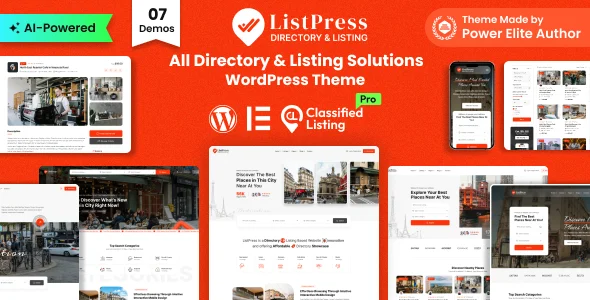
Revenue flows run through WooCommerce’s checkout and order pipeline, meaning paid listing packages are processed as commerce transactions rather than custom billing code. For teams evaluating adjacent directory architectures before committing to a stack, reviewing how ListPress handles Ajax search and map views provides a useful comparative baseline for facet-query behavior. The same comparison logic applies to automotive verticals: where a dealer-focused build is the end goal, Vehica offers make/model search and stock import as an alternative execution path.
Who Should Use This Theme?
This codebase targets WordPress developers and agency teams shipping multi-vertical directory products: real estate portals, automotive marketplaces, service directories, and local business catalogs. It fits teams comfortable managing custom post type configurations, Elementor widget dependencies, and WooCommerce order handling as interlocking subsystems. Multi-project agencies benefit from the demo starters — the main demo, property demo, and car demo — which seed staging environments with vertical-specific layouts that can be re-skinned per client. It is not intended for site owners who need a fully closed, no-code product with no configuration surface: deriving value from the listing type builder requires an understanding of fields, taxonomies, and page template assignments.
Compatibility & Runtime Requirements
Deployment requires a standard LAMP WordPress stack with the Elementor plugin and WooCommerce installed to activate the builder and monetization modules respectively.
| Engineering Metric | Deployment Specification |
|---|---|
| Base Technology | WordPress theme architecture (PHP template hierarchy) |
| Page Builder Dependency | Elementor for layout composition and widget rendering |
| Commerce Engine | WooCommerce for monetization, product display, and related tabs |
| Listing Data Layer | Custom post types with per-type field schemas and taxonomies |
| Included Vertical Demos | Main demo, Property demo, Car demo import packages |
How to Install & Deploy the Theme
Deployment follows the standard WordPress theme lifecycle, with dependencies verified before activation to avoid partial module initialization.
- Environment Pre-check: Confirm the server runs a current PHP version, WordPress core is up to date, and the Elementor and WooCommerce plugins are installed and active, since listing layouts and paid listing flows depend on both.
- Package Upload: Upload the theme archive through the WordPress administration interface (Appearance > Add New > Upload Theme) or transfer the extracted folder directly to wp-content/themes via SFTP.
- Direct Activation: Activate the theme from the Appearance screen. Administrative menus for listing types, Explore page configuration, and dashboard settings become available immediately after activation.
- Configuration & Testing: Import a starter demo (main, property, or car) to seed baseline layouts, define listing type field schemas, map the Explore and single listing templates, and run a test listing submission through the user dashboard and a WooCommerce checkout to validate the monetization path end to end.
Frequently Asked Questions
Can I run a property directory and a car directory on the same installation?
Yes. The listing type builder registers unlimited listing types, each with its own field schema and taxonomies, so the included property and car demo configurations can coexist as separate verticals under one WordPress install.
Is WooCommerce required for the theme to function?
WooCommerce is required only for monetization features. Listing creation, Explore page search, and single listing rendering operate independently, while WooCommerce activates paid submissions, product display, and related commerce tabs.
Do I need to write PHP to customize listing layouts?
No for standard layouts. Elementor widgets and the listing type builder cover field placement, Explore facets, and single listing blocks; PHP work is reserved for custom integrations beyond the shipped module set.
For SaaS-style directory operators planning to monetize a catalog of tools or services at scale, the same listing-plus-WooCommerce pattern is executed in ToolboxAI, which pairs directory billing with bulk listing import — a useful reference point when sizing database footprints for large directories.