Salon Booking WordPress Plugin
Salony Salon Booking System Plugin is a WordPress appointment engine for developers building salon reservation flows with service durations and pricing rules.

- Daily automated updates
- VirusTotal 0/70 clean
- Licensed under GPL
- Secure 256-bit checkout
- Instant direct cloud link
What Is Salony Salon Booking System Plugin?
Salony Salon Booking System Plugin is a WordPress appointment booking plugin, engineered for developers and agencies that need to deploy reservation workflows for salons, barbershops, and personal-care studios. It resolves the core bottleneck of exposing a live service catalogue — each service carries a defined duration and a unit price, as demonstrated by entries timed at 00:30, 00:45, and 01:00 with a €29.99 price point. Within production workflows, it operates as the scheduling layer of a WordPress site, handling service presentation and time-slot reservation logic on the front end while exposing standard WordPress administrative structures on the back end.
Key Features of the Plugin
The plugin executes its booking flow through standard WordPress request handling: the service catalogue renders on the front end, a visitor selects a service, and the reservation state passes through the plugin’s processing layer before confirmation. This keeps scheduling logic contained inside the WordPress runtime rather than deferring to an external scheduling service.
Architectural Highlights
- Service Catalogue Architecture: Each bookable service is defined as a discrete entity carrying a duration attribute. The demo catalogue shows 30-minute, 45-minute, and 60-minute services, letting administrators model real appointment intervals without schema modifications.
- Per-Service Pricing Fields: Pricing is attached directly to service definitions — the €29.99 entry in the demo demonstrates a one-to-one mapping between a service record and its chargeable amount.
- Demo-Verified Front-End Rendering: The SALONY demo site publishes an “Our services” section, confirming that the plugin registers a public-facing service listing where duration and price data render alongside each service name.
- WordPress-Native Integration: As a WordPress plugin, it hooks into the standard activation, settings, and content lifecycle, so service data lives inside the WordPress database rather than in a separate application layer.
- Time-Slot Reservation Flow: Duration attributes drive slot occupancy calculations, so a 01:00 service blocks a longer window than a 00:30 service, reducing double-booking risk at the scheduling layer.
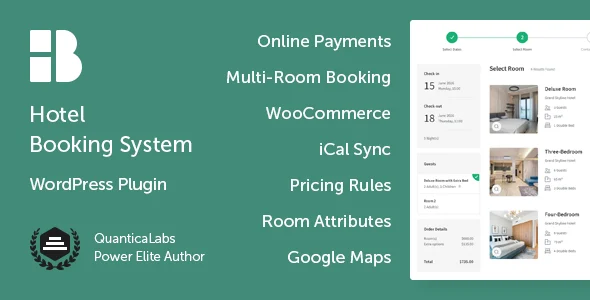
When a project outgrows a single-salon scope — for example, a multi-room hospitality deployment — the same architectural pattern extends through Hotel Booking System for WordPress, which adds iCal sync and multi-room inventory on top of reservation primitives. For AI-assisted scheduling across several booking modes, Booking Hub – AI-Powered Scheduling, Reservation and Appointment System for WordPress offers an alternative engine with two-way calendar sync.
Who Should Use This Plugin?
This plugin fits freelance developers and small agencies building WordPress sites for salon owners who need a functional appointment layer without a SaaS dependency. It suits deployments where the service list is stable, durations are fixed per service, and pricing is handled per-service rather than through dynamic rule engines. Teams maintaining the site in-house will benefit from the plugin’s containment within the standard WordPress admin. Conversely, it is not intended for operators who require headless architectures, REST-driven third-party orchestration, or enterprise resource planning integrations — those scenarios demand a custom scheduling backend rather than a plugin-managed flow. Non-technical users expecting a drag-and-drop page builder experience should evaluate the demo first, since configuration happens through WordPress administrative screens, not a visual composer.
Compatibility & Runtime Requirements
The plugin runs inside a standard WordPress environment, so baseline constraints follow the WordPress core server requirements for PHP, database, and web server stack.
| Engineering Metric | Deployment Specification |
|---|---|
| Base Technology / Framework | WordPress plugin (PHP runtime, standard WP plugin lifecycle) |
| Runtime / Language Requirements | PHP per the host WordPress version’s minimum requirement |
| Data Exchange / Communication Protocols | Standard WordPress HTTP request/response cycle for booking submissions |
| Core Dependencies / Engine Compatibility | WordPress core; operates alongside standard themes and plugins |
| Database / Storage Footprint | Service definitions and booking data stored in the WordPress database schema |
Verify the target host’s PHP version and WordPress core version before deployment, and confirm the active theme exposes the front-end templates the service catalogue renders into.
How to Install & Deploy the Plugin
Deployment follows the conventional WordPress plugin installation sequence; once activated, all booking modules become operational immediately.
- Environment Pre-check: Confirm the server meets the PHP and database requirements of the installed WordPress core version, and that the target site runs a theme whose templates can display the plugin’s service listing.
- Package Upload: Upload the plugin archive through the WordPress administration interface (Plugins screen, upload action) or transfer the extracted folder into the site’s plugins directory via SFTP.
- Direct Activation: Click Activate on the plugin row. All administrative menus, service management screens, and booking modules register at activation and become fully functional without additional unlock steps.
- Configuration & Testing: Open the plugin’s settings panel, define salon services with their durations (00:30, 00:45, 01:00 intervals) and price fields (for example, €29.99), then place a test reservation on the front end to validate the full slot-selection flow.
Frequently Asked Questions
Does the plugin define services with both a duration and a price?
Yes. Each service entity carries a duration attribute and a price field, as shown in the official demo where services run 00:30, 00:45, and 01:00 and one service is listed at €29.99.
Can administrators offer services of different lengths in one catalogue?
Yes. The demo catalogue publishes services timed at thirty, forty-five, and sixty minutes together, so mixed-duration service lists are supported within the same booking configuration.
Is a public demo site available to evaluate the booking flow before deployment?
Yes. The SALONY demo site publishes the plugin’s front-end output, including the “Our services” section, allowing developers to inspect rendering behavior before installing the package.
Does the plugin require an external scheduling service to function?
No. Booking logic executes within the WordPress runtime, using standard request handling and database storage, so no external scheduling platform or third-party API dependency is involved.