StartNext – IT, AI, Marketing Startup & Technology Services WordPress ThemeSaxon Theme
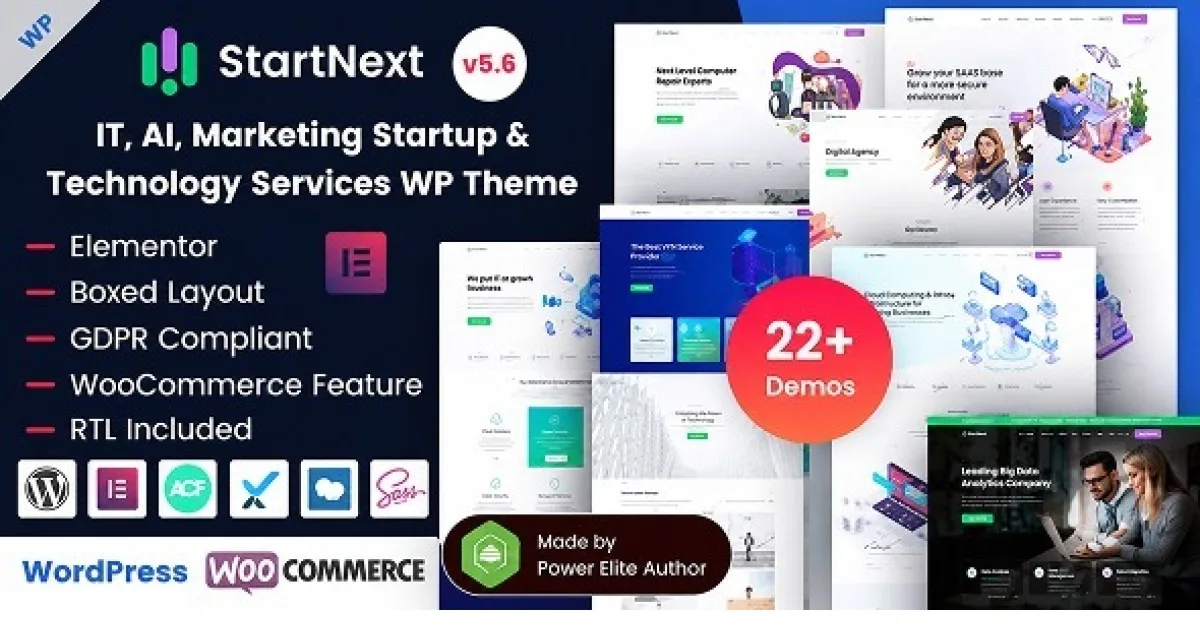
StartNext WordPress Theme is an IT, AI, and marketing startup theme for developers building technology service sites with Elementor-driven layouts.
- Daily automated updates
- VirusTotal 0/70 clean
- Licensed under GPL
- Secure 256-bit checkout
- Instant direct cloud link
What Is StartNext WordPress Theme?
StartNext WordPress Theme is a WordPress theme developed by Saxon Theme, engineered for developers and agencies building websites for IT, AI, marketing, and technology service companies. It resolves the recurring bottleneck of assembling startup-grade marketing pages from scratch by supplying a pre-architected template hierarchy wired for a drag-and-drop page builder workflow. In production, it operates as the presentation layer of a self-hosted WordPress stack, where developers override templates, register demo content, and hand off an editable codebase to content teams.
Key Features of the Theme
Execution flows through the standard WordPress template hierarchy: incoming requests are mapped to template files, dynamic content regions are rendered through builder widgets, and static assets (stylesheets and scripts) are enqueued per view to limit fragmentation. Because layout composition happens at the builder layer, most structural edits occur without touching PHP files, while developers retain full override capability through child themes.
Architectural Highlights
- Elementor-based layout composition: Sections, columns, and widgets are assembled visually and stored as post meta, which reduces DOM nesting depth compared to shortcodes-only architectures and keeps per-page markup auditable.
- Prebuilt demo import pipeline: A one-click demo importer seeds posts, pages, media, and widget configurations, letting an agency scaffold a complete technology-services site in a single import cycle before customization.
- Service-oriented page inventory: Dedicated layouts for IT services, AI products, and marketing offerings map each business vertical to its own template set, so content teams publish vertical pages without rebuilding section structures.
- Custom post type separation: Content entities are isolated from the default post table, keeping portfolio and service records queryable and portable across redesigns.
- Child theme override path: The template hierarchy remains intact, so developers can hook filters and replace individual template parts — header variants, footer widgets, archive loops — without forking the parent package.
When a project also demands heavy SEO and marketing conversion modules, pairing the stack with Marrky WordPress Theme gives teams a second reference implementation built on Elementor and Bootstrap 5.3 with four custom post types and per-page dark mode, useful when comparing markup patterns across client builds.
Who Should Use This Theme?
This codebase targets WordPress developers, technical leads, and agency teams delivering sites for software startups, IT consultancies, AI product companies, and digital marketing agencies. It fits projects where a technical implementer owns deployment: demo import, template overrides, plugin configuration, and performance tuning are all handled at the code level. It is not intended for operators who expect a fully hosted no-code platform; while page composition is visual, DNS setup, plugin management, caching layers, and template debugging remain developer responsibilities. Teams requiring headless decoupling or custom API-first front ends should treat it as a reference for markup rather than a production base.
Compatibility & Runtime Requirements
The package operates within the baseline constraints of a modern self-hosted WordPress environment, and deployment success depends on meeting the server-side prerequisites below.
| Engineering Metric | Deployment Specification |
|---|---|
| Base Technology / Framework | WordPress theme, Saxon Theme authorship |
| Runtime / Language Requirements | PHP runtime meeting current WordPress core minimums; MySQL/MariaDB database |
| Data Exchange / Communication Protocols | HTTP/HTTPS request-response; WordPress admin Ajax and REST endpoints for importer and builder operations |
| Core Dependencies / Engine Compatibility | Elementor page builder plugin; standard theme-required plugin set installed via TGMPA-style activation notices |
| Database / Storage Footprint | Standard WordPress table writes; demo import adds posts, post meta, attachment records, and widget option rows |
How to Install & Deploy the Theme
Deployment follows a conventional WordPress theme lifecycle; once activated, every module and administrative menu becomes operational immediately.
- Environment pre-check: Confirm the host runs a supported PHP version, an empty or compatible MySQL database, and a clean WordPress installation. Verify that writable uploads directories exist for media and importer payloads.
- Package upload: Transfer the theme archive through the Appearance upload screen in the administration interface, or place the extracted folder directly into wp-content/themes via SFTP for server-side control.
- Direct activation: Activate the theme from the Appearance panel. Required companion plugins are prompted on activation; installing them registers the builder, custom post types, and demo importer so all features run at full capacity.
- Configuration & testing: Run the demo importer to seed reference content, then adjust global typography, colors, header and footer variants in the customizer and builder panels. Validate rendered output against responsive breakpoints and confirm enqueue hygiene before release.
For adjacent marketing or education verticals where content velocity matters more than custom development, evaluating GrowthPress WordPress Theme provides a conversion-widget-driven alternative with a navigation-free sales page pattern that pairs well with agency service offers.
Frequently Asked Questions
Does the theme require Elementor to render its prebuilt layouts?
Yes. The demo layouts and section structures are composed as Elementor templates, so the builder plugin must be installed and active; otherwise imported pages render without their widget-based layout engine and editable section containers.
Is demo content included, and can it be removed after import?
Yes. The demo importer seeds pages, posts, media, and widget data as standard WordPress records, so any imported entity can be deleted, revised, or replaced through the normal admin interfaces without database surgery.
Can child theme overrides be applied without modifying the parent package?
Yes. Standard WordPress template hierarchy rules apply: child theme template parts, hooked filters, and stylesheet overrides take precedence, letting developers patch headers, loops, and archives while preserving the parent install for future file replacement.