Tekzo – IT Solutions & Technology WordPress Theme
Tekzo IT Solutions WordPress Theme is an Elementor-based theme for IT agencies, SaaS startups, and consultants building WooCommerce-ready technology websites.

- Daily automated updates
- VirusTotal 0/70 clean
- Licensed under GPL
- Secure 256-bit checkout
- Instant direct cloud link
What Is Tekzo – IT Solutions & Business Technology WordPress Theme?
Tekzo – IT Solutions & Business Technology WordPress Theme is a WordPress 5.5–7.1 compatible theme, engineered for development agencies and in-house IT teams building service websites for technology companies. It resolves the recurring bottleneck of hand-coding service, portfolio, and consultation layouts by shipping prebuilt Elementor-driven sections that render through the WordPress template hierarchy without custom PHP. In production, it functions as the presentation layer for IT consulting, SaaS, cybersecurity, and cloud service deployments, with WooCommerce handling transactional endpoints.
Key Features of the Theme
Rendering begins when Elementor parses widget definitions into a DOM tree, hydrating Bootstrap 5.x grid containers with CSS and JS assets the theme enqueues, while template hierarchy overrides control which PHP template outputs each view. Data entered through Contact Form 7 or WooCommerce flows through standard WordPress hooks rather than proprietary middleware.
Architectural Highlights
- Elementor Header & Footer Builder: Replaces static header.php and footer.php output with Elementor-rendered templates, so layout changes propagate across every page without editing theme files.
- One Click Demo Import: Inserts demo content, widget assignments, and theme option values in a single import routine, collapsing staging setup from hours into one administrative pass.
- WooCommerce 8.x–10.x Integration: Extends product archives and single-product templates so software packages, digital services, and technology offerings sell through the native cart and checkout flow.
- Underscores Base Framework: The codebase derives from Automattic’s Underscores starter, giving developers a minimal, well-commented PHP structure with predictable hooks and a standard directory layout.
- Domain-Specific Section Library: Ships dedicated layouts for cloud computing, cybersecurity, AI/ML, mobile app development, team profiles, pricing tables, FAQs, and testimonials, mapped to real service-page information architecture.
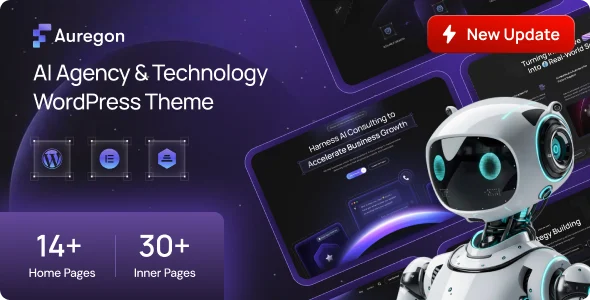
For teams that need alternate demo variations or a different tech-vertical starting point, deploying Inotek – IT Solutions and Business Technology WordPress Theme provides 22 Elementor demos on the same Bootstrap 5.x styling model, and Auregon – AI Agency & Technology WordPress Theme targets AI and SaaS positioning with 10+ demos.
Who Should Use This Theme?
This package fits freelance developers, agency build teams, and technical consultants who ship client websites for IT services firms, managed service providers, software houses, and technology startups. It suits production contexts where Elementor is the accepted editing interface and WooCommerce must handle digital product sales. Developers who prefer Gutenberg block editing should note the theme is not Gutenberg optimized, so block-first projects will fight the architecture. It is also not designed for teams that require headless decoupling or custom REST-driven front ends; the asset assumes standard server-rendered WordPress templates.
Compatibility & Runtime Requirements
The baseline constraint is a standard LAMP/LEMP WordPress stack running the listed core and plugin versions.
| Engineering Metric | Deployment Specification |
|---|---|
| Base Technology / Framework | WordPress theme on Underscores framework, Bootstrap 5.x, Elementor page builder |
| Runtime / Language Requirements | PHP-rendered theme files (PHP, CSS, JS); WordPress 5.5.x through 7.1.x |
| Data Exchange / Communication Protocols | Contact Form 7 form submission pipeline; WooCommerce cart/checkout state |
| Core Dependencies / Engine Compatibility | Elementor, Contact Form 7, WooCommerce 8.x/9.x/10.x; Firefox, Safari, Opera, Chrome, Edge |
| Database / Storage Footprint | Standard MySQL/MariaDB tables via wp_posts, wp_postmeta, and options; no custom schema |
How to Install & Deploy the Theme
Deployment follows the standard WordPress theme installation path; activation enables every module immediately.
- Verify the host runs a supported WordPress version (5.5–7.1), confirm PHP meets the Elementor and WooCommerce minimums, and confirm required plugins (Elementor, Contact Form 7, WooCommerce) are installed or queued.
- Upload the theme archive through the WordPress administration interface under Appearance > Add New, or transfer the extracted files to wp-content/themes via SFTP.
- Click Activate. The theme’s options panel, widget areas, header/footer builder scope, and Elementor section library become operational at once.
- Run the One Click Demo Import to replicate the reference layout, then adjust theme options, assign menus and widgets, validate responsive and Retina output across target browsers, and test form and checkout flows end to end.
Frequently Asked Questions
Does the theme depend on Gutenberg for page composition?
No, it is not Gutenberg optimized. Page composition runs through the bundled Elementor page builder and its header/footer builder, while Gutenberg remains available for standard post content editing.
Is translation support included for multilingual client deployments?
Yes, the package is translation ready, exposing its strings for localization, and widget areas are registered so content can be extended per language within a standard WordPress setup.
Which files are included in the download package?
The package contains the PHP, CSS, and JS theme files, one-click demo content, required plugin references, and complete documentation covering installation and configuration procedures.