Academy LMS Pro – All-in-One WordPress LMS Plugin For Your Online Courses
LMS Pro Academy Learning Management System is a Phspark PHP script for building self-hosted online course platforms with quizzes, video lessons, and certificates.
- Daily automated updates
- VirusTotal 0/70 clean
- Licensed under GPL
- Secure 256-bit checkout
- Instant direct cloud link
What Is LMS Pro Academy Learning Management System?
LMS Pro Academy Learning Management System is a PHP-based web application built on the Phspark full-stack framework, engineered for development teams and agencies to deploy self-hosted online course platforms without WordPress dependencies. It resolves the core bottleneck of assembling course authoring, quiz evaluation, video delivery, and student tracking into a single MVC codebase rather than stitching multiple scripts together. In production, it operates as the complete backend and frontend for an academy site, exposing separate instructor, student, and administrative surfaces from one installation.
Key Features of the Script
The application follows a route-driven request lifecycle: incoming URLs resolve to controller actions, which query the MySQL layer through framework abstractions and render views composed of PHP, HTML, CSS, and JavaScript assets shipped in the package. Course content, lesson progress, quiz results, and review records all persist as relational writes, so every dashboard figure reflects live database state rather than cached snapshots.
Architectural Highlights
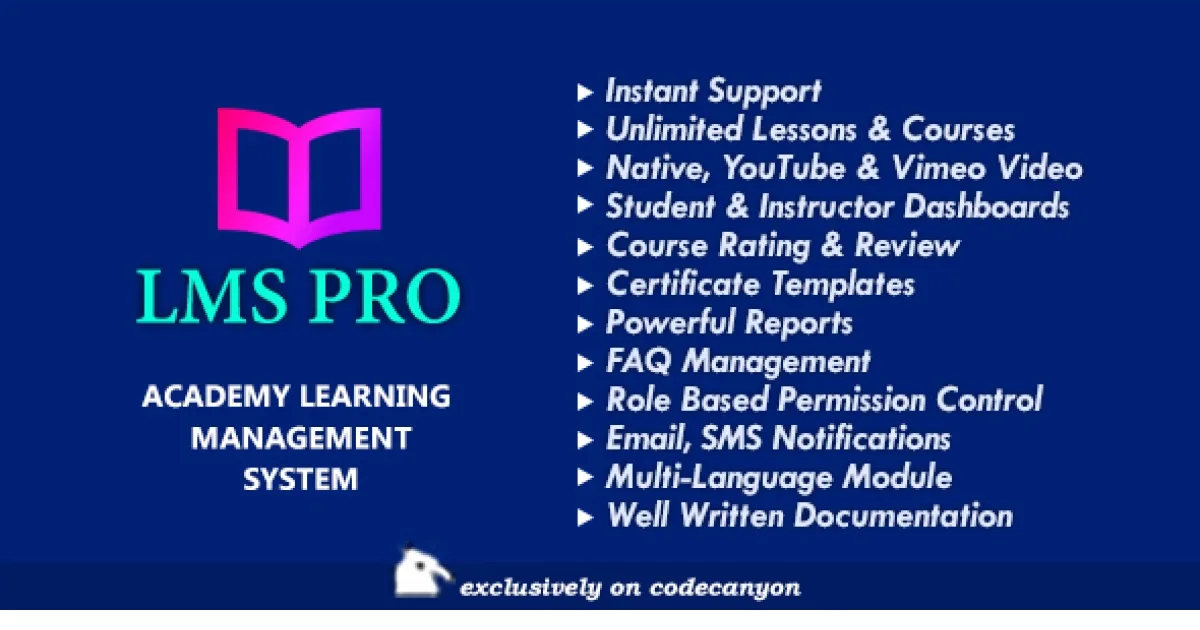
- Course Builder with Unlimited Lessons: Instructors assemble course hierarchies through an administrative form flow; each course and lesson is persisted as its own record, so scaling to hundreds of lessons does not degrade the authoring interface.
- Advanced Quiz Creator and Q&A Section: Question banks are stored relationally and evaluated server-side on submission, producing deterministic scoring tied to the enrolling student account and course module.
- Multi-Source Video Delivery: The player accepts native uploaded video files as well as YouTube and Vimeo embeds, with a resuming playback mechanism that records the last watch position so learners continue from prior timestamps.
- Role-Differentiated Dashboards: Admin, instructor, and student routes are segregated at the routing layer, each rendering role-scoped data such as enrollments, instructor earnings views, and course management queues.
- Rating, Review, and Certificate Modules: Completed learners submit ratings that aggregate per course, and certificate templates render completion records into printable documents.
Who Should Use This Script?
This codebase targets PHP developers and small agencies who want full control over an LMS deployment at the server level: teams comfortable provisioning Apache or Nginx hosts, editing PHP configuration, and administering MySQL directly. It fits client builds where a standalone academy site must run outside the WordPress plugin ecosystem, or where a custom frontend will consume the course data. Developers building WordPress-native course sites should instead evaluate theme-level solutions; for example, deploying MaxCoach provides a course-selling and membership architecture inside WP, while Nori integrates LearnPress, Tutor LMS, and Zoom classes with Elementor demos. Non-technical operators who cannot perform file transfers, database setup, and route configuration will find this package unsuitable without engineering staff.
Compatibility & Runtime Requirements
Deployment constraints are minimal but non-negotiable: the codebase targets the PHP 7.x runtime generation and a relational MySQL backend behind a standard web server.
| Engineering Metric | Deployment Specification |
|---|---|
| Base Technology / Framework | Phspark PHP full-stack framework, version 1.x |
| Runtime / Language Requirements | PHP 7.0 or above; JavaScript (JS/JSON), HTML, XML, and CSS assets included |
| Data Exchange / Communication Protocols | HTTP request/response over Apache or Nginx; JSON structures within bundled JS assets |
| Core Dependencies / Engine Compatibility | MySQL database server; all modern browsers for the frontend |
| Database / Storage Footprint | MySQL schema for courses, lessons, quizzes, enrollments, reviews, and user roles; native video uploads require local disk capacity |
How to Install & Deploy the Script
Deployment follows a standard self-hosted PHP workflow. Because installation services are outside the included scope, plan for an engineer to execute the following sequence:
- Environment Pre-check: Confirm the host runs Apache or Nginx with PHP 7.0+ and a reachable MySQL instance; verify the PHP version via the CLI or a phpinfo probe before uploading anything.
- Package Upload: Transfer the archive contents to the web root or a subdirectory (the demo structure shows the application running under an lmspro path). Extract files preserving the PHP, JS, CSS, HTML, and XML layout, then import the database and configure connection credentials.
- Direct Activation: Once credentials and routing are configured, the application resolves its index route immediately; administrative, instructor, and student areas become fully operational without any additional enablement step.
- Configuration & Testing: Log into the admin area to configure course categories, certificate templates, and video source preferences. Create a test course with a native upload and a YouTube embed, enroll a trial student, and verify quiz scoring and review submission end to end before go-live.
Frequently Asked Questions
Does the package include full offline documentation with the source files?
Yes. The distribution ships with complete downloadable documentation files, and the same material is also published as online documentation, so engineering teams can follow setup and configuration steps during offline staging work.
Can lessons use both self-hosted video files and third-party embeds in the same course?
Yes. The video subsystem accepts native uploaded files alongside YouTube and Vimeo sources, and the player records watch position to support resuming, so mixed-source curricula retain continuous playback state per learner.
Is the admin interface separate from the student login route?
Yes. Administrative and instructor functions resolve under a dedicated admin route, while student authentication runs through the account login route, keeping role surfaces isolated at the URL and controller level.
Does the codebase require any build tooling before deployment?
No. All required JavaScript, JSON, HTML, XML, CSS, and PHP files are included in ready-to-serve form, so deployment involves file transfer and database configuration rather than compiling or bundling assets.