Ultimate Addons for Elementor
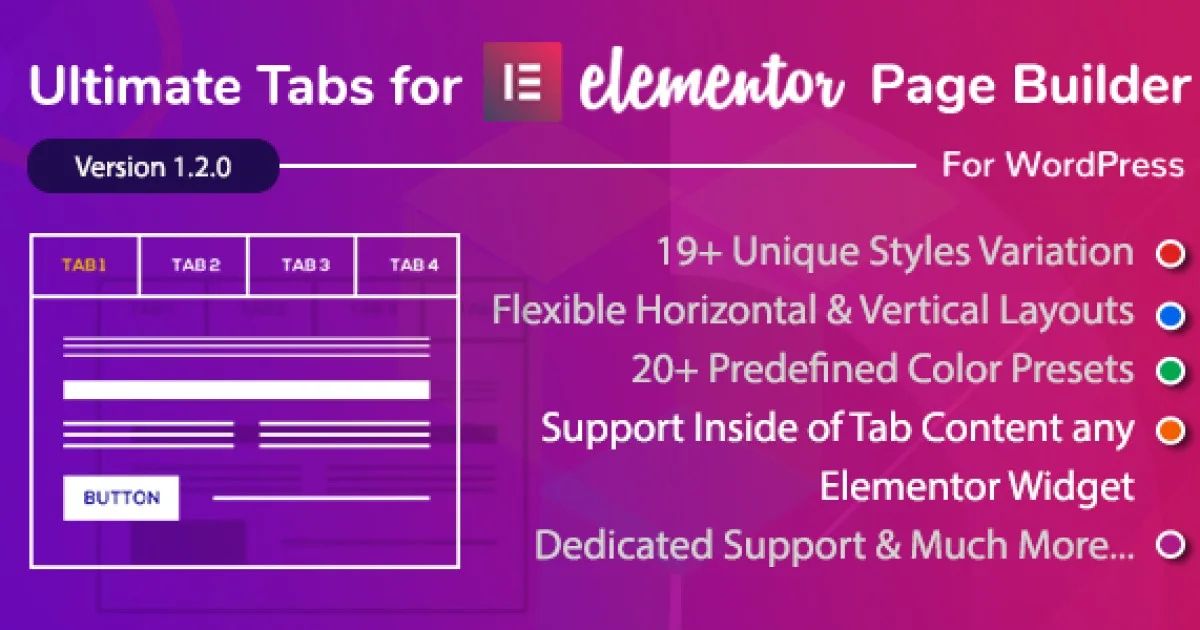
Ultimate Tabs for Elementor is a WordPress plugin delivering a tabs widget addon with multiple layouts, responsive breakpoints, and repeater-based content control.
- Daily automated updates
- VirusTotal 0/70 clean
- Licensed under GPL
- Secure 256-bit checkout
- Instant direct cloud link
What Is Ultimate Tabs for Elementor?
Ultimate Tabs for Elementor is a WordPress plugin built as an Elementor widget addon, engineered for developers and agencies to render structured, interactive tab interfaces directly inside the Elementor editor. It resolves the bottleneck of hand-coding tabbed content blocks that otherwise require separate markup, scoped CSS, and custom JavaScript per project. In production, it operates as a self-contained content widget registered into the Elementor widget panel, reusable across unlimited pages and templates.
Key Features of the Plugin
The plugin registers a native Elementor widget that parses repeater fields in the editor panel, serializes each tab entry into the widget’s render array, and outputs accessible tabbed markup on the front end with switch behavior handled client-side. Styling is resolved through Elementor’s standard Controls API rather than hardcoded CSS, so every visual parameter maps to editor inputs. This execution flow keeps rendering within the page builder’s documented widget lifecycle.
Architectural Highlights
- Repeater-Driven Tab Construction: Each tab is a repeater item carrying its title and body content, letting editors add, reorder, or remove tabs without touching template files or shortcodes.
- Multiple Prebuilt Layout Variants: The demo surfaces several distinct tab presentations, covering horizontal navigation styles, icon-accompanied headers, and content-panel arrangements selectable from the widget’s layout control.
- Editor-Level Style Controls: Tab headers, active states, borders, typography, and spacing are bound to Elementor controls, so styling tokens inherit the page’s global palette instead of compiling a parallel stylesheet.
- Responsive Breakpoint Behavior: Tab output respects Elementor’s responsive controls, allowing per-device visibility and dimension adjustments through the standard device toggle in the editor.
- Icon and Content Flexibility: Individual tabs accept icons and mixed content, enabling navigation blocks, product spec sheets, or FAQ panels built from one widget instance.
For agencies assembling tabbed pricing tiers or service breakdowns inside a larger build, pairing this widget with a multipurpose base such as Bridge – Creative Elementor and WooCommerce WordPress Theme keeps layout composition entirely within the builder while the theme handles commerce scaffolding.
Who Should Use This Plugin?
The codebase targets Elementor-literate developers, freelancers, and agency teams who already standardize on the page builder and need repeatable tab modules across client projects. It fits staging-to-production WordPress workflows where widgets must survive template reuse and editor handoff to content staff. Teams running consulting or business sites on platforms like Advia – Financial & Business Consulting Elementor WordPress Theme can slot the widget into existing section layouts without overriding theme templates. It is not intended for developers who avoid Elementor entirely, nor for projects requiring headless JSON-only content delivery, since tab interactivity is bound to the builder’s front-end runtime.
Compatibility & Runtime Requirements
Deployment assumes a standard WordPress stack with the Elementor page builder active; the widget registers only when both dependencies load.
| Engineering Metric | Deployment Specification |
|---|---|
| Base Technology / Framework | WordPress plugin extending the Elementor widget system |
| Runtime / Language Requirements | PHP and JavaScript per standard WordPress hosting baselines |
| Data Exchange / Communication Protocols | Server-rendered HTML output; client-side tab switching via DOM events |
| Core Dependencies / Engine Compatibility | WordPress core plus Elementor editor (widget panel registration required) |
| Database / Storage Footprint | Widget settings persist as post meta through Elementor’s native storage; no custom tables |
How to Install & Deploy the Plugin
Deployment follows the standard WordPress administrative flow, with no external configuration steps beyond activating the package.
- Environment Pre-check: Confirm the server meets WordPress minimums and that the Elementor plugin is installed and active, since the widget registers against the builder’s loader.
- Package Upload: Upload the plugin archive through the administration Plugins screen, or extract it into wp-content/plugins via SFTP for CLI-managed environments.
- Direct Activation: Activate the plugin from the Plugins list; the Ultimate Tabs widget immediately appears in the Elementor editor panel with all controls operational.
- Configuration & Testing: Insert the widget into a section, populate repeater tabs, select a layout variant, and verify front-end tab switching, active-state styling, and responsive behavior across breakpoints.
Frequently Asked Questions
Does the widget require the Elementor editor to be active for tabs to render?
Yes. The module registers through the Elementor widget system, so both WordPress and the Elementor builder must be installed and active before the tabs widget appears or outputs markup.
Can each tab contain different content types, such as icons and formatted text?
Yes. Repeater entries accept per-tab titles, icons, and body content, so a single widget instance can mix icon-labeled headers with text, lists, or embedded builder content in each panel.
Does the plugin create its own database tables or store data separately?
No. Widget configuration is saved as post meta through Elementor’s native storage layer, keeping the database footprint limited to existing WordPress tables with no custom schema writes.
Can tab appearance be adjusted per device without custom CSS?
Yes. The widget exposes Elementor’s standard responsive controls, letting developers set typography, spacing, and visibility per breakpoint directly from the editor’s device toggles.