Advanced Custom Fields Pro Plugin
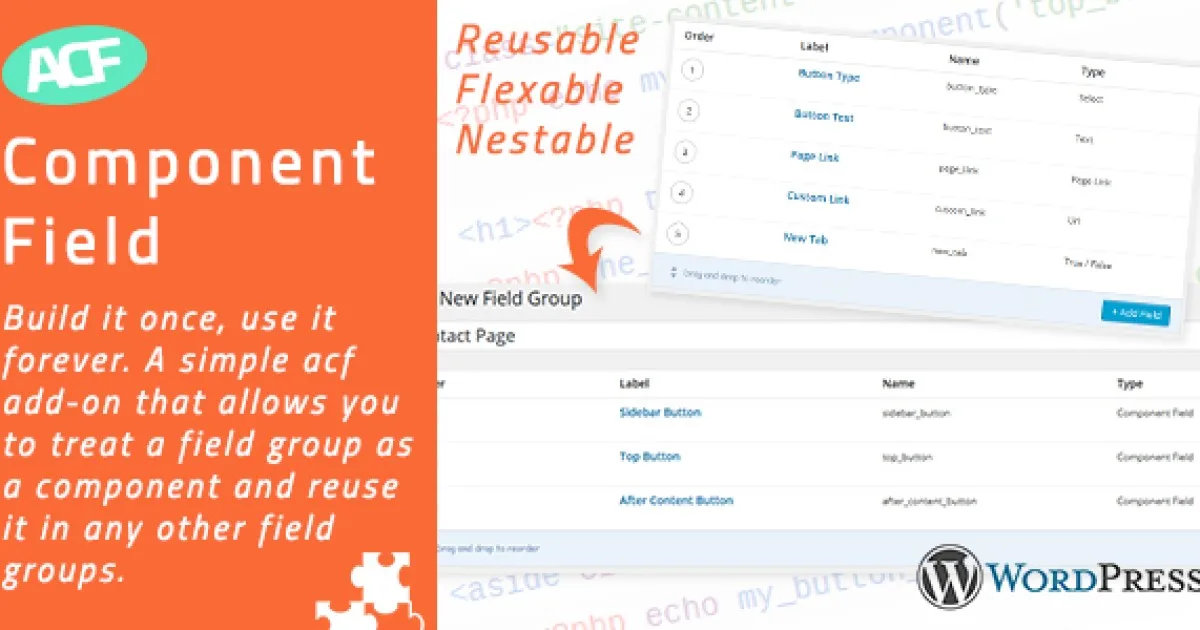
ACF Component Field is a WordPress plugin addon for Advanced Custom Fields Pro that reuses field groups as components across any project field groups.
- Daily automated updates
- VirusTotal 0/70 clean
- Licensed under GPL
- Secure 256-bit checkout
- Instant direct cloud link
What Is ACF Component Field?
ACF Component Field is a WordPress 6+ plugin addon for ACF PRO 6+, engineered for developers and agencies to treat an entire field group as a reusable component inside other field groups. It resolves the recurring bottleneck of duplicating identical field sets — button groups, testimonial blocks, sliders, custom list menus — across multiple field group registrations. Once deployed, it functions as a component library layer inside standard ACF editing workflows, letting teams define a field structure once and reference it wherever the pattern appears.
Key Features of the Plugin
The core mechanism registers a custom ACF field type that mounts a selected field group as an embedded, self-contained sub-form within the parent editor screen. Each instance stores its values independently, which prevents the classic collision where multiple placements of the same fields overwrite one another’s data on save.
Architectural Highlights
- Field Group as Component: Any existing ACF field group can be assigned as a component field, so the module reuses your native field definitions without requiring a parallel schema or migration step.
- Isolated Value Storage: Every placement of a component persists its own dataset, eliminating value overwrites when the same component appears multiple times on one post object.
- Nested Composition: Components can contain other components, enabling hierarchical layout trees analogous to how React composes independent units into a full page.
- JSON Export Workflow: Frequently used components can be exported to JSON files and re-imported into new projects, giving agencies a portable, version-controllable component library.
- Basic and Advanced Usage Modes: The plugin documents a simple component pattern for flat structures and an advanced nested pattern for composite blocks.
When building larger editorial systems on top of ACF — for example, directory sites where listing layouts share repeated field patterns — pairing this addon with a theme like MyListing – Directory & Listing WordPress Theme keeps reusable field logic centralized instead of scattered across dozens of duplicate groups.
Who Should Use This Plugin?
This codebase targets WordPress engineers, agency developers, and freelancers who already operate inside ACF PRO and maintain multi-project field architectures. It fits teams standardizing atomic content blocks — buttons, sliders, testimonials — across client builds, and developers who want their field definitions versioned and portable via JSON export files. It is not intended for non-technical site builders seeking visual page construction: the addon operates at the field group definition layer, not the render layer, and requires familiarity with ACF group administration and template-side retrieval of nested field values.
Compatibility & Runtime Requirements
Baseline runtime constraints are narrow and explicit, reflecting the addon’s dependency on ACF PRO licensing tiers for repeater-capable field types.
| Engineering Metric | Deployment Specification |
|---|---|
| Base Technology | WordPress plugin (ACF field type addon) |
| WordPress Core | WordPress 6 or higher |
| Engine Compatibility | Advanced Custom Fields PRO 6 or higher; ACF 4 is unsupported because repeater fields are not bundled with that version and the data model differs |
| Package Format | advanced-custom-fields-component_field.zip, installable through the standard plugin uploader |
| Runtime Thresholds | Deep nesting may hit server max_post_size or max_input_nesting_level limits depending on host configuration |
How to Install & Deploy the Plugin
Deployment follows the standard WordPress administrative upload path with no additional build or compilation stage.
- Environment Pre-check: Confirm the host runs WordPress 6+ and that ACF PRO 6+ is installed and active, since the component field type registers against the PRO field API.
- Package Upload: In the WordPress admin, navigate to the plugin installer, click the Upload Plugin button beside the heading, and upload the advanced-custom-fields-component_field.zip archive to the file upload area.
- Direct Activation: Activate the plugin; the component field type becomes available immediately in the ACF field type selector across all field groups.
- Configuration & Testing: Create a source field group, assign it as a component inside a parent group, populate a test post, and verify that each component instance reads and writes its own values independently. When composing nested components, avoid circular references that would create an infinite loop.
For agencies managing checkout and transactional flows alongside structured content, component-driven field architecture pairs naturally with layout tooling such as Email Customizer WooCommerce Extension, which applies the same reusable-template philosophy to transactional email rendering in WooCommerce order events.
Frequently Asked Questions
Can the same component be used multiple times on a single post?
Yes. The architecture was built specifically to solve value overwriting: each component instance persists an isolated dataset, so two or more placements of the same component on one post save and retrieve their values independently.
Does this addon support ACF 4 installations?
No. ACF 4 is deliberately unsupported because its repeater field is not bundled by default and its underlying field architecture differs from the ACF PRO 6+ data model this component field targets.
Can components be nested inside other components?
Yes. Advanced usage supports nesting, but developers must avoid creating recursive references that trigger an infinite loop, and very deep trees may exceed server max_post_size or max_input_nesting_level limits.
How do I reuse components across different client projects?
Yes, via the documented JSON export workflow: prepare your commonly used components, export them to JSON files, then import the identical definitions whenever a new project requires the same component set.