Alceste – A Clean and Modern WooCommerce Theme
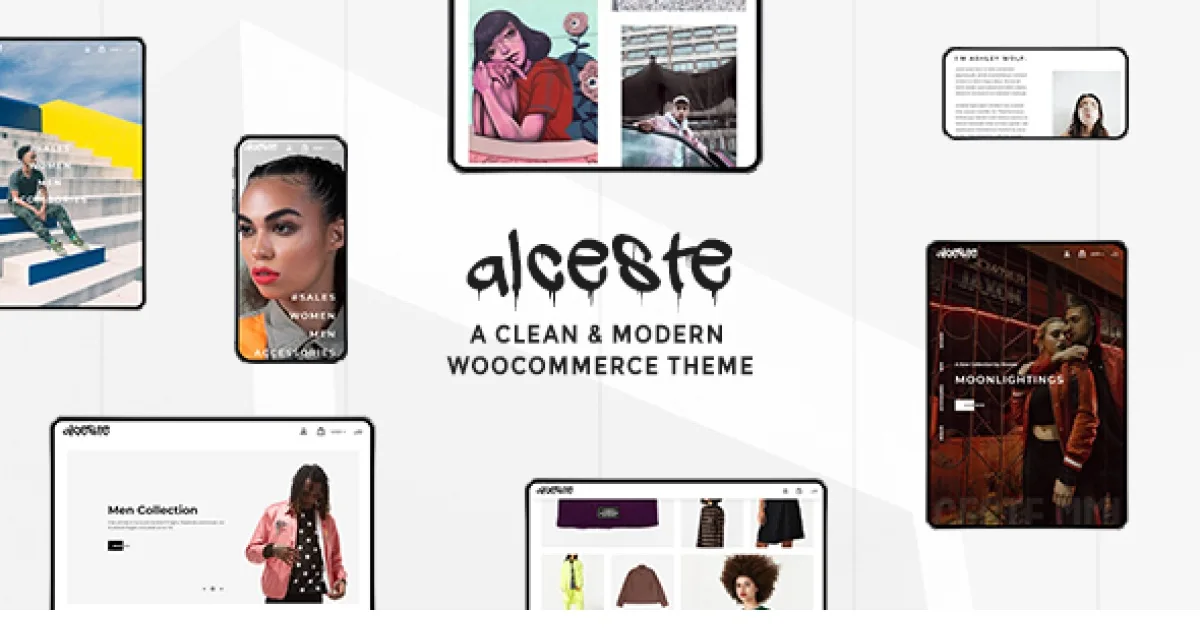
Alceste is a WooCommerce WordPress theme delivering multiple homepage layouts, store grids, slider and video headers for developers building retail storefronts.
- Daily automated updates
- VirusTotal 0/70 clean
- Licensed under GPL
- Secure 256-bit checkout
- Instant direct cloud link
What Is Alceste?
Alceste is a WordPress WooCommerce theme, engineered for developers and digital agencies to assemble commerce-focused landing pages and storefronts without rebuilding front-end scaffolding for each client project. It resolves the recurring bottleneck of hand-assembling homepage variants — slider headers, catalog grids, portfolio entry points — by shipping these as pre-structured layout modules that hook into the standard WordPress template hierarchy. In production, it functions as the presentation layer of a WooCommerce deployment, with page composition handled through its bundled homepage layouts.
Key Features of the Theme
Execution centers on the WordPress template hierarchy: each homepage layout registers as a discrete template that WordPress resolves at request time, then renders through the theme’s DOM structure with WooCommerce archive and product data bound into the output tree.
Architectural Highlights
- Multiple Homepage Layouts: The package ships distinct homepage compositions — Main Home, Full Window, Slider, and Portfolio Home — each resolved as a separate template file, letting developers switch page architecture per landing page without rewriting markup.
- Grid Store and Metro Store Modules: Two catalog rendering modes structure WooCommerce product loops into uniform grid columns or a masonry-style metro layout, altering the archive template’s container geometry while preserving native WooCommerce query behavior.
- Video Header Module: Supports video-backed header regions on landing pages, useful where the first viewport above the fold must carry motion-based branding rather than a static image asset.
- Animated Links and Panels: Navigation links and collapsible panel regions carry transition states implemented at the CSS/JS layer, dispatching on user interaction events rather than page reloads.
- Portfolio Home: A portfolio-oriented landing template renders project or case-study collections as a primary entry surface, suited to agency sites that combine service showcases with commerce.
For stores that need filtering beyond what the bundled archive layouts render natively, pairing the storefront with Ajax Layered Navigation WooCommerce lets developers rebuild shop archive filtering without full page reloads, complementing the Grid and Metro Store modules.
Who Should Use This Theme?
The codebase targets freelance developers and agency teams deploying client storefronts on standard WordPress plus WooCommerce stacks, particularly where each project demands a different landing-page composition — slider-led retail, full-window brand pages, or portfolio-driven entry points. Teams maintaining multiple commerce properties benefit from the layout catalog reducing per-project front-end assembly time. It is not intended for operators who require fully code-driven, headless storefront architectures, nor for non-technical users expecting exhaustive visual page-builder control over every module’s internals; layout selection operates within the templates the theme provides.
Compatibility & Runtime Requirements
The package runs within the standard WordPress server stack, with WooCommerce required for the store-oriented modules to resolve product data.
| Engineering Metric | Deployment Specification |
|---|---|
| Base Technology | WordPress Theme (PHP templating, HTML/CSS/JS front end) |
| Commerce Dependency | Native WooCommerce integration for Grid Store, Metro Store, and shop archives |
| Runtime Environment | Standard WordPress Core hosting environment (PHP/MySQL baseline) |
| Front-End Mechanics | Template hierarchy resolution, DOM-rendered layout modules, event-driven link and panel animations |
| Media Handling | WordPress native media library for slider and video header assets |
Real-World Use Cases & Implementation
Scenario one: a fashion or lifestyle retailer launches with the Slider homepage as the primary conversion surface, then swaps to the Metro Store layout for catalog-heavy campaigns — both operating on the same WooCommerce product dataset with no data migration. Scenario two: a creative studio combines the Portfolio Home layout for its case-study funnel with the Grid Store module for merchandise sales, using one WordPress installation to serve both brand and commerce objectives. Scenario three: a landing-page refresh deploys the Full Window layout for a single hero-dominated product push; because each layout is a discrete template, the swap is a page-level assignment rather than a theme rebuild. Where such pushes involve name-your-price merchandise or donation-style listings, integrating Name Your Price WooCommerce Extension lets developers deploy pay-what-you-want pricing across the storefront catalog the theme renders.
Frequently Asked Questions
Can the Grid Store and Metro Store layouts run simultaneously on different pages?
Yes. Each catalog layout is a separate template resolved per page assignment, so one page can render the uniform grid while another renders the metro arrangement against the same WooCommerce product queries.
Does the Video Header module require external video hosting?
No specific external service is mandated by the documented modules. Video header assets are managed through the theme’s header configuration alongside standard WordPress media handling workflows.
Is the Portfolio Home layout dependent on WooCommerce being active?
No. The Portfolio Home template serves portfolio content independently of commerce queries, whereas the Grid Store and Metro Store modules require an active WooCommerce installation to resolve product data.