Axevia – Personal Portfolio WordPress Theme
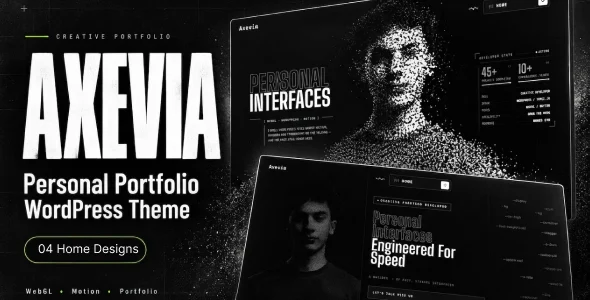
Axevia - Personal Portfolio WordPress Theme pairs seven WebGL home scenes, three.js rendering, and 100+ admin settings for developers and creative studios.
- Daily automated updates
- VirusTotal 0/70 clean
- Licensed under GPL
- Secure 256-bit checkout
- Instant direct cloud link
What Is Axevia – Personal Portfolio WordPress Theme?
Axevia – Personal Portfolio WordPress Theme is a hand-coded WordPress theme, engineered for creative developers, designers, digital artists, freelancers, and studios to present portfolios through WebGL-driven scenes and structured case studies. It resolves the common bottleneck of page-builder bloat by replacing drag-and-drop composition with dedicated admin settings and predefined layouts. In production, it functions as a self-contained personal or studio website layer, handling hero rendering, project indexing, blogging, contact capture, and 404 recovery from a single codebase.
Key Features of the Theme
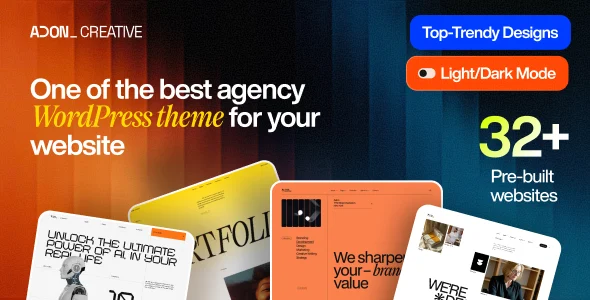
The execution flow is split between a PHP template layer that assembles pages from completed content fields and a browser-side three.js engine that drives canvas scenes. Scripts and styles load only on pages that request them, and rendering loops respect browser visibility and motion preferences. Where an agency needs an alternative architecture built around Elementor widget composition instead of a hand-coded template hierarchy, deploying Adon – Creative Agency Portfolio WordPress Theme covers that workflow with one-click demo import.
Architectural Highlights
- Seven home scene templates: Image Particles, CRT Portrait, Orbit, Globe, Four, Five, and Immersive each bind a distinct shader pipeline—cursor-reactive particle scattering, scanline and chromatic-separation glitch passes, and a rotating typography sphere. An on-page switcher appears only when multiple designs are published.
- Endless 3D project index: A carousel-style project stage synchronizes a numbered navigation rail with the active card state; each card carries a thumbnail, description, tags, and an optional muted hover-triggered video preview.
- Conditional case-study assembly: Project pages at /projects/your-project/ render metadata (type, year, platform, role, client, timeline), an overview, a video panel, four numbered sections, and a gallery band—sections without data remain omitted from the DOM output.
- Native contact pipeline: The built-in form writes submissions to the dashboard and dispatches email notifications; stored messages persist even when mail delivery fails, removing any plugin dependency.
- 100+ centralized settings: The Axevia Home admin screen exposes colour tokens, eight text-size controls, branding, ticker, statistics panel, navigation, and page copy—each field falls back to a built-in default when left empty.
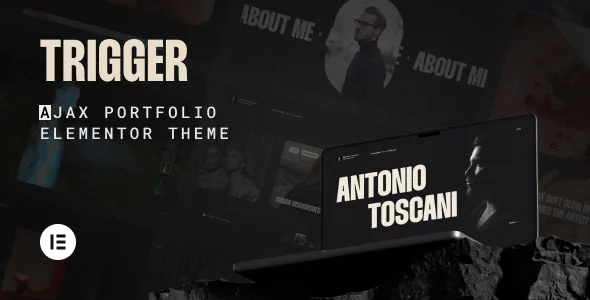
For portfolios that outgrow a single-artist scope and require SPA-style page transitions, structuring the project on Monogram – Personal Portfolio WordPress Theme provides Barba.js routing and Algolia search, while Trigger – AJAX Portfolio WordPress Theme suits studios wanting GSAP micro-interactions inside an Elementor stack.
Who Should Use This Theme?
This codebase targets developers and technical freelancers comfortable editing PHP templates, SCSS variables, and JS modules directly, plus studios delivering hand-coded client portfolios where no page builder should enter the stack. Its child-theme support, CSS customization examples, and .pot template suit agencies maintaining multiple localized deployments. It is not intended for non-technical operators expecting Gutenberg block composition—block editing is explicitly not optimized—nor for teams requiring a visual drag-and-drop builder inside the theme layer.
Compatibility & Runtime Requirements
Baseline constraints centre on WordPress core currency, PHP floor version, and browser-level WebGL availability for the interactive home scenes.
| Engineering Metric | Deployment Specification |
|---|---|
| Base Technology | Hand-coded WordPress theme (PHP, CSS, SCSS, JS files); three.js bundled locally |
| Runtime / Language | PHP 7.4 or newer; WordPress 6.0+ (verified through 6.6.x–7.0.x) |
| Browser Coverage | IE11, Firefox, Safari, Opera, Chrome, Edge; WebGL-capable browser required for hero scenes |
| Builder Compatibility | Elementor compatible; Gutenberg not optimized; no required plugins |
| Assets & Storage | Four bundled webfonts (Big Shoulders Display, Space Mono, Inter, Roboto Slab); no external CDN or font requests; demo content via WordPress import file plus a separate settings file |
How to Install & Deploy the Theme
- Environment pre-check: Confirm the server runs PHP 7.4+ and WordPress 6.0 or newer, and verify target browsers expose a WebGL context; without WebGL, the canvas hides automatically and text navigation remains.
- Package upload: Upload the theme archive through the WordPress administration interface, then import the demo content file and the separate settings file to replicate the reference structure.
- Direct activation: Activate the theme; the Axevia Home admin screen, project editing areas, contact message storage, and all home scene modules become operational immediately.
- Configuration & testing: Work through the 100+ settings sections—colours, eight text-size controls, branding, ticker, statistics panel, and page text—then publish one or more home designs, add projects, and confirm the navigation rail, hover video previews, and reading-time indicators output correctly across breakpoints.
Frequently Asked Questions
Does the theme require any third-party plugins for core functionality?
No. Core features—the contact form with dashboard message storage, project case-study pages, WebGL home scenes, blog reading tools, and the 404 navigation—operate from the theme codebase itself with zero required plugin installation.
What happens to the home scenes on devices without WebGL support?
The canvas element is hidden entirely, while essential text, navigation, contact details, and links remain fully accessible, so the site degrades to a readable, navigable presentation without interactive graphics.
How does the codebase handle performance on smaller screens and background tabs?
WebGL scenes reduce particle counts on smaller viewports, animation loops stop when the visitor enables reduced-motion preferences, and rendering pauses whenever the browser tab is hidden.