Trigger – AJAX Portfolio WordPress Theme
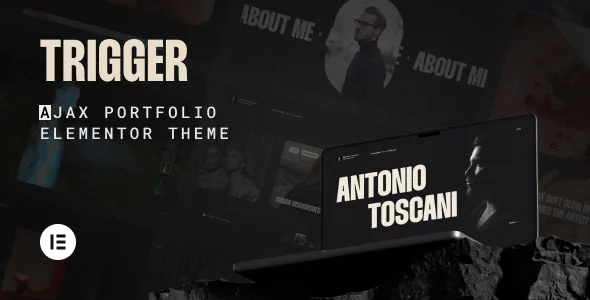
Trigger – AJAX Portfolio WordPress Theme builds Elementor portfolio sites with AJAX transitions and GSAP micro-interactions for creative studios.
- Daily automated updates
- VirusTotal 0/70 clean
- Licensed under GPL
- Secure 256-bit checkout
- Instant direct cloud link
What Is Trigger – AJAX Portfolio WordPress Theme?
Trigger – AJAX Portfolio WordPress Theme is an Elementor-first WordPress theme, engineered for creative agencies, photographers, designers, and freelance developers to assemble motion-driven portfolio sites without writing template code. It addresses the architectural weakness common to animated themes—full-page reloads that destroy the DOM and re-bootstrap every script—by persisting the application shell while content swaps asynchronously between routes. In production, it operates as a complete presentational layer for image-heavy client work, replacing custom front-end scaffolding with a pre-tested PHP, CSS, and JS asset bundle.
Key Features of the Theme
The theme intercepts internal link clicks and swaps page content over an AJAX transport instead of issuing document reloads. Every downstream behavior depends on that single routing decision, which is why the motion system stays stable across navigation.
Architectural Highlights
- AJAX Navigation Layer: internal requests resolve asynchronously while the persistent shell survives the route change, so the preloader and cursor logic never re-initialize; black-to-color transition states mask the swap window and preserve visual continuity between pages.
- GSAP Micro-Interaction Engine: the magnetic cursor, marquee headers, and dynamic text run on the GreenSock Animation Platform ticker, keeping pointer-driven transforms off the main layout path and reducing reflow cost during hover and scroll events.
- Switchable Layout System: portfolio archives render through masonry grid, fullscreen slider, rich list, or fixed-media chapter templates, each a discrete Elementor-driven structure rather than a hard-coded query loop, so grid density can change per project without template edits.
- Media Delivery Pipeline: lazy loading and adaptive image sizes defer offscreen requests and serve resolution-matched files, directly protecting LCP and CLS on gallery-heavy pages built from a 4+ column responsive grid.
- Conversion Modules: a Status Widget mounts quick contact forms through Contact Form 7 or availability badges, while self-hosted featured videos play inline and YouTube or Vimeo assets load inside a lightbox, keeping third-party scripts off the critical path.
- Optional Smooth Scroll: a physics-based scroll module can be enabled on desktop and touch devices, or disabled entirely when a project demands native scroll behavior for accessibility or performance audits.
When a brief requires client-side search across very large media archives alongside its transitions, the Monogram architecture covers that segment with Barba.js routing and Algolia indexing, making the two codebases complementary rather than competing options.
Who Should Use This Theme?
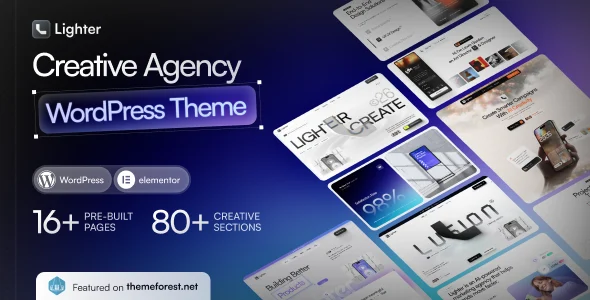
This package fits studios, independent photographers, design agencies, and freelancers who ship image-led portfolio and blog deliverables on a standard LAMP WordPress stack. It assumes the operator works inside Elementor and Elementor Pro daily; every layout, animation trigger, and typography token is edited visually, so teams that prefer writing raw template PHP or block markup get limited benefit. It is explicitly not built for Gutenberg-native workflows, since the codebase is not block-editor optimized, and it does not suit headless or decoupled deployments where the theme layer is replaced by a REST or GraphQL consumer. Agencies running multi-demo client work in a similar motion-first register often standardize on Lighter for its six demo starting points, then deploy this theme when single-project, transition-heavy presentation is the priority.
Compatibility & Runtime Requirements
Deployment targets a standard self-hosted WordPress environment with the Elementor builder installed before layout work begins.
| Engineering Metric | Deployment Specification |
|---|---|
| Base Technology / Framework | PHP theme with bundled CSS and JS files; built exclusively for the Elementor page builder (Elementor Pro supported) |
| Runtime / Language Requirements | WordPress 6.9.x or 7.0.x core; package ships PHP, CSS, and JS source files |
| Data Exchange / Communication Protocols | Asynchronous AJAX requests for internal page navigation; standard HTTP delivery for adaptive media, inline video, and lightbox embeds |
| Core Dependencies / Engine Compatibility | Elementor, Elementor Pro, Contact Form 7, WPML; verified alongside WP Super Cache, Autoptimize, Rank Math, Yoast, Polylang, and TranslatePress |
| Database / Storage Footprint | Standard WordPress post, meta, and widget storage within the theme directory; widget-ready areas and a responsive 4+ column grid, with no custom schema dependencies documented |
How to Install & Deploy the Theme
- Environment Pre-check: confirm the host runs WordPress 6.9.x or 7.0.x, verify PHP versions against current core requirements, and install Elementor (and Elementor Pro where dynamic content is needed) before proceeding.
- Package Upload: transfer the theme archive through the administration interface uploader or place the extracted PHP, CSS, and JS files directly into the themes directory.
- Direct Activation: activate the theme as a standard administrative action; the Theme Wizard then runs a one-click routine that loads demo pages, media, required plugins, and a child theme, bringing every module online without manual imports.
- Configuration & Testing: tune the preloader, page transition timing, and smooth scroll toggle in the settings panel, assign masonry, slider, list, or fixed-media templates to portfolio archives, wire the Status Widget to Contact Form 7, and validate render output across Firefox, Safari, Opera, Chrome, and Edge breakpoints before release.
Frequently Asked Questions
Does the theme support native Gutenberg block editing?
No, the codebase is not Gutenberg optimized. All page layouts, animation triggers, and design tokens are constructed and edited through the Elementor page builder, so teams should plan editorial workflows around Elementor rather than the block editor.
Is a child theme included for safe customization?
Yes. The Theme Wizard setup routine generates and loads a child theme alongside the demo pages, media, and required plugins, so PHP and CSS modifications can be isolated from the parent package and survive subsequent re-installs of the base theme.
How are portfolio videos handled at the asset level?
Self-hosted featured videos render inline within portfolio items, while external YouTube and Vimeo assets load inside a lightbox on demand, which prevents third-party embed scripts from executing during initial page load and protects Core Web Vitals scoring.