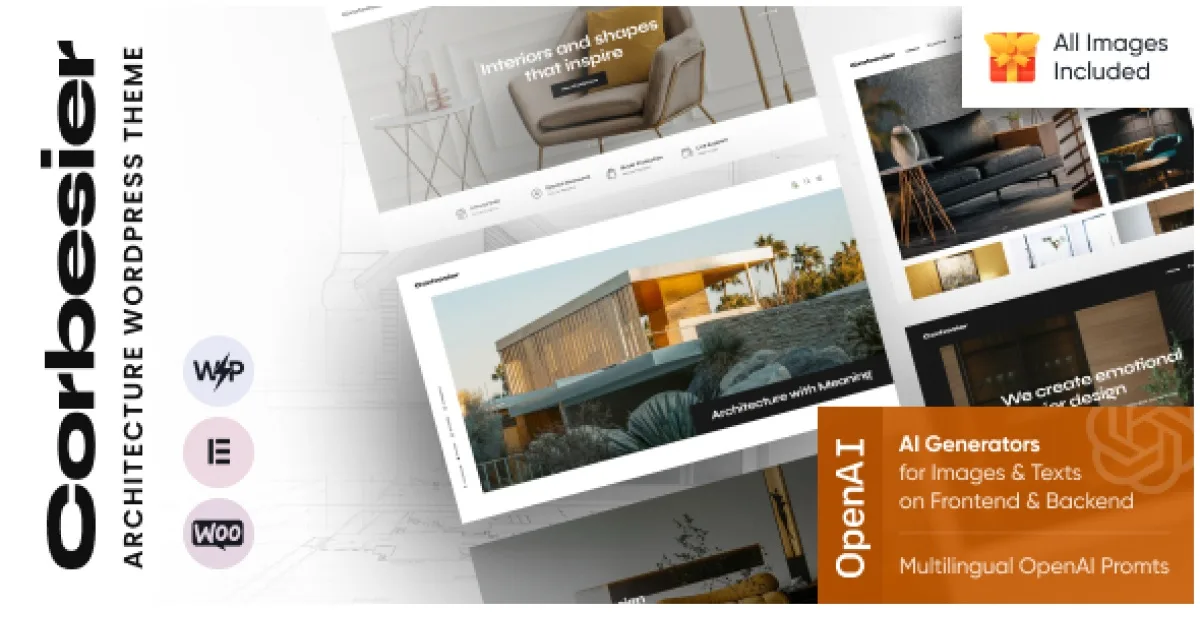
Corbesier – Architecture WordPress Theme
Corbesier Architecture WordPress Theme delivers Elementor-based agency, interior, and portfolio demos with 70+ custom elements and an AI image engine.
- Daily automated updates
- VirusTotal 0/70 clean
- Licensed under GPL
- Secure 256-bit checkout
- Instant direct cloud link
What Is Corbesier Architecture WordPress Theme?
Corbesier Architecture WordPress Theme is a WordPress theme codebase engineered for agencies and freelance developers building architecture and interior design websites on the WordPress runtime. It resolves the bottleneck of hand-coding portfolio layouts by shipping preconfigured demos and an Elementor widget layer that renders pages through drag-and-drop containers. In production workflows, it functions as a deployable parent theme from which agencies clone a demo and adapt it into a client deliverable without writing template-level PHP.
Key Features of the Theme
Execution flows through the WordPress template hierarchy: page requests resolve to Elementor-rendered templates, where widget instances serialize layout data into the DOM and the theme enqueues its CSS/JS asset bundles alongside Elementor’s core renderer. Demos are imported as structured content snapshots, replacing default pages and media placeholders with production-shaped markup.
Architectural Highlights
- Multi-Demo Seed Architecture: Eight demo configurations — Architecture Agency, Interior Design, portfolio gallery, Projects Fullwidth, Project Details, Portfolio List, Portfolio Stacked, and Shop — provide distinct template roots, so teams select the render pattern closest to the client brief instead of rebuilding from scratch.
- Elementor Widget Layer: The theme registers a custom widget set on top of Elementor’s page builder, exposing 70+ additional elements that bind directly to the builder’s drag-and-drop editor and responsive editing controls.
- AI Image Engine: A built-in AI generation module composes premium imagery inside the admin workflow, reducing dependency on external asset sourcing for placeholder or hero visuals.
- No-Coding Editing Path: Layout state lives in Elementor’s builder storage rather than hardcoded PHP templates, so non-developers can adjust grid, typography, and section ordering without touching the codebase.
- WooCommerce Shop Template: The included Shop demo wires the theme’s styling layer into WooCommerce product archives, covering commerce-ready builds for design firms selling services or goods.
For teams that need deeper structured content beyond the bundled widgets, pairing the theme with Advanced Custom Fields Pro lets developers expose project metadata — dimensions, materials, client location — as repeatable field groups that Elementor widgets can consume dynamically.
Who Should Use This Theme?
This codebase targets three personas: WordPress developers delivering architecture-firm client builds, interior design studios publishing visual-heavy portfolio galleries, and agencies maintaining a reusable Elementor starter stack across multiple projects. Because layout composition happens inside the Elementor builder, teams already fluent in that ecosystem gain the fastest path to production. It is not intended for developers who want a block-based Gutenberg theme, a headless CMS frontend, or a code-first Tailwind-style authoring workflow — its editing surface is explicitly builder-driven, and teams avoiding Elementor will find the widget layer redundant.
Compatibility & Runtime Requirements
The package runs on a standard WordPress core environment with the Elementor page builder as its rendering dependency, and its shop demo requires WooCommerce for commerce templates.
| Engineering Metric | Deployment Specification |
|---|---|
| Base Technology | WordPress Theme (PHP runtime) |
| Builder Dependency | Elementor Page Builder + bundled custom widget set |
| Commerce Layer | WooCommerce (required for the Shop demo) |
| Editing Model | Drag-and-drop editor, no coding required, responsive editing |
| Asset Generation | Built-in AI engine for premium image creation |
| Hosting Baseline | Standard WordPress hosting stack (PHP + MySQL) |
Performance & Architectural Considerations
Render weight scales with the demo chosen. Image-dominant layouts — portfolio gallery, Projects Fullwidth, and Portfolio Stacked — push large asset payloads to the viewport, so Core Web Vitals outcomes depend on the AI-generated and imported media being compressed before deployment. Because Elementor renders sections server-side into HTML before hydration, deeper nested containers increase DOM tree depth, which measurably affects LCP on shared hosting. Teams running commerce alongside heavy galleries should stage the Shop demo separately to profile asset fragmentation, and where caching policies grow complex, Finbiz Theme offers an alternative Elementor business codebase with one-click demo import for lighter consulting-grade builds. Comparable Elementor architecture codebases such as Archidex Theme provide GSAP-driven motion variants when a project demands animation-heavy rendering instead of static gallery stacks.
Frequently Asked Questions
Can the theme generate its own hero and project imagery without external tools?
Yes. A built-in AI engine creates premium images inside the workflow, so developers can produce hero and portfolio visuals directly in the admin without sourcing or compositing assets externally.
Does the Shop demo work without WooCommerce installed?
No. The Shop demo’s commerce templates depend on WooCommerce, which must be active on the WordPress installation for shop archive and product pages to render as designed.
Can portfolio layouts be edited without touching PHP files?
Yes. All layouts compose through the Elementor drag-and-drop editor with 70+ custom elements and responsive editing, so grid, list, and stacked portfolio structures are adjusted entirely in the builder.