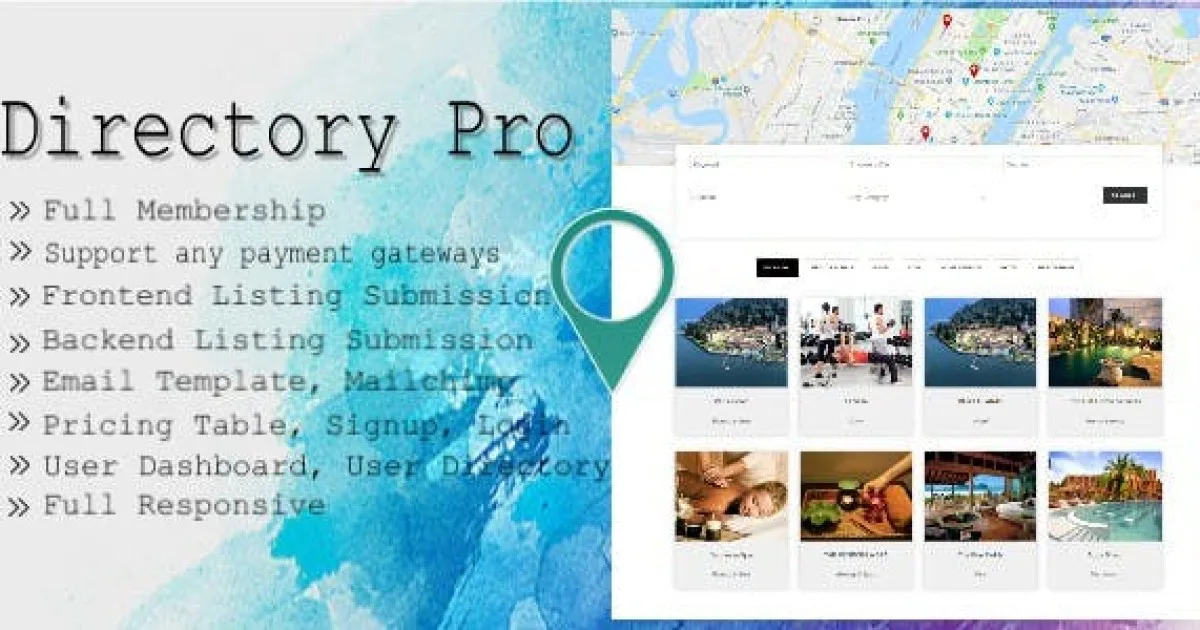
Directory Pro Plugin
Directories – Directory Pro Plugin: a WordPress directory engine for developers building multi-directory listings, custom content types, and filterable search architectures.
- Daily automated updates
- VirusTotal 0/70 clean
- Licensed under GPL
- Secure 256-bit checkout
- Instant direct cloud link
What Is Directories – Directory Pro?
Directories – Directory Pro is a WordPress plugin, engineered for developers and agencies to construct directory and listing platforms with custom, repeatable content structures. It resolves the constraint of single-post-type directory solutions by allowing unlimited, independently configured directory instances within one WordPress installation. In production, it functions as the backend listing engine for business directories, classifieds portals, review sites, and member catalogs deployed on standard LAMP hosting.
Key Features of the Plugin
The plugin registers each directory as its own content entity, then binds fields, taxonomy terms, and display templates to that entity through an administrative builder interface. Rendering occurs via front-end views generated from the configured field schema, with listings queried through filterable search widgets and URL-based facets.
Architectural Highlights
- Multi-Directory Architecture: Create unlimited directories in a single install, each with its own slug, content fields, categories, locations, and review configuration, isolated from other directory instances.
- Drag-and-Drop Field Builder: Compose listing schemas from form elements including text, number, select, date, file upload, image, location map, and price fields without writing schema code.
- Faceted Search and Filtering: Expose keyword, category, location, and custom-field filters through dedicated search widgets, with results driven by query parameter routing for shareable, indexable filter URLs.
- Claiming and Review Modules: Support listing claim workflows, star ratings, review submission, and user dashboard submission of listings under permission-controlled roles.
- Template Overrides: Override default front-end views by placing modified template files in a child theme, following the standard WordPress template hierarchy so customization survives plugin updates.
For sites where the listing layer must be paired with a booking workflow, combining this engine with Listeo – Directory Listings With Booking provides an alternative theme-level approach with iCal synchronization and vendor storefronts built in.
Who Should Use This Plugin?
This package targets WordPress developers and agencies assembling client directory projects where custom field schemas and multiple listing types are required. It suits teams comfortable with child theme template overrides, CSS adjustments, and hook-based customization who need the content architecture handled by the plugin rather than hand-rolled custom post types. Operators running classifieds, local business catalogs, or staff/member directories on shared or VPS hosting fit the intended deployment profile. It is not intended for non-technical site owners who expect a fully finished visual theme with no template or style work; the plugin supplies the directory engine, while presentation layer refinement remains a developer task. Teams needing deep Elementor-based listing page design should evaluate MyListing – Directory & Listing WordPress Theme, which pairs unlimited listing types with an Elementor-driven front end.
Compatibility & Runtime Requirements
Baseline deployment requires a standard WordPress environment with PHP and MySQL versions matching current WordPress core recommendations.
| Engineering Metric | Deployment Specification |
|---|---|
| Base Technology / Framework | WordPress plugin (PHP), standard WP post type and taxonomy APIs |
| Runtime / Language Requirements | PHP 7.x or newer per WordPress core requirements; MySQL/MariaDB database |
| Data Exchange / Communication Protocols | WordPress admin AJAX and HTTP form submissions; standard REST-capable WP stack |
| Core Dependencies / Engine Compatibility | WordPress core; works within standard themes supporting plugin content rendering; child theme template overrides supported |
| Database / Storage Footprint | Custom database tables plus core post/meta storage for listings, reviews, and claims |
How to Install & Deploy the Plugin
Deployment follows the standard WordPress administrative workflow, with no external verification steps between upload and activation.
- Environment Pre-check: Confirm the host runs a supported PHP version, an active MySQL/MariaDB database, and a current WordPress core installation with an SSL-enabled admin area.
- Package Upload: In the WordPress dashboard, navigate to the plugin installation screen, choose the archive file, and complete the upload, or transfer the extracted folder to wp-content/plugins over SFTP.
- Direct Activation: Click Activate. The directory management interface, field builder, and default modules become operational immediately, and a directory can be created right away.
- Configuration & Testing: Open the plugin settings panel, define your first directory, add content fields and categories, configure permalinks, then submit a test listing and verify front-end rendering and filter queries before populating production data.
Frequently Asked Questions
Can more than one directory run on the same WordPress site?
Yes. The architecture supports multiple independent directory instances per installation, each with its own fields, categories, slugs, and front-end views, so a single site can host a business directory alongside a classifieds section.
Do front-end templates require PHP edits to change layout?
No. Core layouts are configured through the builder interface, but developers who need structural changes can copy view templates into a child theme directory and modify the markup there without altering plugin source files.
Does the plugin handle listing submission from front-end users?
Yes. Registered users can submit listings through configured submission forms, manage their entries from an account dashboard, and claim existing listings when the claim module is enabled for the active directory.
Is location-based filtering available out of the box?
Yes. Location fields with map support can be added to any directory schema, and the search widgets expose geographic and taxonomy filters so visitors can narrow results by region, city, or category parameters.