Docaid – Medical Health Care WordPress Theme
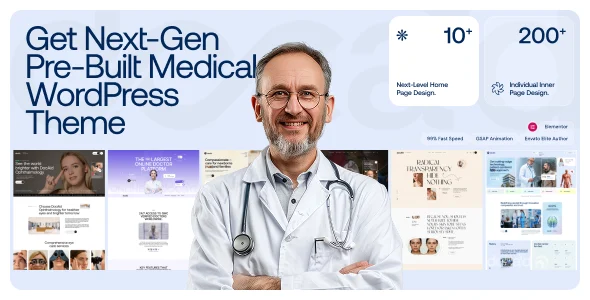
Docaid Medical Health Care WordPress Theme: an Elementor-based healthcare codebase with 10 demos, 200+ inner pages, and WooCommerce support for hospital sites.
- Daily automated updates
- VirusTotal 0/70 clean
- Licensed under GPL
- Secure 256-bit checkout
- Instant direct cloud link
What Is Docaid Medical Health Care WordPress Theme?
Docaid Medical Health Care WordPress Theme is an Elementor-driven WordPress theme, engineered for agencies and freelance developers to build hospital, clinic, and specialty-practice websites at scale. It resolves the common bottleneck of assembling fragmented medical page templates by shipping 10 home demos, 200+ inner pages, and a unified header/footer builder under one Underscores-based codebase. In production, it functions as a deployable foundation for client handoff, with WooCommerce and form-plugin integrations ready at activation.
Key Features of the Theme
At runtime, the package parses Elementor layout data, renders template hierarchy overrides through PHP files, and outputs compiled SCSS assets alongside Swiper-driven JS modules to the browser. Page-builder widgets manipulate the DOM directly, while GSAP handles scroll and mouse-move animation dispatch on the client side.
Architectural Highlights
- Elementor Theme Builder + Popup Builder: Layouts and popups are generated as reusable builder templates, letting developers map header, footer, and single-page structures without editing raw template files.
- Header/Footer Builder with Mega Menu: Navigation structures render through a dedicated builder layer, supporting multi-column mega menus and widget-ready sidebar zones registered for standard WordPress widgets.
- GSAP Animation and Mouse-Move Parallax: Motion is dispatched via the GSAP timeline with parallax bound to pointer coordinates, isolated so sections without animation attributes skip the event listeners entirely.
- Swiper Slider and Masonry Gallery: Carousels initialize through Swiper instances with responsive breakpoint configs; gallery grids apply filter logic over masonry layouts client-side.
- SCSS Source with W3C-Valid Markup: Sass and SCSS files ship alongside compiled CSS, and markup passes W3 validation, so teams can restyle through variable layers rather than overriding generated output.
For commerce-driven medical deployments, this architecture pairs naturally with Medik – Medical WooCommerce Store, which covers pharmacy storefront workflows that a clinic-focused build may not require.
Who Should Use This Theme?
The codebase targets WordPress developers and agency teams delivering healthcare client projects, particularly those already running Elementor or Elementor Pro in their stack. It suits builds for medical centers, dermatology, child care, teleconsultation, ophthalmology, maternity, psychology, pet clinics, and hair transplant practices, with 15 additional specialty home pages slated for future releases. Teams relying on Gutenberg for editorial content get block-optimized templates, while the WooCommerce 5.x–10.x compatibility chain supports storefront add-ons. It is not intended for operators who want a no-code, builder-free experience: meaningful layout changes assume Elementor fluency, and deeper customization expects SCSS and PHP competence. For broader multipurpose agency needs outside healthcare, Betheme | Responsive Multipurpose WordPress WooCommerce Theme offers a wider demo catalog.
Compatibility & Runtime Requirements
Deployment requires a WordPress host meeting the declared core version range and the plugin dependencies listed in the package documentation.
| Engineering Metric | Deployment Specification |
|---|---|
| Base Technology / Framework | Underscores (_s) starter framework, PHP templates, SCSS/Sass source |
| Runtime / Language Requirements | WordPress 5.0.x through 7.0.x; PHP, CSS, SCSS, and JS file runtime |
| Data Exchange / Communication Protocols | Working contact forms via Contact Form 7 or Gravity Forms; standard WordPress form POST handling |
| Core Dependencies / Engine Compatibility | Elementor, Elementor Pro, WooCommerce 5.x–10.x, Events Calendar / Pro, Jetpack, Easy Digital Downloads, Layers WP |
| Database / Storage Footprint | Standard WordPress options and post-meta storage; demo content media at high resolution |
How to Install & Deploy the Theme
Installation follows the standard WordPress theme lifecycle; no external configuration steps gate activation.
- Environment Pre-check: Confirm the server runs a WordPress version within the declared 5.0.x–7.0.x range and that Elementor is installed, since layout rendering depends on the builder engine.
- Package Upload: Transfer the theme archive through the appearance upload interface, or extract the PHP, CSS, SCSS, and JS files into the wp-content/themes directory via SFTP.
- Direct Activation: Click Activate in the administration panel; all menus, widget areas, builder templates, and demo import tooling become immediately operational.
- Configuration & Testing: Import a demo matching the target specialty, assign header/footer builder templates, wire contact forms, and validate responsive output across the supported browser matrix including IE9+.
Frequently Asked Questions
Is the Figma design file included in the downloaded package?
No, the Figma source file is not bundled with the downloaded package. It can be requested separately, so plan design-team handoff around the shipped HTML, SCSS, and demo assets.
Does the theme include stock imagery for demo deployments?
Yes, demo imagery is sourced from Pexels, Unsplash, and FreePik. Attribution obligations from those sources apply, so review each image asset’s terms before republishing client-facing content.
Can the theme serve verticals beyond the 10 shipped demos?
Yes, 15 additional specialty home pages, covering cosmetic surgery, pathology labs, ENT, cardiology, and fertility centers among others, are planned. Current deployments can restyle existing SCSS layers to approximate those verticals.
Does it support event scheduling for clinics?
Yes, the codebase declares compatibility with The Events Calendar and Events Calendar Pro. Developers can render appointment and event listings through those plugins’ native shortcodes and template overrides.