Petroleum – Oil and Gas Industrial WordPress theme
Petroleum Oil and Gas Industrial WordPress Theme v4.9 builds refinery, petrochemical, and chemical company sites on Foundation 5 with WPBakery. 120-145 chars: check below.
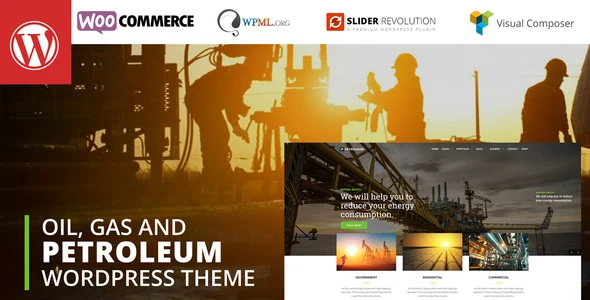
- Daily automated updates
- VirusTotal 0/70 clean
- Licensed under GPL
- Secure 256-bit checkout
- Instant direct cloud link
What Is Petroleum Oil and Gas Industrial WordPress Theme?
Petroleum Oil and Gas Industrial WordPress Theme is a WordPress theme built on the Zurb Foundation 5 CSS framework, engineered for agencies and in-house developers deploying corporate sites for refineries, petrochemical producers, chemical wholesalers, gas stations, and machinery firms. It resolves the recurring bottleneck of assembling sector-specific industrial layouts from generic multipurpose templates by shipping pre-structured pages, custom shortcodes, and a one-click demo importer that replicates the reference deployment. Within a production workflow, it operates as the presentation layer of a standard WordPress 5.9 through 6.8 stack, handing content persistence and commerce routing to WooCommerce and form handling to Contact Form 7.
Key Features of the Theme
The theme parses theme-settings values at runtime, injects them as CSS variables into Foundation 5’s grid and component classes, and renders the resulting DOM tree through standard WordPress template hierarchy overrides. Page composition flows through the bundled Visual Composer (WPBakery Page Builder) layer, which serializes layouts as shortcode metadata in post content and expands them server-side during the rendering pass.
Architectural Highlights
- Foundation 5 Grid Backbone: The responsive layout derives from Foundation’s mobile-first grid, giving developers a documented breakpoint system and grid column structure rather than an opaque proprietary stylesheet. Boxed and fullwidth container modes toggle from the theme settings panel without template edits.
- Bundled Visual Composer Integration: The package includes the WPBakery Page Builder plugin plus a set of custom shortcodes registered for it, so industrial section blocks — service grids, portfolio feeds, contact panels — compose through the builder UI instead of hand-written markup.
- One-Click Demo Importer: The importer executes inside theme options, writing demo posts, attachments, and widget assignments directly to the database and media library, eliminating manual XML import and broken attachment mapping during staging setup.
- WooCommerce and Form Styling: Full design integration covers WooCommerce templates and a dedicated WooCommerce sidebar, while Contact Form 7 receives native styling so inquiry and quote forms match the industrial design system out of the box.
- Developer Extension Points: Advanced custom CSS and custom JavaScript fields, theme color management, Google Maps configuration, an easy font selector, a custom 404 template, and unlimited portfolio layouts expose configuration without touching source PHP, CSS, or JS files shipped in the package.
Where a client project later needs a different corporate direction, the same WordPress runtime supports alternatives such as Finbuzz Corporate Business WordPress Theme, which targets financial and consulting verticals on an Elementor and Bootstrap 5.x base.
Who Should Use This Theme?
This codebase fits WordPress developers and small agencies delivering brochure-plus-commerce sites for oil and gas, chemical distribution, logistics, and heavy machinery clients. Teams maintaining multiple industrial client accounts benefit from the demo importer for rapid staging clones and from WPML compatibility when translating refinery or wholesale catalog content. It also suits developers who prefer Visual Composer composition over Elementor or block-first workflows; note that while Gutenberg optimization is confirmed and the Block Editor is a listed compatible component, the primary composition path remains the bundled WPBakery layer. The package is not intended for teams requiring a headless decoupled architecture, non-technical operators who cannot manage a classic WordPress admin, or projects demanding native JSON block-theme theming rather than classic PHP template hierarchy rendering. For portfolio-heavy creative briefs outside the industrial sector, a package like Intrix Digital Creative Agency WordPress Theme covers that archetype more directly.
Compatibility & Runtime Requirements
Baseline runtime constraints center on classic WordPress hosting with PHP-driven template rendering and the plugin dependencies listed below.
| Engineering Metric | Deployment Specification |
|---|---|
| Base Technology / Framework | Zurb Foundation 5 CSS framework; PHP, CSS, and JS files included |
| Runtime / Language Requirements | WordPress 5.9.x through 6.8.x on a standard LAMP/LEMP PHP stack |
| Data Exchange / Communication Protocols | HTTP/HTTPS rendering pipeline; Google Maps API endpoints; Contact Form 7 and Gravity Forms submissions |
| Core Dependencies / Engine Compatibility | WPBakery Page Builder (bundled Visual Composer), WooCommerce 6.x.x, Block Editor, Easy Digital Downloads, Events Calendar, WPML, Gravity Forms |
| Database / Storage Footprint | Standard WordPress MySQL/MariaDB tables; demo importer writes posts, widgets, and attachment records; no custom schema documented |
How to Install & Deploy the Theme
Deployment follows the classic WordPress theme installation path with a plugin-activation follow-up.
- Environment Pre-check: Confirm the server runs a supported WordPress version between 5.9.x and 6.8.x, verify PHP availability, and note that WooCommerce, Contact Form 7, and other integrations require their respective plugins to be installed for full functionality.
- Package Upload: Transfer the theme archive through the WordPress administration interface under Appearance, or upload the extracted PHP, CSS, and JS file tree to the themes directory on the web server.
- Direct Activation: Activate the theme from the Appearance screen; the settings panel, custom shortcodes, portfolio structures, and bundled Visual Composer integration become operational immediately upon activation.
- Configuration & Testing: Open the theme settings panel to set boxed or fullwidth layout mode, theme colors, fonts, and Google Maps keys; run the one-click demo importer to replicate the reference site; then validate form styling, shop templates, and the custom 404 output on a staging URL before promotion to production.
Frequently Asked Questions
Does the demo importer require manual XML file handling or plugin configuration?
No. The importer is built directly into the theme options panel and writes demo content, widgets, and attachments in one pass, so teams avoid XML uploads and the missing-attachment failures common to manual import workflows.
Can the theme run alongside Easy Digital Downloads and the Events Calendar?
Yes. Both Easy Digital Downloads and the Events Calendar appear in the official compatibility list, so digital product catalogs and event schedules can operate alongside the WooCommerce 6.x storefront without custom template reconciliation work.
Is WPML translation supported for multilingual industrial catalogs?
Yes. WPML is listed as a compatible component, letting developers expose refinery service pages, product catalogs, and portfolio entries as translated content trees while the Foundation 5 layout system renders each locale consistently.