Enfold – Responsive Multi-Purpose Theme
Enfold is a responsive multi-purpose WordPress theme offering demo-driven layouts for shop, medical, construction, and hospitality projects.

- Daily automated updates
- VirusTotal 0/70 clean
- Licensed under GPL
- Secure 256-bit checkout
- Instant direct cloud link
What Is Enfold Responsive Multi-Purpose Theme?
Enfold Responsive Multi-Purpose Theme is a WordPress theme, engineered for agencies and freelance developers to assemble production websites from a catalog of pre-built demo configurations. Its core architectural value is the demo-import pipeline: instead of scaffolding page templates, widget areas, and menu structures manually on every client engagement, developers initialize a vertical-specific starter — coffee shop, bed and breakfast, academy, studio, reef shop, construction, general shop, medical, parallax portfolio, or Grit shop — and inherit a fully assembled layout graph. In agency staging environments, the package functions as a repeatable baseline: one codebase serving ten distinct business verticals without diverging repository branches.
Key Features of the Theme
The engine resolves incoming requests through the native WordPress template hierarchy, then layers demo-defined layout data over the resolved template before the DOM tree is emitted. That two-stage resolution is what lets a single installation switch from a medical clinic presentation to a WooCommerce shop presentation without custom PHP edits.
Architectural Highlights
- Ten Vertical Demo Modules: The documented demo set covers Coffee Shop, Bed and Breakfast, Academy, Grit Shop, Studio, Reef Shop, Parallax, Construction, Shop, and Medical. Each module ships a complete page composition, letting teams start from a domain-appropriate DOM structure rather than a blank canvas.
- Commerce-Oriented Shop Demos: The Shop and Reef Shop demos anchor product catalog presentation, giving WooCommerce deployments a tested starting layout for grid, category, and single-product views.
- Parallax Presentation Layer: A dedicated Parallax demo demonstrates scroll-driven visual sections, providing a reference implementation for layered motion effects without custom JavaScript development.
- Service Vertical Coverage: Construction, Medical, Academy, and Bed and Breakfast demos address service-business information architecture — booking-forward, credibility-forward layouts where content hierarchy matters more than commerce flow.
- Single-Codebase Maintenance: Because all verticals derive from one theme package, security patches and structural changes propagate once, across every client build that shares the parent version.
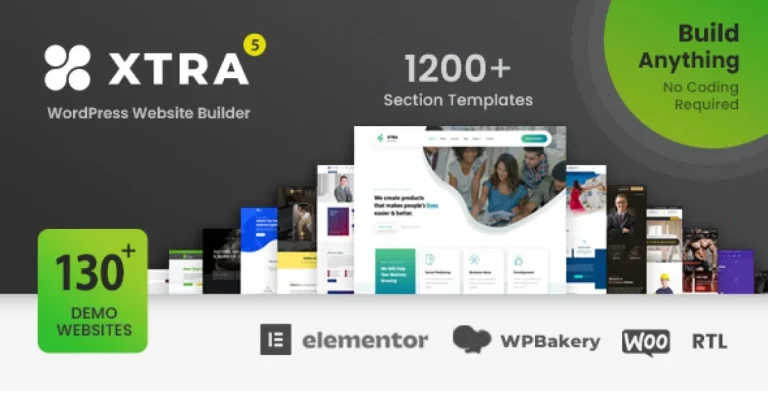
For teams whose project mix requires an alternative builder stack on the same hosting account, deploying Xtra – Multipurpose WordPress & WooCommerce Theme alongside this package gives Elementor and WPBakery based workflows, keeping both codebases isolated per site while sharing one agency toolkit.
Who Should Use This Theme?
The package fits three engineering personas. First, agencies running multi-client pipelines: the demo catalog maps cleanly onto a roster of restaurant, clinic, contractor, and retail accounts, cutting per-project setup to a demo import plus content replacement. Second, freelancers who need a proven layout baseline for small-business sites where bespoke design budgets do not exist. Third, WooCommerce implementers building lightweight storefronts from the Shop demo starting point.
It is not intended for developers who need headless rendering, block-only Gutenberg-first composition, or fully custom design systems built from scratch — those teams will find the demo-driven structure constraining rather than accelerative. Teams preferring a live inline editing model as the primary authoring surface should evaluate X | The Ultimate WordPress Theme, whose Cornerstone-driven builder operates on a different editing paradigm.
Compatibility & Runtime Requirements
Baseline deployment assumes a standard LAMP stack running current WordPress core, with no exotic server extensions required beyond typical shared-hosting defaults.
| Engineering Metric | Deployment Specification |
|---|---|
| Base Technology / Framework | WordPress theme package (PHP template hierarchy) |
| Runtime / Language Requirements | PHP-enabled web server per current WordPress core requirements |
| Data Exchange / Communication Protocols | HTTP/HTTPS request-response; standard WordPress asset enqueue pipeline |
| Core Dependencies / Engine Compatibility | WordPress core; WooCommerce for shop demo verticals |
| Database / Storage Footprint | Standard WordPress MySQL/MariaDB schema; demo content imports into core tables |
How to Install & Deploy the Theme
Deployment follows the standard WordPress theme installation path; activation immediately exposes the theme configuration surface and demo import controls.
- Environment Pre-check: Confirm the target server runs a WordPress-compatible PHP version, MySQL or MariaDB storage, and writable uploads directory for incoming demo assets and images.
- Package Upload: Upload the theme archive through the appearance administration interface, or transfer the extracted folder directly to the wp-content/themes directory via SFTP and confirm filesystem ownership matches the web server user.
- Direct Activation: Click Activate. The theme registers its menus, widget areas, and demo import module immediately; all administrative panels become operational with no additional unlock steps.
- Configuration & Testing: Select the target demo — Shop, Medical, Construction, Parallax, or another vertical — run the import, then validate rendered output, navigation depth, and WooCommerce product presentation against the staging environment before promoting to production.
Frequently Asked Questions
Does the theme require a separate page builder plugin to reproduce the demo layouts?
No. The demo configurations install as theme-defined layout data inside the WordPress template hierarchy, so the imported vertical renders from the activated package itself without requiring an external builder dependency for baseline output.
Can one installation serve both a medical site and a WooCommerce shop?
Yes. Both Medical and Shop demos ship in the same package, and a single WordPress instance can adopt either starting composition; the vertical choice is a demo import decision, not a separate installation.
Is the Parallax effect limited to a dedicated page type?
No. The Parallax demo serves as a reference composition for scroll-driven sections; its structural patterns can be applied within the theme’s layout system, so motion-layered pages are not confined to a single hardcoded template.