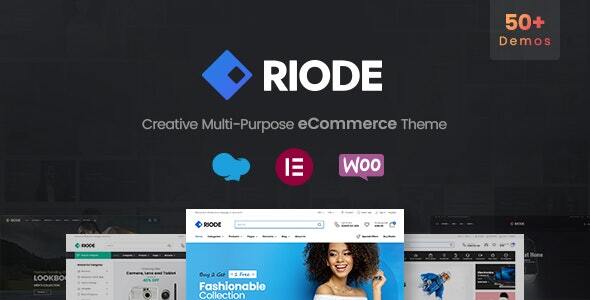
Riode | Multi-Purpose WooCommerce Theme
Riode is a multi-purpose WooCommerce WordPress theme with optimized CSS, fast JavaScript execution, Elementor and WPBakery support, and AJAX widgets.
- Daily automated updates
- VirusTotal 0/70 clean
- Licensed under GPL
- Secure 256-bit checkout
- Instant direct cloud link
What Is Riode?
Riode is a WordPress WooCommerce theme, engineered for agencies and freelance developers building storefronts that need to ship quickly without sacrificing runtime performance. It addresses a recurring bottleneck in eCommerce projects: reconciling heavy visual feature sets with fast CSS delivery and JavaScript execution on shared hosting stacks. In agency workflows, it functions as a reusable base theme for multi-client commerce deployments where WooCommerce behavior, builder layouts, and option panels are configured once and adapted per project.
Key Features of the Theme
At runtime, the theme parses theme option values into CSS output and renders page templates through the active page builder, executing JavaScript modules after DOM assembly so that product interactions respond without full page reloads.
Architectural Highlights
- Optimized CSS and JavaScript execution: The codebase follows a high-speed performance model where stylesheet payloads are minimized and script execution is prioritized, reducing render-blocking behavior on WooCommerce template pages.
- Dual page builder integration: Layout composition works through Elementor and WPBakery, letting developers choose the builder that matches the client stack instead of forcing a single editor dependency.
- Structured theme options framework: A large collection of settings is organized into categorized panels, exposing typography, color, and layout controls without requiring template-level PHP edits.
- Variable product swatch system: Color, label, and image swatches bind to variable product attributes, so attribute selection on the product page renders the correct variant state directly in the frontend.
- AJAX category widget interaction: Category widgets update other category widgets asynchronously via AJAX, synchronizing filtered state across sidebar components without triggering a server-side page refresh.
Because the engine ships pre-designed pages for various product types, conversion-oriented screens such as single-product layouts can be deployed by mapping existing templates rather than rebuilding each screen from scratch. For stores that need extended merchandising logic on top of the theme, pairing the deployment with Product Bundles for WooCommerce lets developers group SKUs into configurable bundle packages with per-item quantity rules, extending the commerce layer independently of theme templates.
Who Should Use This Theme?
This package suits agency teams and WordPress developers who deliver multiple WooCommerce storefronts and need a stable template hierarchy that overrides the default WooCommerce rendering path without constant forking. It also fits solo professionals who compose layouts in Elementor or WPBakery and want option-driven customization instead of hard-coded markup. It is not intended for teams running headless or decoupled architectures, since rendering is PHP-based within the WordPress template hierarchy, and it assumes the operator can manage standard WordPress administration workflows rather than a purely no-code setup.
Compatibility & Runtime Requirements
Baseline deployment requires a WordPress installation with the WooCommerce plugin active and a page builder plugin available for layout composition.
| Engineering Metric | Deployment Specification |
|---|---|
| Base Technology / Framework | WordPress theme layer over the WooCommerce commerce engine |
| Runtime / Language Requirements | Standard WordPress server runtime executing PHP-rendered templates |
| Data Exchange / Communication Protocols | AJAX request/response for category widget state updates |
| Core Dependencies / Engine Compatibility | WooCommerce plugin; Elementor, WPBakery (Visual Composer), and Gutenberg content elements |
| Database / Storage Footprint | Relies on native WordPress/WooCommerce schema; no proprietary database engine introduced |
How to Install & Deploy the Theme
Deployment follows the standard WordPress theme lifecycle, requiring only administrative access to the target site.
- Environment pre-check: Verify that WordPress and WooCommerce are installed and active, and confirm that the intended builder (Elementor or WPBakery) is present on the server so template composition is available immediately after activation.
- Package upload: Transfer the theme archive through the administration interface under the Themes management screen, or upload the extracted files directly to the server’s themes directory.
- Direct activation: Activate the theme from the Themes screen. All theme option panels, builder template hooks, and core modules become operational at this point.
- Configuration & testing: Open the theme options framework to set typography, color, and layout preferences, assign pre-designed product pages, and exercise the AJAX category widgets and variable product swatches to confirm frontend state behavior.
When a client build requires gating access to specific product pages or content areas after launch, deploying Memberships WooCommerce Extension on the same stack lets developers gate pages, posts, products, and URLs by purchasable member plans, layering access rules above the theme’s template hierarchy.
Frequently Asked Questions
Does Riode require Elementor, or can it run with WPBakery instead?
Yes, WPBakery is a valid alternative. The theme works with either Elementor or WPBakery as the layout composer, and it also exposes content elements usable with Gutenberg, so the builder choice is per-project rather than fixed.
Do the AJAX category widgets change the page URL or reload the template?
No. Category widget interaction runs through asynchronous requests that re-render the affected widgets in place, so filtered state stays synchronized client-side without triggering a full template reload or URL change.
Are the pre-designed product pages tied to specific WooCommerce product types?
Yes. The theme ships pre-designed pages mapped to various product types, so a variable product with color, label, or image swatches uses the matching template rather than a generic single-product fallback layout.
Can the theme options panel affect live pages without editing template files?
Yes. Option values in the framework panels propagate into the rendered output directly, giving developers live-editing control over presentation parameters without touching the PHP template hierarchy.
For inventory behavior after launch, storefronts running the theme alongside Waitlist WooCommerce Extension can capture back-in-stock subscribers for out-of-stock products and notify them by email, a layer that operates through WooCommerce product data rather than theme templates.