Frameflow – Multipurpose WordPress Theme
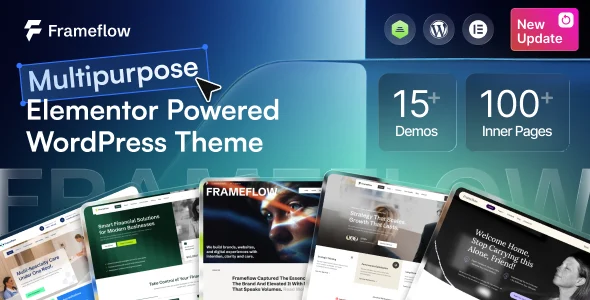
Frameflow Multipurpose WordPress Theme delivers 15+ Elementor demos, 100+ widgets, WooCommerce 10.x support, and header/footer builders for agency builds.
- Daily automated updates
- VirusTotal 0/70 clean
- Licensed under GPL
- Secure 256-bit checkout
- Instant direct cloud link
What Is Frameflow?
Frameflow is a PHP, SCSS, and JS WordPress theme, engineered for agencies and freelance developers to assemble multipurpose business, commerce, and portfolio sites without hand-coding layout logic. It resolves the recurring bottleneck of rebuilding navigation, shop templates, and demo content from scratch on every client engagement by shipping 15+ niche demos, 150+ inner pages, and a Theme Builder for posts, archives, and search results. Within agency staging pipelines, it functions as a deployable base codebase that demo-import and selective content import convert into a branded production site in minutes.
Key Features of the Theme
At runtime, the theme registers custom Elementor widgets through its Case Addons module, renders header and footer templates via a builder that overrides the native WordPress template hierarchy, and writes theme option values into a global panel that per-page and per-post settings can locally override. Front-end interactivity, including the AJAX cart and lazy loading, dispatches through bundled JS files compiled from the included SCSS and JS sources.
Architectural Highlights
- Elementor Widget Layer: 100+ custom widgets — icon boxes, counters, pricing tables, portfolios, team and testimonial carousels, process steps, and popup modals — register into the Elementor editor, each exposing multiple layouts and responsive styling controls.
- Header, Footer, and Mega Menu Builders: 15 header layouts and 15 footer layouts are composed visually in Elementor; mega menus support multi-column structures with icons, images, and arbitrary content, plus sticky behavior on desktop scroll and mobile.
- WooCommerce Integration: Compatibility spans WooCommerce 7.x through 10.x, with wishlist, quick view, product compare, AJAX shopping cart, variation swatches, and multiple shop and product layout templates, including a clothing-shop demo.
- Theme Builder and Template Overrides: Custom templates for posts, pages, archives, and search results replace default hierarchy files, while advanced per-page settings decouple individual layouts from the global options panel.
- One-Click Demo Import: A selective content importer reconstructs any of the 15+ niche demos — business, SaaS, finance, medical, construction, law firm, logistics, real estate, restaurant, and more — so teams can strip unneeded content rather than build upward.
For teams comparing multipurpose bases, Betheme offers a larger demo catalog with its own builder, while Frameflow concentrates its widget surface entirely on Elementor, which keeps the editing stack single-builder.
Who Should Use This Theme?
This codebase suits freelance developers, Elementor-literate designers, and small agencies delivering corporate, consulting, finance, construction, or creative client sites on deadline-driven schedules. It fits teams that want theme-level control over typography, colors, headers, and portfolio layouts without maintaining custom PHP for every project. It is not built for developers who require Gutenberg-first block editing — the package is explicitly not Gutenberg optimized — nor for engineering teams intending to fork template PHP heavily; those workflows belong in a child theme, which the package includes for exactly that purpose. Developers serving niche verticals may also evaluate Brevon for consulting-specific layouts before committing to a multipurpose engine.
Compatibility & Runtime Requirements
Deployment assumes a self-hosted WordPress environment running the Elementor page builder as the primary rendering engine, with legacy browser support extending back to IE10.
| Engineering Metric | Deployment Specification |
|---|---|
| Base Technology | WordPress theme (PHP files, SCSS files, JS files), Elementor-powered |
| WordPress Core | 6.0.x through 7.0.x |
| WooCommerce | 7.x.x, 8.x.x, 9.x.x, 10.x.x |
| Plugin Dependencies | Elementor, Case Addons, Case User; integrations with Contact Form 7, MC4WP, Tidio, WPC Smart Wishlist, WPC Smart Quick View, Variation Swatches for WooCommerce |
| i18n / L10n | WPML and Polylang compatible, RTL language support |
| Browser Matrix | IE10, IE11, Firefox, Safari, Opera, Chrome, Edge |
| Output Properties | Responsive layout, retina-ready, 4+ column grids, widget-ready sidebars |
How to Install & Deploy the Theme
- Environment Pre-check: Verify the server runs a supported WordPress version (6.0.x–7.0.x) and install Elementor plus the bundled Case Addons plugin, since widget registration depends on both.
- Package Upload: Upload the theme archive through the WordPress appearance installer, or transfer the extracted PHP/SCSS/JS directory into wp-content/themes via SFTP.
- Direct Activation: Activate the theme in the administration panel; the options panel, builder modules, and demo importer become operational immediately, and the included child theme can be activated instead for code-level overrides.
- Configuration & Testing: Run the one-click demo import or selective content import, assign header and footer templates from the Theme Builder, configure colors and typography, then validate forms via Contact Form 7 and the WooCommerce checkout flow before launch.
Frequently Asked Questions
Does Frameflow include the plugins required for its widgets and shop features?
Yes. The package bundles Case Addons and Case User, and integrates Elementor, WooCommerce extensions, Contact Form 7, MC4WP, Tidio, and WPC wishlist, quick view, and swatches plugins for activation.
Can the theme support a multilingual or RTL site out of the box?
Yes. It is WPML and Polylang compatible and ships RTL language support, so translated menus, templates, and shop pages render right-to-left without custom stylesheet patching.
Is AI functionality bundled inside the theme itself?
No. AI features come from third-party plugins such as Elementor AI, AI Engine, GetGenie AI, and Rank Math Content AI, which may require separate installations, API keys, or usage credits.