Porto | Ultimate Responsive Magento Theme
Porto Multipurpose Website Template is an HTML5 codebase for developers and agencies building fast, flexible, customizable responsive websites.

- Daily automated updates
- VirusTotal 0/70 clean
- Licensed under GPL
- Secure 256-bit checkout
- Instant direct cloud link
What Is Porto Multipurpose Website Template?
Porto Multipurpose Website Template is an HTML5 site template engineered for developers and agencies who need to assemble production-grade responsive websites without rebuilding base markup, stylesheets, and interaction layers from scratch. It resolves the core bottleneck of multipurpose front-end work: a single, tested codebase that adapts to radically different project verticals while staying fast and flexible. In production workflows, it functions as the starting skeleton for client builds, letting teams spend engineering hours on custom logic instead of scaffolding.
Key Features of the Template
The template executes as static HTML5 documents backed by modular CSS and vanilla JavaScript modules; the browser parses semantic markup, applies the stylesheet layer, then initializes behavior scripts on DOM readiness. Because no server-side rendering engine ships with the package, all state changes run client-side through event listeners and DOM manipulation.
Architectural Highlights
- Semantic HTML5 Document Structure: Pages are built on W3C-compliant markup with defined header, navigation, section, and footer regions, which reduces DOM ambiguity and keeps assistive-technology parsing and crawler indexing predictable.
- Modular Asset Architecture: Stylesheets and scripts are split into component-level files rather than monolithic bundles, so teams can strip unused modules before deployment and keep the shipped asset footprint small, supporting the template’s high-performance positioning.
- Responsive Viewpoint System: Layout grids collapse across standard viewport breakpoints, allowing the same markup tree to render correctly on mobile, tablet, and desktop without duplicated DOM branches.
- Extremely Customizable Base: The codebase exposes configurable layers that beginners can edit through direct markup changes while professionals can override at the stylesheet and script level, which is why the package has accumulated 50K+ users since 2013.
- Top Plugin and Extension Integration: The template is created with established third-party front-end plugins, wired through initialization calls that teams can reconfigure or replace per project.
For teams that later need a WordPress-backed build rather than a static deployment, the same architectural mindset appears in X | The Ultimate WordPress Theme, a multipurpose theme with its own builder and element library.
Who Should Use This Template?
This codebase fits three engineering personas. First, front-end developers building static marketing sites, corporate pages, or landing pages who want a tested base instead of hand-rolled boilerplate. Second, agencies running multi-project pipelines, where a single adaptable skeleton shortens kickoff time across client verticals. Third, backend developers who need a presentational layer to attach to an existing server stack and prefer to keep front-end logic in vanilla JavaScript rather than a compiled framework.
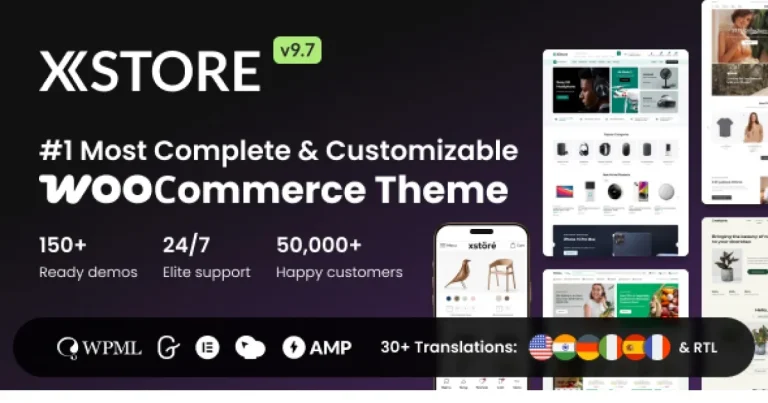
It is not intended for non-technical operators seeking a visual page builder with drag-and-drop editing and no markup exposure; the template assumes you will read and edit HTML, CSS, and JS files directly. Teams planning a full CMS-driven storefront should instead evaluate a dedicated commerce theme such as XStore | Multipurpose WooCommerce Theme, which ships WooCommerce widgets and demo stores out of the box.
Compatibility & Runtime Requirements
Runtime constraints are minimal because the deliverable is a static front-end package: any modern browser and any static-capable hosting environment will serve it.
| Engineering Metric | Deployment Specification |
|---|---|
| Base Technology / Framework | HTML5, CSS3, modular JavaScript; multipurpose site template |
| Runtime / Language Requirements | Modern evergreen browsers (Chrome, Firefox, Safari, Edge); no server-side language required for static output |
| Data Exchange / Communication Protocols | HTTP/HTTPS static asset delivery; client-side AJAX calls configurable per integration |
| Core Dependencies / Engine Compatibility | Bundled front-end plugins and extensions included in the package; hosting is agnostic (shared, VPS, CDN, or object storage) |
| Database / Storage Footprint | No database engine; storage limited to static files served from the web root |
How to Install & Deploy the Template
Deployment is a file-transfer workflow, so the procedure below covers environment validation through production smoke testing.
- Environment Pre-check: Confirm the destination host serves static files over HTTPS and that your local toolchain can open and edit the package contents. Verify which bundled plugin modules your build requires so unused assets can be excluded.
- Package Upload: Extract the archive locally, then transfer the selected template directory to the web root via FTP, SFTP, SSH, or your hosting file manager. Preserve the original directory structure so relative asset paths resolve correctly.
- Direct Activation: There is no install step for a static template; once files land in the web root and the index document is reachable, the template is fully operational. All layout modules, scripts, and included extensions are active immediately.
- Configuration & Testing: Edit markup and stylesheet variables to apply brand content, trim unused plugin modules, then validate rendering across target viewport breakpoints and confirm no console errors remain before announcing the deployment.
Frequently Asked Questions
Can the template be deployed on any hosting provider without special server configuration?
Yes. The package ships as static HTML5, CSS, and JavaScript files, so any host that serves files over HTTP or HTTPS works, including shared hosting, VPS instances, CDNs, and object-storage buckets with static-site hosting enabled.
Do the bundled plugins and extensions require separate installation or configuration?
No. The template is created with top plugins and extensions already wired into the codebase. You initialize, reconfigure, or remove them by editing the initialization calls and asset references directly in the template files.
Can beginners modify the template without breaking the base architecture?
Yes. The package is positioned as suitable for beginners or professionals: beginners can adjust content and settings through direct markup edits, while professionals override stylesheets and scripts, and the tested base keeps structural changes isolated.