XStore | Multipurpose WooCommerce Theme
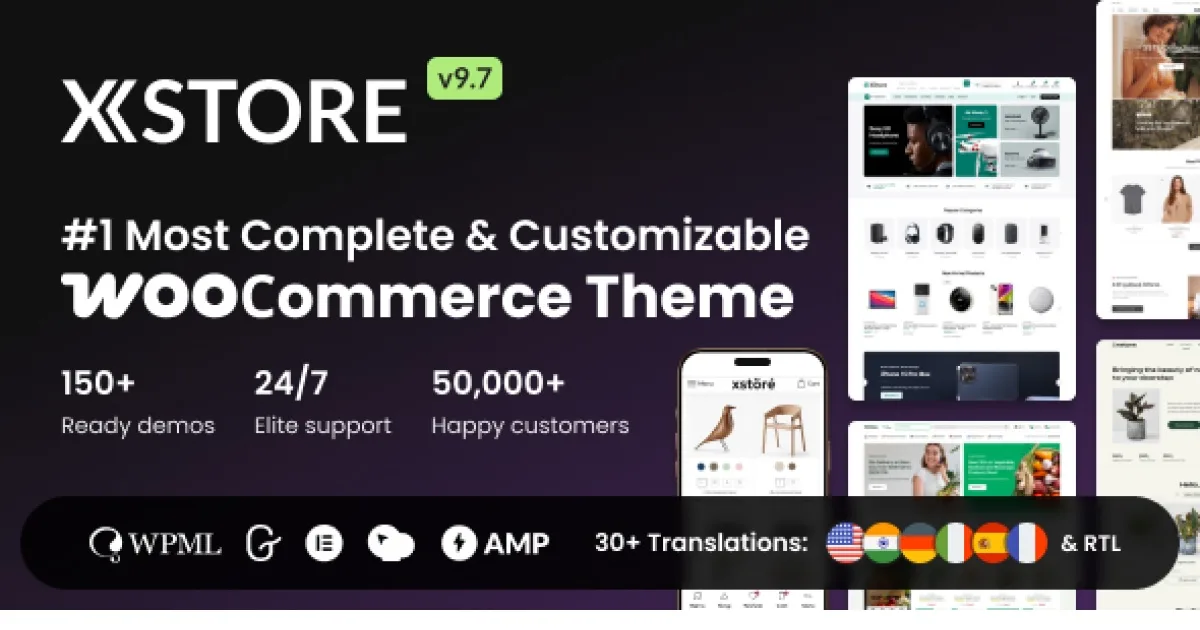
XStore Multipurpose WooCommerce Theme is a WordPress theme for agencies and developers building fast Elementor-driven stores with 150+ prebuilt demo websites.
- Daily automated updates
- VirusTotal 0/70 clean
- Licensed under GPL
- Secure 256-bit checkout
- Instant direct cloud link
What Is XStore Multipurpose WooCommerce Theme?
XStore Multipurpose WooCommerce Theme is a WordPress theme, engineered for agencies and freelance developers to assemble production WooCommerce storefronts without assembling a plugin stack from scratch. It resolves the common fragmentation problem where a commerce build requires separate paid extensions for page building, demo provisioning, and layout systems by consolidating Elementor optimization, WPBakery integration, and a bundled library of premium plugins into one codebase. In agency staging workflows, it functions as a repeatable base theme: teams import a prebuilt vertical-specific site, swap catalog data, and hand off a functioning store inside a single deployment cycle.
Key Features of the Theme
At runtime, the theme intercepts the WordPress template hierarchy and renders commerce templates through Elementor containers, so storefront pages execute as builder layouts rather than rigid PHP template files. Demo data flows through a one-click import pipeline, and content blocks are pulled on demand from the XStudio library while a page is being composed in the Elementor Builder.
Architectural Highlights
- 100% Elementor operation without Elementor Pro: The codebase registers its own widget set and template logic so that header, footer, and commerce layouts render inside the free Elementor core, removing a paid runtime dependency from the deployment stack.
- 150+ prebuilt website imports: Each vertical demo (fashion, electronics, marketplace, food, corporate) ships as a full content package imported in one operation, cutting initial build time from days to minutes.
- XStudio block library with 900+ blocks: Blocks are sortable, previewable, and combinable inside the builder; developers mix sections from different demos without breaking container alignment, aided by an integrated Grid System for Elementor page alignment.
- Bundled premium plugin layer (reported at $467 of value): Commercial extensions ship with the package, which is why the vendor claims up to $1,860 in avoided extra-feature costs; the theme claims a 20% increase in sales conversions and higher engagement on AMP pages (2X time-on-page, 3X engagement) as measured outcomes.
- Countdown and commerce UX modules: Native WooCommerce countdown widgets attach urgency mechanics to product and sale pages, dispatching client-side timers without additional JavaScript dependencies.
For catalog enrichment scenarios, teams that need rich product media can pair the theme with Product Video for WooCommerce, which attaches HTML5, YouTube, and Vimeo sources to product, shop, and cart templates that the theme already renders through Elementor. Where merchandising requires grouped SKUs, Product Bundles for WooCommerce plugs into the same catalog layer with per-item quantity rules and dynamic pricing.
Who Should Use This Theme?
This package fits agencies running multi-client WooCommerce builds, freelance developers who need a repeatable base for vertical storefronts, and store operators managing their own catalog in-house. It is particularly suited to teams that standardize on Elementor and want to avoid maintaining a separate premium builder subscription across client projects. It is not intended for developers building headless or decoupled commerce frontends against a REST-first backend, nor for teams that require fully custom-coded template hierarchies with no builder layer; the Elementor/WPBakery rendering path is the default execution model and replacing it means working against the architecture rather than with it.
Compatibility & Runtime Requirements
The baseline runtime is a standard LAMP stack running current WordPress and WooCommerce versions, with Elementor or WPBakery active as the layout engine.
| Engineering Metric | Deployment Specification |
|---|---|
| Base Technology / Framework | WordPress theme layer with WooCommerce integration; Elementor and WPBakery page builders supported |
| Runtime / Language Requirements | PHP/MySQL WordPress hosting environment; standard shared or VPS hosting sufficient per vendor positioning of “lightning-fast stores in minutes” |
| Data Exchange / Communication Protocols | WordPress admin import pipeline for demo content; AMP page output for mobile performance |
| Core Dependencies / Engine Compatibility | Elementor (free tier sufficient; no Elementor Pro required), WooCommerce, XStudio library endpoint for block delivery |
| Database / Storage Footprint | Demo imports write standard WordPress/WooCommerce tables and media uploads; footprint scales with imported demo assets |
How to Install & Deploy the Theme
Deployment follows the standard WordPress theme lifecycle; once activated, all modules, demo importers, and the XStudio integration become operational immediately.
- Environment Pre-check: Verify the target server runs a compatible WordPress core with WooCommerce installed and Elementor (or WPBakery) available; confirm PHP version and upload limits accommodate the theme archive plus demo media.
- Package Upload: Upload the theme archive through the WordPress administration interface (Appearance path) or transfer the extracted files directly to the wp-content/themes directory over SFTP.
- Direct Activation: Activate the theme from the administration panel. On activation, the theme options panel, bundled plugin prompts, demo importer, and Elementor widget set initialize and become fully active for production use.
- Configuration & Testing: Open the theme settings panel to configure global preferences, run a one-click import of the target vertical demo, verify Grid System alignment inside Elementor, and exercise the countdown widget and catalog templates before pushing to the live domain.
Operators running multi-vendor or marketplace verticals should validate extension interplay during staging; when fulfillment workflows need carrier and notification automation, Trakoo WooCommerce Orders Tracking extends the same order tables with carrier tracking, SMS alerts, and CSV bulk import.
Frequently Asked Questions
Does XStore require Elementor Pro to render its full widget set?
No. The theme is engineered to run 100% on the free Elementor core, registering its own widgets and template logic, so header, footer, and commerce layouts function without a separate premium builder installation.
Can content blocks from different prebuilt demos be combined on one page?
Yes. XStudio exposes over 900 blocks that can be sorted, browsed, combined, and previewed while building in Elementor, and the integrated Grid System keeps mixed containers aligned within the page canvas.
How many prebuilt websites ship with the package?
Yes, the vendor documents 150+ prebuilt websites with new releases added regularly, spanning categories such as fashion, beauty, marketplace, food, electronics, and corporate, each importable in a single click.
}