Product CSV Import Suite WooCommerce Extension
Product CSV Import Suite WooCommerce Extension is a WordPress plugin for developers and agencies running bulk product, variation, and coupon imports at scale.

- Daily automated updates
- VirusTotal 0/70 clean
- Licensed under GPL
- Secure 256-bit checkout
- Instant direct cloud link
What Is Product CSV Import Suite WooCommerce Extension?
Product CSV Import Suite WooCommerce Extension is a PHP-based WooCommerce plugin, engineered for developers and store operators to import products, variations, categories, tags, and coupons in bulk from structured CSV files. It resolves the bottleneck of WooCommerce’s default importer, which only supports basic product fields and lacks handling for variable product hierarchies, custom taxonomy columns, and coupon records. In production workflows, it functions as the batch data-ingestion layer for catalog migrations, supplier feed synchronization, and staged catalog rebuilds.
Key Features of the Plugin
The extension parses each CSV row, maps delimited columns to WooCommerce post meta, taxonomy terms, and lookup tables, then writes records through WordPress data layers with import progress tracked row by row. It extends rather than replaces the native importer, so records land in the same schema WooCommerce itself reads.
Architectural Highlights
- Variable Product Handling: The parser recognizes parent rows and attaches sequential variation rows to the correct product ID, writing attributes to the variation lookup structure and enabling per-variation pricing, SKU, and stock states that standard importers typically flatten or skip.
- Custom Field and Taxonomy Mapping: Arbitrary columns can be routed into post meta keys or registered taxonomy slugs, so data from supplier spreadsheets or third-party export tools lands in the exact meta structure a storefront theme expects. This matters when feeding attribute-driven catalogs rendered through filters and layered navigation on builds like Nevixra Electronics Store WooCommerce Theme.
- Coupon Import: A dedicated import path writes discount records directly to the shop_coupon post type, including usage limits, expiry dates, and restriction rules, eliminating manual recreation of coupon campaigns during migration windows.
- Import Column Reference Export: The engine can export a sample CSV containing valid column headers and example rows, giving integrators a canonical template for structuring feeds without reverse-engineering meta keys.
- Row-Level Re-Import Behavior: Re-running a file with matching identifiers updates existing records instead of duplicating them, allowing iterative catalog corrections from the same source spreadsheet.
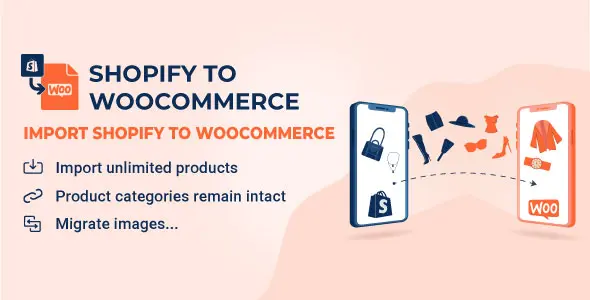
For cross-platform migrations where the source data originates on a different commerce stack, teams typically pair this ingestion layer with S2W Import Shopify to WooCommerce, which extracts Shopify records first before CSV refinement runs.
Who Should Use This Plugin?
This codebase targets WooCommerce developers, agency engineering teams, and technically capable store managers who already structure data in spreadsheets and understand post meta versus taxonomy semantics. It fits catalog migrations, recurring supplier feed ingestion, and staging-to-production catalog seeding. It is not intended for non-technical users who need a visual drag-and-drop mapping UI or who expect automatic scheduled fetching of remote feeds; column structure must be prepared before execution. Operations teams unwilling to validate UTF-8 encoded, delimiter-consistent CSV output will encounter parsing friction.
Compatibility & Runtime Requirements
The extension runs wherever a supported WordPress and WooCommerce installation meets baseline PHP and database requirements.
| Engineering Metric | Deployment Specification |
|---|---|
| Base Technology / Framework | PHP plugin extending WooCommerce core importer architecture |
| Runtime / Language Requirements | PHP 7.4+ recommended; WordPress 5.x or newer |
| Data Exchange / Communication Protocols | Delimited CSV (UTF-8), browser multipart upload; no external API calls |
| Core Dependencies / Engine Compatibility | WooCommerce (current major versions), WordPress core taxonomy and post meta layers |
| Database / Storage Footprint | Writes to existing wp_posts, wp_postmeta, and WooCommerce lookup tables; no proprietary schema added |
How to Install & Deploy the Plugin
Deployment follows the standard WordPress plugin administration flow, with the extension becoming operational immediately after activation.
- Environment Pre-check: Confirm the server meets the PHP and WordPress versions listed above, verify WooCommerce is installed and active, and confirm the upload_max_filesize directive accommodates your largest source CSV.
- Package Upload: Transfer the plugin archive through the WordPress administration Plugins screen by uploading the ZIP, or extract the folder directly into wp-content/plugins via SFTP.
- Direct Activation: Click Activate from the Plugins list. The import screens register under the WooCommerce Products menu, and all import paths, including variations and coupons, become fully available for production use.
- Configuration & Testing: Run the sample column export to validate your feed headers, execute an import against a small subset first, and verify taxonomy assignment, variation attachment, and coupon rules render correctly on the storefront before committing the full catalog.
Frequently Asked Questions
Can the importer create product categories and tags that do not yet exist in the catalog?
Yes, the parser inserts new taxonomy terms from CSV columns during row processing, so a first-run feed can build the full category and tag hierarchy without pre-seeding terms in WordPress.
Does re-importing the same file duplicate products?
No, records matched by existing identifiers such as SKU or post ID are updated in place. Feeds lacking matching identifiers will be treated as new rows and appended as new products.
Does the extension modify WooCommerce database structure?
No, it writes through the existing WooCommerce and WordPress meta and lookup tables. Uninstalling the plugin leaves imported catalog data intact for other tooling to consume.
Is there a row limit per import file?
There is no hard-coded record cap, but execution time and memory are governed by server PHP limits, so very large feeds should be split or run with raised max_execution_time settings.