S2W – Import Shopify to WooCommerce
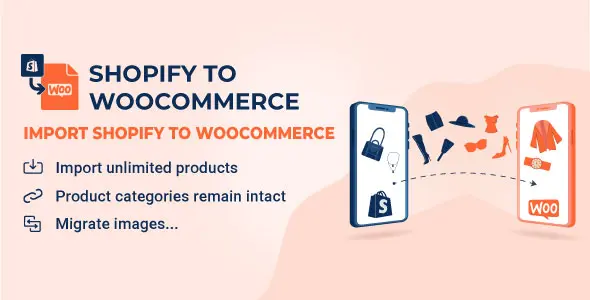
S2W Import Shopify to WooCommerce is a WordPress migration plugin that transfers products, orders, customers, and coupons from Shopify stores into WooCommerce for agencies.
- Daily automated updates
- VirusTotal 0/70 clean
- Licensed under GPL
- Secure 256-bit checkout
- Instant direct cloud link
What Is S2W – Import Shopify to WooCommerce?
S2W – Import Shopify to WooCommerce is a WordPress plugin, engineered for developers and agencies to migrate store data from Shopify into WooCommerce with minimal manual intervention. The codebase addresses the core migration bottleneck of Shopify’s closed data model, using the Shopify Admin API to pull products, variants, images, orders, and customers, then mapping them onto WooCommerce’s custom post types and taxonomies. In production, it operates as a batch-processing bridge during platform transitions, allowing merchants to rehost commerce on self-managed WordPress infrastructure.
Key Features of the Plugin
The plugin executes through scheduled background workers: an API client paginates Shopify REST resources, a mapper normalizes each payload to WooCommerce schema, and writes are committed through WooCommerce CRUD functions so native hooks fire normally. Incremental sync runs against stored Shopify IDs to prevent duplicate entity creation across repeated imports.
Architectural Highlights
- Product and Variant Migration: Downloads products with attributes, variations, prices, inventory, and SKU fields, writing each variation as a product_variation post and synchronizing stock through WooCommerce inventory APIs.
- Media Pipeline: Pulls Shopify CDN-hosted product images into the WordPress media library and attaches them as featured or gallery assets, so images live on the destination host rather than hotlinking external URLs.
- Order and Customer History: Imports historical orders and customer records, mapping Shopify line items to order item tables and preserving status, totals, and billing metadata for accounting continuity.
- Incremental Re-sync: Re-run imports to fetch newly created Shopify entities and updates; existing posts are matched by source ID so the two catalogs can run in parallel during a phased cutover.
- Webhook Support: Registers Shopify webhook listeners to push add/update/delete events into WordPress in near real time, keeping destination data current without polling.
Once the migrated catalog is live, storefront presentation becomes the next engineering concern. Teams rebuilding a grocery or fast-moving-consumer-goods front end on the new data layer often pair the import engine with Zilly, a Bootstrap 5 WooCommerce theme whose Ajax shop filters work directly against the imported taxonomy structure. For affiliate-style catalogs that also pull from external marketplaces, Amazon Affiliates WooCommerce extends the same WooCommerce post types with a second import source, letting both feeds coexist in one store.
Who Should Use This Plugin?
This plugin targets agencies executing platform migrations, freelance developers rebuilding Shopify stores on WordPress, and in-house engineers consolidating multiple commerce sources into a single WooCommerce installation. It fits staging-to-production workflows where data fidelity, SKU integrity, and order history preservation matter. It is not intended for non-technical store owners expecting a one-click, zero-configuration transfer: operators should understand WooCommerce product types, taxonomies, and server resource limits, and should be prepared to test catalog output before cutover. Teams without REST API credential management experience will need support from a developer to configure the Shopify Admin API access token correctly.
Compatibility & Runtime Requirements
Runtime constraints center on the WordPress stack, WooCommerce availability, and server tolerance for long-running import processes.
| Engineering Metric | Deployment Specification |
|---|---|
| Base Technology / Framework | WordPress plugin architecture; WooCommerce integration layer |
| Runtime / Language Requirements | PHP 7.x or higher; WordPress 5.x+; recent WooCommerce versions recommended |
| Data Exchange / Communication Protocols | Shopify Admin REST API over HTTPS; webhooks for event-driven updates |
| Core Dependencies / Engine Compatibility | WooCommerce must be installed and activated prior to import; WooCommerce CRUD for entity writes |
| Database / Storage Footprint | WordPress native tables plus media library uploads; large catalogs require elevated PHP memory and execution time limits |
How to Install & Deploy the Plugin
- Environment Pre-check: Verify PHP version meets the plugin baseline, confirm WooCommerce is active, and raise PHP memory_limit and max_execution_time if the source catalog is large, since import batches are long-running.
- Package Upload: Upload the plugin archive through the WordPress administration interface under Plugins, then click Install; alternatively transfer the extracted directory to wp-content/plugins via SFTP.
- Direct Activation: Click Activate to initialize the module; the migration menu, background worker scheduling, and webhook endpoints become operational immediately.
- Configuration & Testing: Enter Shopify store credentials and API access token in the settings panel, select which resource types to import, run a small test batch, then validate product pages, images, and order records before executing the full migration.
For stores whose front end also needs rebuilding after data transfer, deploying Milano as the WooCommerce theme on the same installation lets developers render the migrated catalog with a header and footer builder and built-in sales features, without additional custom template work.
Frequently Asked Questions
Can the plugin import via a private app token instead of full Admin API credentials?
Yes. The plugin authenticates against the Shopify Admin API using a store URL and access token generated from a custom app or private app credential, and all resource pulls occur over HTTPS using those values.
What happens to product images hosted on Shopify’s CDN after migration?
Images are downloaded from Shopify’s CDN into the local WordPress media library and re-attached to products as featured and gallery assets, so the destination store no longer depends on external Shopify hosting.
Can repeated imports run without duplicating previously migrated products?
Yes. The plugin stores source identifiers for imported entities and matches subsequent runs against them, so incremental re-syncs update or add records rather than creating duplicate posts.
Does order import preserve the original Shopify order status?
Yes. Imported orders map line items, totals, billing metadata, and order status into the WooCommerce order system, enabling historical reporting continuity after the migration is complete.