SmilePure – Dental & Medical Care WordPress Theme
SmilePure is a dental WordPress theme with 6 responsive homepages, booking management, and demo import, built for developers and clinic site builders.

- Daily automated updates
- VirusTotal 0/70 clean
- Licensed under GPL
- Secure 256-bit checkout
- Instant direct cloud link
What Is SmilePure Dental WordPress Theme?
SmilePure is a WordPress theme engineered for developers and agencies building web presences for dental clinics, orthodontic practices, and medical care providers. It resolves the recurring bottleneck of assembling clinic-specific layouts — service catalogs, dentist profiles, schedules, and appointment flows — from generic multipurpose templates that lack domain-aligned page structures. In production, it operates as a deployable source package: an agency installs it on a staging WordPress instance, imports a demo, and adapts the markup and content to a client’s brand before pushing live.
Key Features of the Theme
The theme renders pages through the standard WordPress template hierarchy, dispatching modular section templates into the DOM tree while queued CSS and JS assets are enqueued per page context to limit fragmentation. Its architectural surface is organized around clinic workflows rather than abstract widget grids.
Architectural Highlights
- Six Homepage Layouts: Six distinct, responsive homepage configurations — Dental Services, Dentistry Focus, Dental Health, Dental Treatment, Dentist Professors, and Dentistry Closeups — each with a verifiable demo state, allowing teams to benchmark rendering depth and pick a base layout before customizing.
- Working Schedule & Booking Management: A schedule and booking module exposes two appointment entry points (Book Appointment 1 and Book Appointment 2), so reception flows can be A/B positioned across landing and contact pages without custom PHP.
- Dual Contact Templates: Contact 01 and Contact 02 variants let integrators swap form placement and map treatment within the same template hierarchy, reducing template override work during client revisions.
- Blog Grid System: Three blog grid variations (Blog Grid 01–03) control archive column counts and card density, which directly affects LCP sequencing on content-heavy pages.
- Landing Page Demo Switcher: A landing page aggregates all demo states so evaluators can compare layouts side by side, with similarity-difference comparison aids for selecting a production baseline.
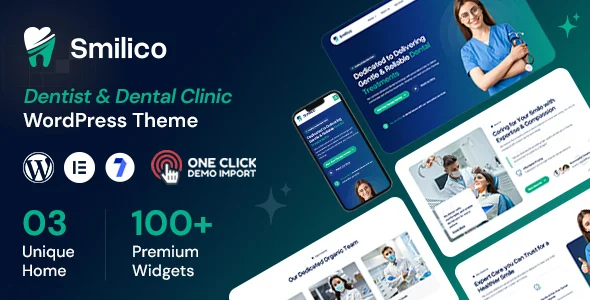
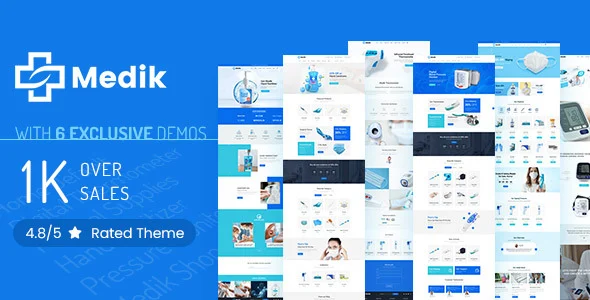
For clinics that also sell dental products online, pairing this package with Medik Medical WooCommerce Store covers the commerce layer while SmilePure owns the appointment-driven content architecture. Teams needing an alternate Elementor-first baseline with four home layouts and WPML support can evaluate Smilico Dental WordPress Theme before committing to a build direction.
Who Should Use This Theme?
This theme fits freelance developers and agency teams delivering brochure-plus-booking sites for dental practices: engineers comfortable adjusting template files, enqueue boundaries, and page-builder sections to match brand guidelines. It suits client builds where the schedule and appointment module must ship on day one rather than be sourced from a separate booking stack. It is not intended for site owners who expect fully code-free customization of clinic logic; restructuring the booking or schedule modules still requires PHP-level work, and teams unwilling to touch the codebase should budget for a developer during delivery.
Compatibility & Runtime Requirements
Baseline runtime constraints follow the standard WordPress theme contract; verify server versions before deployment.
| Engineering Metric | Deployment Specification |
|---|---|
| Base Technology | WordPress theme (PHP-rendered template hierarchy, HTML/CSS/JS front end) |
| Runtime Requirements | A current PHP runtime and WordPress core version supported by the hosting environment |
| Data Exchange | Standard WordPress request/response cycle; demo import via the administration interface |
| Core Dependencies | WordPress core; bundled theme modules for schedule and booking management |
| Storage Footprint | Theme archive plus demo content and media assets imported during setup |
How to Install & Deploy the Theme
Deployment follows the conventional WordPress theme activation path; no external verification steps are involved.
- Environment Pre-check: Confirm the server runs a compatible PHP version and a clean WordPress installation; verify that upload limits accommodate the theme archive and demo media payload.
- Package Upload: Transfer the theme archive through the administration interface (Appearance upload) or place the extracted directory into wp-content/themes via SFTP.
- Direct Activation: Activate the theme in the dashboard; menus, homepage templates, the booking module, and administrative options become operational immediately upon activation.
- Configuration & Testing: Import the chosen demo from the landing page selection, map the working schedule to clinic hours, connect the Book Appointment entry points to the desired pages, and validate contact form delivery and responsive breakpoints before go-live.
Frequently Asked Questions
Does the theme include more than one booking layout?
Yes. Two appointment entry points, Book Appointment 1 and Book Appointment 2, ship with the package, letting teams position the booking flow on the homepage, a dedicated page, or contact templates without duplicating module code.
Can blog archives be styled differently per section?
Yes. Three blog grid variants (Blog Grid 01, 02, and 03) are included, so content strategists can vary column counts and card layouts across archive contexts while inheriting the same underlying template logic.
Are the six homepage demos fully distinct builds?
Yes. Each homepage — Dental Services, Dentistry Focus, Dental Health, Dental Treatment, Dentist Professors, and Dentistry Closeups — is a separate demo state, and the comparison view highlights differences to guide baseline selection.
}