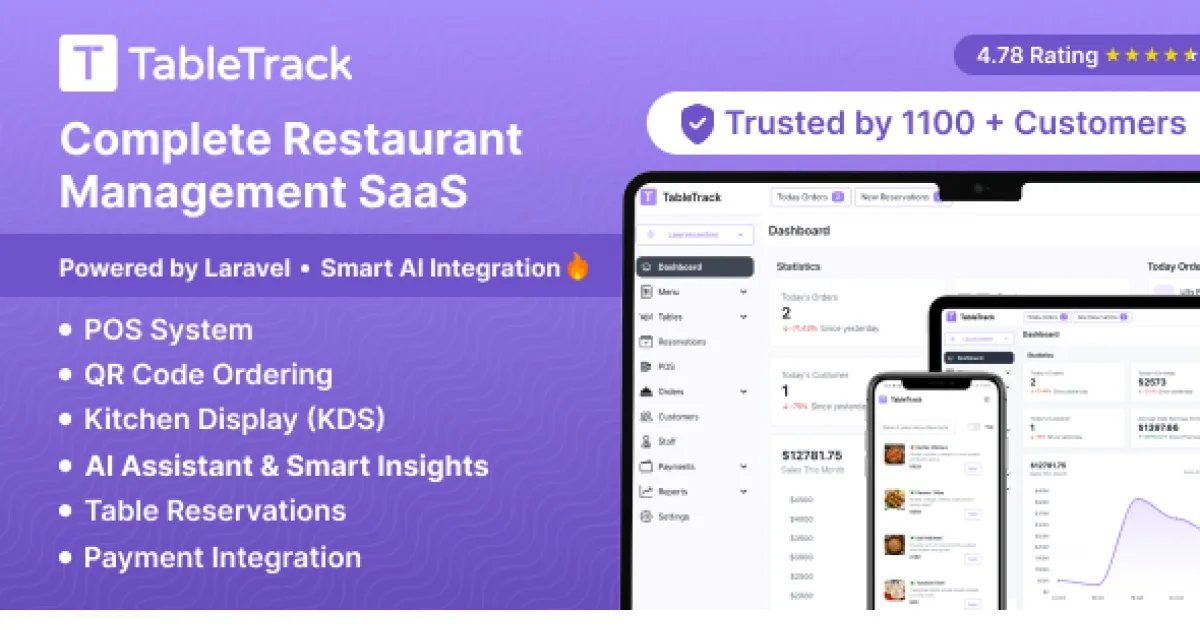
TableTrack – Complete Restaurant Management System SaaS
TableTrack is a PHP restaurant management SaaS script for developers deploying multi-branch POS, table booking, and billing platforms with REST APIs.
- Daily automated updates
- VirusTotal 0/70 clean
- Licensed under GPL
- Secure 256-bit checkout
- Instant direct cloud link
What Is TableTrack?
TableTrack is a PHP-based restaurant management SaaS script, engineered for full-stack developers and agencies to deploy multi-tenant point-of-sale, table reservation, and billing platforms. It resolves the architectural bottleneck of stitching separate ordering, kitchen, and accounting tools into one tenant-isolated codebase with a shared database layer. In production, it functions as a self-hosted control plane where restaurant owners register as tenants, configure menus and staff roles, and run daily floor operations from a browser.
Key Features of the Script
The codebase executes on a Laravel-style MVC routing layer: HTTP requests hit controller endpoints, validate payloads through form requests, and persist writes via Eloquent ORM migrations. Tenant context is resolved per request, scoping every query to the authenticated branch or restaurant ID before data reaches the view layer.
Architectural Highlights
- Multi-tenant data isolation: Each restaurant record scopes menus, orders, invoices, and staff accounts through foreign-key filtering at the model layer, preventing cross-tenant leakage without separate database instances.
- POS and order pipeline: Waiters place orders against table state; the kitchen module consumes order records in real time, transitions statuses through preparation states, and closes the loop when billing is generated.
- Super-admin control panel: A root administrator manages tenant onboarding, subscription plan definitions, and global settings, while tenant admins operate within delegated role permissions enforced server-side.
- REST-style data exchange: Controller endpoints expose JSON responses, enabling external dashboards or companion frontends to consume order and inventory data over standard HTTP.
- Reporting layer: Aggregated queries summarize daily sales, expense entries, and stock consumption per branch, rendering results through server-side view templates rather than heavy client bundles.
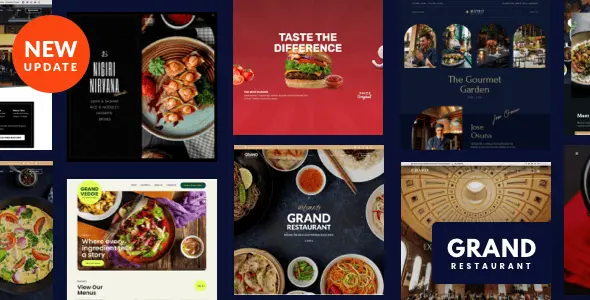
For teams whose scope is a customer-facing storefront rather than back-of-house operations, pairing this engine with a presentation layer such as Grand Restaurant WordPress covers the public ordering surface while the SaaS core handles tenant administration.
Who Should Use This Script?
This application targets Laravel-literate backend developers and agencies delivering white-label restaurant software to multiple client locations. It fits consulting teams building branded SaaS offerings where each restaurant client needs an isolated tenant workspace under one deployment. DevOps engineers comfortable with Nginx configuration, cron scheduling, and MySQL tuning will find the deployment model conventional and predictable. It is not intended for non-technical restaurant owners expecting plugin-and-run setup without a server, nor for front-end teams seeking a headless API-only product with no bundled admin views. Developers building hospitality booking flows at scale may also evaluate Safar Hotel & Resort Booking WordPress Theme when the client requirement leans toward room reservations rather than table service.
Compatibility & Runtime Requirements
The script runs on a standard LAMP or LEMP stack and carries baseline constraints that must be verified before deployment.
| Engineering Metric | Deployment Specification |
|---|---|
| Base Technology / Framework | PHP MVC framework (Laravel architecture) with Blade templating |
| Runtime / Language Requirements | PHP 8.x, web server with URL rewriting enabled |
| Data Exchange / Communication Protocols | HTTP/HTTPS, JSON responses from controller endpoints |
| Core Dependencies / Engine Compatibility | Composer package resolution, standard Laravel runtime dependencies |
| Database / Storage Footprint | MySQL or MariaDB relational schema via migration files; uploaded assets stored on the local filesystem |
How to Install & Deploy the Script
- Environment Pre-check: Verify PHP 8.x, required PHP extensions (mbstring, pdo_mysql, fileinfo), a reachable MySQL instance, and writable storage directories before touching the codebase.
- Package Upload: Extract the archive into the web root or deploy via Git; run Composer to resolve vendor dependencies, then configure the .env file with database credentials, application URL, and mail transport values.
- Direct Activation: Execute the database migration routine through the command line or the browser-based installer; once schema seeding completes, the super-admin account, tenant modules, and administrative menus become fully operational with no further gating steps.
- Configuration & Testing: Log in as super-admin, create a tenant restaurant, define menu categories and tax rates, then run a test order through the POS flow to confirm table state transitions, invoice generation, and report aggregation behave correctly under production settings.
Frequently Asked Questions
Does the script include a customer-facing online ordering module, or is it back-office only?
Yes. The package bundles both operational back-office modules and a customer-facing ordering flow, so guests can browse menus and place orders while staff process them through the POS pipeline.
Can the system support multiple currencies and languages for a single deployment?
Yes. Tenant-level settings expose currency selection and multi-language configuration, letting each restaurant workspace present localized menus and pricing without modifying core source files.
Is source code modification permitted for custom client integrations?
Yes. The full PHP source ships unobfuscated, so development teams can extend controllers, add migrations, and wire third-party payment or delivery services directly into the existing MVC structure.
Do automated backups or scheduled jobs require external cron configuration?
Yes. Background routines such as scheduled report generation and maintenance tasks rely on a server-level cron entry pointing to the framework scheduler, which must be registered during deployment.