Turie – Modern Travel Tour Booking WordPress Theme
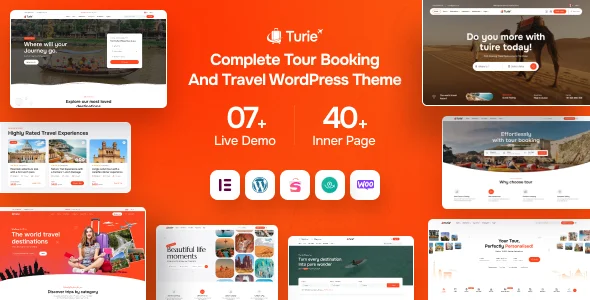
Turie Travel Tour Booking WordPress Theme is an Elementor and Bootstrap 5.x codebase for tour operators building WP Travel Engine booking sites.
- Daily automated updates
- VirusTotal 0/70 clean
- Licensed under GPL
- Secure 256-bit checkout
- Instant direct cloud link
What Is Turie Travel Tour Booking WordPress Theme?
Turie Travel Tour Booking WordPress Theme is an Elementor-based WordPress theme, engineered for tour operators, travel agencies, and development teams building reservation-driven tourism websites. It resolves the recurring integration bottleneck of pairing a visual page builder with a functional booking engine by shipping with WP Travel Engine and the StoreBuild WooCommerce builder as configured dependencies. In production, it functions as the presentation and template layer over those plugins, handling trip archives, itinerary rendering, and commerce flows on WordPress 6.4.x through 7.0.x installs.
Key Features of the Theme
The codebase renders pages through Elementor’s DOM output pipeline: each of the 115+ custom widgets serializes its settings into markup at request time, while Bootstrap 5.x grid classes and SCSS-compiled stylesheets control layout resolution across breakpoints. Header and footer variants are constructed through the Elementor Header and Footer Builder, so template overrides happen inside the builder rather than through raw PHP edits. One-click demo import provisions post types, menus, widgets, and demo content as a batch operation.
Architectural Highlights
- WP Travel Engine booking layer: The bundled engine manages unlimited trip packages with itinerary, gallery, FAQ, and inclusion/exclusion datasets, plus trip search and filtering across destination, budget, duration, activities, and trip types.
- StoreBuild WooCommerce integration: Shop, product, cart, checkout, and account pages are rebuildable in Elementor, giving developers direct control over commerce template markup without editing core WooCommerce files.
- Template inventory: 7+ home demos, 45+ inner pages, 6 header and 5 footer variations, and 5+ blog layouts ship in the package, with HTML and Figma source files included for design-side handoff.
- Booking workflow mechanics: The engine implements dynamic pricing forms, a visual booking progress bar, inquiry forms, automated email notifications, discount coupons, trip facts (group size, meals, accommodation), and an analytics dashboard tracking bookings and revenue.
- Child theme support: Template hierarchy overrides can be performed from a child theme, keeping parent files intact across version upgrades; a .pot file ships for translation-ready string extraction.
For agencies whose project scope extends beyond tours into full hospitality inventory, deploying Hoteller Hotel Booking Theme alongside a booking stack covers accommodation post types that a tour-only engine does not model.
Who Should Use This Theme?
This package targets WordPress developers and agency teams delivering client sites for tour agencies, adventure package sellers, holiday trip managers, and local tour services. It fits teams comfortable with Elementor’s template system, WooCommerce configuration, and plugin dependency management. It is a poor fit for engineers who need Gutenberg-native block editing, since the package is explicitly not Gutenberg optimized, or for projects requiring a custom booking schema, where the bundled WP Travel Engine data model becomes the governing constraint. Note that the ThemeForest distribution includes a single home demo, while the wider 7+ demo set and full demo content are part of the ThemePure distribution channel.
Compatibility & Runtime Requirements
Baseline runtime depends on a WordPress host meeting the core version matrix and the bundled plugin stack.
| Engineering Metric | Deployment Specification |
|---|---|
| Base Technology | PHP templates, CSS/SCSS, JS; Bootstrap 5.x framework; Font Awesome and Google Fonts assets |
| Runtime Requirements | WordPress 6.4.x through 7.0.x; tested on real devices; responsive 4+ column layout |
| Data Exchange | WooCommerce 8.x.x and 9.x.x commerce flows; Contact Form 7 form submissions; automated booking email transport |
| Core Dependencies | Elementor and Elementor Pro, WP Travel Engine plugin, StoreBuild WooCommerce builder plugin |
| Browser Coverage | IE11, Firefox, Safari, Opera, Chrome, Edge |
Developers stacking appointment-style reservations on top of the tour engine frequently pair it with Booking Hub – AI-Powered Scheduling, Reservation and Appointment System for WordPress, which adds calendar sync and appointment modes outside the trip-package data model.
How to Install & Deploy the Theme
Deployment follows the standard WordPress theme workflow, with the WP Travel Engine and StoreBuild plugins installed as required companions before the booking features render.
- Environment pre-check: Verify the host runs a supported WordPress version (6.4.x–7.0.x), confirm PHP meets Elementor’s requirements, and confirm required plugins are available for install.
- Package upload: Upload the theme archive through the administration interface under Appearance, or transfer the PHP, CSS, SCSS, and JS files directly into the themes directory.
- Direct activation: Activate the theme; the custom widgets, header/footer builder modules, and widget-ready areas become active immediately, followed by installation of the companion plugins when prompted.
- Configuration & testing: Run the one-click demo import to provision pages and content, set global color and typography tokens, configure trip types, destinations, activities, and payment gateways in WP Travel Engine, then validate output across target browsers and devices.
Structural customizations beyond builder-level edits should go through a child theme to survive future package updates. Where an adjacent client project needs a different vertical built on the same Elementor and Bootstrap 5.x foundation, Convera – Business Consulting WordPress Theme reuses that stack for corporate and advisory builds.
Frequently Asked Questions
Does the package include design source files for design-team handoff?
Yes. The distribution ships HTML and Figma files alongside the PHP, CSS, SCSS, and JS sources, so design teams can inspect or extend layouts before implementation.
Can every WooCommerce page be rebuilt inside Elementor with this theme?
Yes. StoreBuild integration makes the shop, product, cart, checkout, and my account pages editable through Elementor widgets, removing the need to override WooCommerce PHP templates manually.
Is the theme translation-ready for multi-language tourism sites?
Yes. A .pot file is included for string extraction, and the codebase is translation-ready, letting developers supply language files for multilingual tour catalogs.