Travelicious – Tour Operator Theme
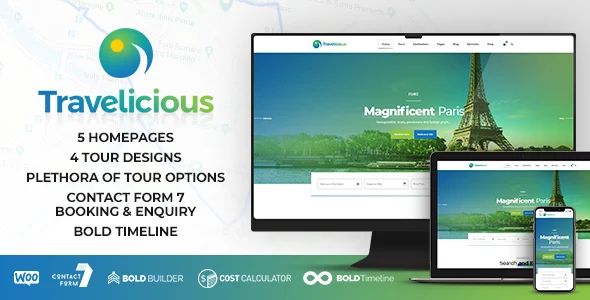
Travelicious WordPress Theme v1.7.2 is a tour operator and travel agency theme with Bold Builder, tour search, WooCommerce support, and demo import.
- Daily automated updates
- VirusTotal 0/70 clean
- Licensed under GPL
- Secure 256-bit checkout
- Instant direct cloud link
What Is Travelicious WordPress Theme?
Travelicious WordPress Theme is a PHP/CSS/JS WordPress theme package built for developers and agencies deploying tourism websites for tour operators and travel agents. It resolves the structural problem of presenting large, searchable tour catalogs with destination-based filtering, embedded maps, and structured itinerary data without hand-coding custom post type templates. In production workflows, it serves as a deployable starting point: administrators run a one-click demo import, replace demo records with real tour data through the customizer and Bold Builder, and ship a WooCommerce-ready booking presentation layer.
Key Features of the Theme
The rendering pipeline passes page content through the Bold Builder drag-and-drop backend editor, which serializes element configurations into the database and outputs them through theme template hierarchy files, so each page’s DOM tree is assembled from discrete builder elements rather than fixed hardcoded templates. Tour records are persisted as custom content types with structured meta fields surfaced via the Meta Box plugin.
Architectural Highlights
- Four tour presentation templates: The engine exposes regular, gallery, tile, and list tour designs plus multiple tour header variants, letting the same tour post type render through different template branches based on per-page configuration.
- Structured tour data model: Tour single views render includes, excludes, destination, embedded map, gallery, tour plan, reviews, and similar-tours sections as discrete template components, supporting consistent itinerary markup across the catalog.
- Customizable tour search: A dedicated tour search form element and search result templates allow filtering by destination and category, with configurable Google Map style, pin, and map behavior parameters.
- Builder element library: Roughly 25 elements ship with the package, including countdown, counter, masonry destination grid, price list, progress bars, sliders, video, working hours, and raw HTML/JS injection for custom scripts.
- Bundled Cost Calculator plugin: The included Cost Calculator component enables quote-style price estimation flows on tour pages without procuring a separate estimation plugin.
The backend editor adds clipboard copy/paste of element trees between pages and installations, time-limited content visibility, per-breakpoint show/hide rules, per-page overrides of global settings, sticky and mega menu headers, parallax effects, and an AI Content Generator (added October 2023) that drafts builder text blocks from supplied input data.
Who Should Use This Theme?
This codebase fits WordPress developers and small agencies building client sites for travel agencies, tour operators, and destination guides who need structured tour catalogs quickly. It suits teams comfortable with a proprietary builder (Bold Builder, not Gutenberg — the package is explicitly not Gutenberg optimized) and with child theme overrides for template-level changes. Teams planning eCommerce checkouts should note WooCommerce compatibility spans 6.x through 9.x; pairing the tour catalog with a store front can be handled by deploying Betheme for projects that require a broader multipurpose WooCommerce stack instead. Conversely, the package is not intended for non-technical site owners who want block-editor-native editing, or for headless/decoupled builds requiring REST-first templating, since presentation logic lives in PHP theme templates.
Compatibility & Runtime Requirements
Baseline runtime constraints center on WordPress core versions and the bundled plugin stack; verify PHP memory and hosting support for the importer before deployment.
| Engineering Metric | Deployment Specification |
|---|---|
| Base Technology | WordPress theme (PHP, CSS, JS files) |
| Core Version Support | WordPress 6.0.x through 7.0.x |
| Commerce Engine | WooCommerce 6.x, 7.x, 8.x, 9.x |
| Page Builder | Bold Builder (bundled); AI Content Generator included |
| Bundled Plugins | Meta Box, Import plugin, Contact Form 7, Cost Calculator |
| Supported Plugins | W3 Total Cache, Yoast, RTL |
| Browser Targets | IE10/IE11, Firefox, Safari, Opera, Chrome, Edge |
| Display | Responsive layout, retina ready, widget ready |
How to Install & Deploy the Theme
- Environment pre-check: confirm the host runs a supported WordPress version (6.0.x–7.0.x), that WooCommerce of the target minor version is active if commerce flows are required, and that PHP memory limits accommodate the demo import routine.
- Package upload: transfer the theme archive through the WordPress administration interface (Appearance → Add New → Upload Theme) or place the extracted PHP/CSS/JS files into the wp-content/themes directory via SFTP.
- Direct activation: click Activate; the theme registers its customizer panel, tour post type templates, widget areas, and Bold Builder elements immediately, making all modules operational.
- Configuration and testing: run the one-click demo import plugin to scaffold a reference site, replace demo records via the customizer and builder, configure tour search parameters, Google Map styling, header/footer variants, and validate responsive breakpoints and map rendering before launch.
For agencies maintaining a portfolio of vertical WordPress builds, the same install-and-override pattern applies across sister codebases; for instance, Frameflow follows a comparable Elementor-driven structure for general-purpose agency sites when a project falls outside the tourism vertical.
Frequently Asked Questions
Does the demo content include images I can publish on a client site?
No. Demo site images are not cleared for third-party production use; if you intend to publish them, each image must be licensed separately before the site goes live.
Is the theme compatible with the block editor for page building?
No. The package is not Gutenberg optimized; page composition is handled by the bundled Bold Builder backend editor, while WordPress Customizer drives theme options and color schemes.
Can the package run on a WordPress Multisite network?
Yes. The codebase is tested against WordPress Multisite, and it is child theme ready, so network administrators can extend templates and enqueue assets without editing the parent files.