Vango – Elementor WooCommerce WordPress Theme
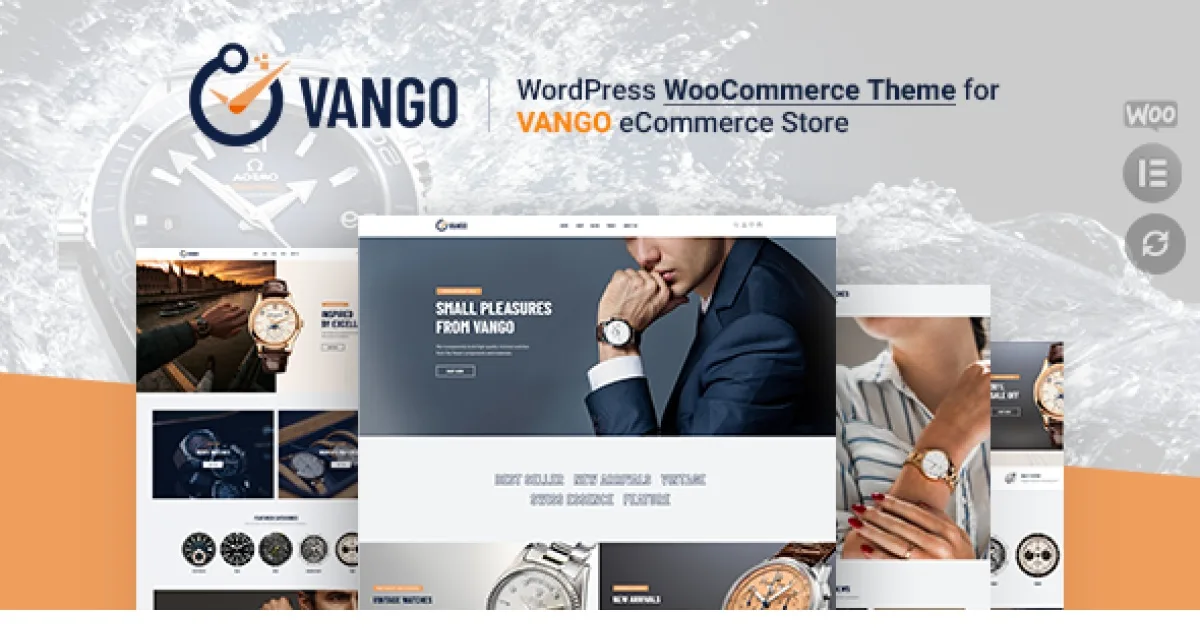
Vango is an Elementor WooCommerce WordPress theme with 6 homepage demos, 10+ shop layouts, and sidebar-driven store builds for developers.
- Daily automated updates
- VirusTotal 0/70 clean
- Licensed under GPL
- Secure 256-bit checkout
- Instant direct cloud link
What Is Vango?
Vango is an Elementor-based WooCommerce WordPress Theme, engineered for agencies and freelance developers to assemble production eCommerce storefronts without hand-coding layout templates. It resolves the recurring bottleneck of rebuilding store page hierarchies for each client by shipping pre-structured homepage and shop archives that inherit WooCommerce’s native template system. In agency workflows, the package functions as a staging starting point: a developer imports a demo, remaps product data, and adjusts Elementor containers before pushing to production.
Key Features of the Theme
The theme renders pages through the standard WordPress template hierarchy, with Elementor widgets replacing hardcoded PHP loop structures on landing pages while WooCommerce archive templates continue to control product listings, taxonomy pages, and single-product output. Layout state is driven by Elementor’s JSON container definitions, so structural edits propagate through the visual editor rather than theme file edits.
Architectural Highlights
- Six Homepage Demos (Homepage 01 through 06): Each demo is a separate Elementor section-and-container tree covering distinct commerce orientations, letting developers select the closest structural baseline and reorder containers instead of composing layouts from an empty canvas.
- 10+ Shop Page Variants: Product archive layouts ship as alternate shop templates, so catalog presentation — grid density, card composition, and column behavior — can be switched per client project without overriding core WooCommerce files manually.
- Left Sidebar Shop Architecture: The left sidebar pattern places filter widgets and category navigation ahead of the product loop in the DOM, which keeps faceted filtering controls in a consistent render position across archive variants.
- Elementor Builder Integration: Front-end composition runs through Elementor’s container engine, meaning typography, spacing, and color tokens resolve from global site settings rather than scattered inline CSS.
- Bundled Premium Plugins: The package includes companion plugins that extend the base stack, reducing the number of external dependencies a developer must source separately before a store build compiles into a working storefront.
When a client store needs media-heavy product cards beyond the default gallery structure, attaching Product Video for WooCommerce extends product, shop, and cart templates with HTML5 and embedded video without modifying the theme’s template files.
Who Should Use This Theme?
This codebase fits WordPress developers and small agencies delivering standard WooCommerce retail builds on compressed timelines — particularly teams that already operate inside Elementor and want pre-validated homepage and archive structures rather than blank templates. It suits single-store client deployments where a demo import plus container-level revision is faster than a custom build. It is not intended for engineering teams that require headless decoupling, custom REST-driven storefronts, or block-editor (Gutenberg) first architectures, since the layout layer is bound to the Elementor rendering engine. Developers building marketplace or auction models should evaluate dedicated platforms instead; for multi-vendor bidding flows, iBid Multi Vendor Auctions implements vendor commission and bidding logic that a standard retail theme does not cover.
Compatibility & Runtime Requirements
Deployment assumes a standard WordPress hosting environment meeting the baseline requirements of the parent ecosystem: WordPress core, the WooCommerce plugin, and the Elementor page builder must all be active before demo import and template rendering function.
| Engineering Metric | Deployment Specification |
|---|---|
| Base Technology | WordPress theme (PHP template hierarchy) |
| Page Builder Dependency | Elementor (container/section rendering) |
| Commerce Dependency | WooCommerce (archives, product loops, cart/checkout) |
| Layout Data Format | Elementor JSON template definitions |
| Server Environment | Standard WordPress Core Environment |
Customization & Workflow Integration
Integration follows the standard WordPress child theme workflow: structural overrides belong in a child theme’s template files, while layout composition stays inside Elementor’s editor so global color and typography tokens remain synchronized across pages. Because shop variants are template-level assets, developers can assign different archive layouts per product category without duplicating PHP. For teams that need custom data structures beyond WooCommerce’s default product fields, pairing the build with Advanced Custom Fields Pro lets developers attach repeatable field groups to products and expose those fields inside Elementor templates through dynamic tags. Asset-level customization — additional CSS or scoped JavaScript — should be enqueued via the child theme’s functions file to survive theme updates.
Frequently Asked Questions
Does the theme include all six homepage demos in the source package?
Yes. Homepage 01 through Homepage 06 ship as importable Elementor demo layouts, so a developer can stage multiple homepage structures in one install and discard unused ones after client sign-off.
Can the left sidebar shop layout be removed or relocated per project?
Yes. The sidebar is part of the archive template structure, so developers can select a non-sidebar shop variant from the 10+ layouts or adjust the container order inside Elementor for a specific archive.
Does demo import require any plugins beyond WooCommerce and Elementor?
Yes. The bundled premium plugins referenced in the package documentation must be installed and activated first, since demo layouts rely on their widgets and post structures to render correctly.
}