Writing – Personal Blog WordPress Theme
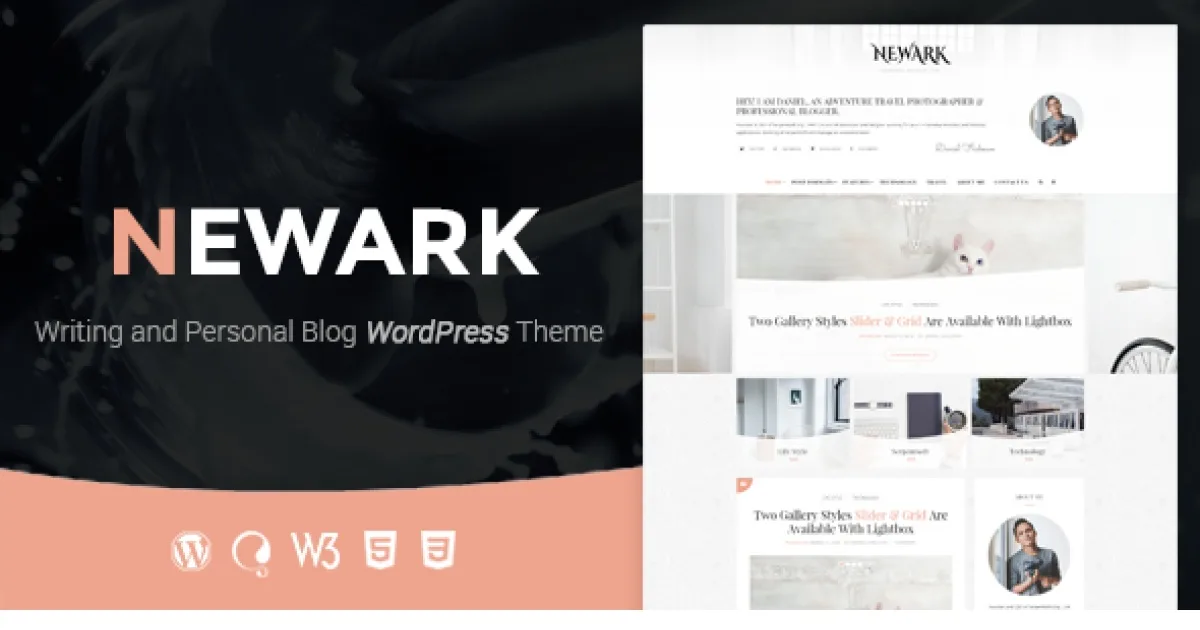
Writing Personal Blog WordPress Theme delivers Default, Masonry, and List blog architectures with full or sidebar layouts for writer-led WordPress builds.
- Daily automated updates
- VirusTotal 0/70 clean
- Licensed under GPL
- Secure 256-bit checkout
- Instant direct cloud link
What Is Writing Personal Blog WordPress Theme?
Writing Personal Blog WordPress Theme is a WordPress theme, engineered for independent writers, bloggers, and small agencies deploying content-first publishing sites. It resolves the recurring bottleneck of rigid single-layout blog architectures by shipping three distinct listing engines — Default, Masonry, and List — each in Full and Sidebar variants. In production workflows, it operates as the parent theme layer that maps the WordPress template hierarchy onto a pre-verified set of archive and single-post render paths.
Key Features of the Theme
The package executes through the native WordPress template hierarchy: incoming requests resolve to an archive or single template file, which then dispatches post data into one of the three listing renderers before DOM output. No custom routing layer or headless pipeline is required; the engine remains a standard server-rendered WordPress stack.
Architectural Highlights
- Default Blog Module: Provides three configuration variants — Default Blog Full, Default Blog Sidebar, and Default Blog — letting developers toggle a full-width canvas or a widgetized sidebar column through template selection rather than PHP edits.
- Masonry Blog Module: Renders post cards in a grid where each card retains its natural media aspect ratio; Masonry Blog Full removes constraints while Masonry Blog Sidebar reserves a persistent side column for widgets.
- List Blog Module: Emits horizontally-oriented excerpt rows for text-dense publications, with List Blog Full and List Blog Sidebar covering both width modes.
- Nine Documented Demo Modules: The codebase ships with blog posts covering editorial archetypes — food and lifestyle scenes, office and interior photography, travel narratives such as the Alps and ice cave entries, and music-focused editorial — each anchoring a distinct typography and media treatment.
- Template Hierarchy Alignment: Because variants map onto standard archive templates, child theme overrides remain conventional; developers can copy a single template file into a child directory to adjust markup without touching the parent engine.
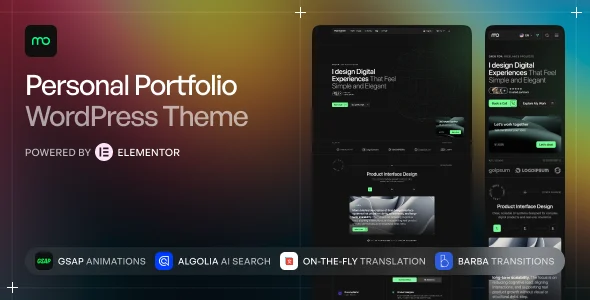
When a personal site needs to expand beyond pure blogging into a portfolio surface, deploying Monogram alongside a writing-focused build lets teams add Barba.js transitions and Algolia-driven search without re-archiving content.
Who Should Use This Theme?
This codebase fits freelance writers, photographers, and small studios who need deterministic, server-rendered blog output with predictable markup. It suits agency teams maintaining multiple low-complexity client publications where listing layout swaps — Default, Masonry, or List — must happen at the template level. It is not intended for teams requiring a drag-and-drop page builder surface, headless decoupled delivery, or multi-vendor commerce logic; those builds should evaluate broader architectures such as Composer, a multi-purpose theme with concept-based demos and WooCommerce readiness for developer-led agency deployments.
Compatibility & Runtime Requirements
The package runs on a baseline WordPress core environment with no documented proprietary runtime dependencies beyond the standard PHP/MySQL stack.
| Engineering Metric | Deployment Specification |
|---|---|
| Base Technology / Framework | WordPress theme (PHP template hierarchy, standard loop) |
| Parent Ecosystem Dependency | Standard WordPress Core Environment |
| Runtime / Language Baseline | Server-side PHP rendering with theme-shipped CSS/JS assets |
| Data Formats / Protocols | Native WordPress content pipeline (posts, featured media, widget areas) |
| Layout Engines | Default, Masonry, and List renderers in Full and Sidebar variants |
Customization & Workflow Integration
Integration follows standard WordPress theme extension patterns. Developers can generate a child theme and override any archive template to modify listing markup, or filter the active listing variant per view. Because the three blog modules are self-contained renderers, layout changes are isolated: switching Masonry Blog Sidebar to List Blog Full touches only the template assignment, not the underlying post queries or media attachment handling. Typography and color adjustments flow through the theme’s option surface, while deeper structural edits belong in child template files. For editorial publications that later need review scoring, magazine-style category hubs, or Elementor-based landing pages, teams frequently extend the stack with Critique, whose 70-plus Elementor elements and AI content tooling complement a text-first blog foundation.
Frequently Asked Questions
Can each blog variant run Full and Sidebar modes independently?
Yes. The documentation lists Default, Masonry, and List engines, and each ships Full and Sidebar sub-variants, so developers can assign a different width configuration per archive view through template selection.
Are demo posts included as importable starter content?
Yes. The package documents nine blog post modules — covering travel, interior, lifestyle, and music editorial archetypes — which serve as the demo dataset populating the three listing renderers after setup.
Does the Masonry renderer require a third-party grid library?
No. The Masonry Blog module is documented as a first-party listing engine alongside Default and List, so grid behavior is handled inside the theme’s own asset pipeline rather than via external grid dependencies.