Zeen | Newspaper Magazine News Blog WordPress Theme + WooCommerce
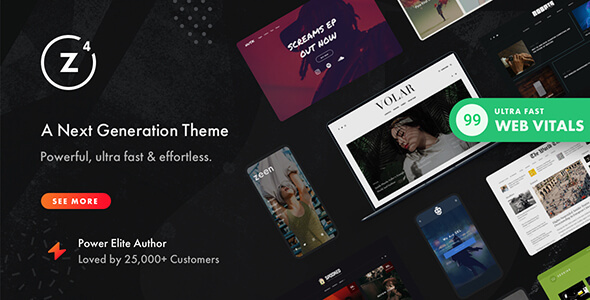
Zeen WordPress Theme is a newspaper and magazine theme with WooCommerce integration, drag-and-drop layout building, and review modules for publishers and developers.
- Daily automated updates
- VirusTotal 0/70 clean
- Licensed under GPL
- Secure 256-bit checkout
- Instant direct cloud link
What Is Zeen WordPress Theme?
Zeen WordPress Theme is a PHP and JavaScript-based WordPress theme, engineered for publishers, editorial agencies, and freelance developers to build monetizable magazine, news, and blog properties with native WooCommerce support. It resolves the common bottleneck of needing three separate stacks — editorial layout, affiliate review logic, and commerce checkout — by consolidating all three into a single template hierarchy. In production, it operates as the active parent rendering layer for an entire WordPress installation, controlling DOM output, asset loading, and customizer-driven configuration across every frontend request.
Key Features of the Theme
The codebase routes every request through the WordPress template hierarchy, applying customizer settings, layout modules, and conditional WooCommerce templates before emitting the final DOM. Developers working across multiple publishing clients often compare this package against alternatives such as JNews, which follows a similar demo-driven architecture; Zeen’s distinguishing mechanics are outlined below.
Architectural Highlights
- Drag-and-Drop Layout Construction: Zeen implements its own block-based layout editor that composes homepage, archive, and article templates from modular sections. Each block serializes its configuration into theme options, which the rendering layer translates into grid and list structures on request — no external page builder dependency is required for core layouts.
- Native WooCommerce Templates: The theme overrides default WooCommerce template files with its own shop, product, and archive variants, so store pages inherit the same typography and grid systems as editorial content. Product cards, mini-cart states, and checkout wrappers are styled within the theme rather than patched via CSS overrides.
- Review and Rating Engine: An integrated review system attaches structured scoring data to posts, supporting pros/cons lists, user ratings, and affiliate-oriented placement blocks. Scores are stored as post meta and rendered server-side, keeping review markup available to crawlers on first paint.
- Monetization and Content Gating: The package includes paywall and subscription gating logic, letting operators restrict posts behind membership rules and route gated readers toward WooCommerce-powered purchase flows.
- Translation and RTL Readiness: Frontend strings route through WordPress translation functions, and the stylesheet layer accommodates right-to-left language output for multilingual publishing setups.
For commerce extensions beyond the built-in shop templates — for example attaching video media to product pages — developers commonly pair the theme with Product Video for WooCommerce, which hooks HTML5 and hosted video into the product template without modifying Zeen’s files.
Who Should Use This Theme?
This architecture suits agency teams and independent developers delivering content-heavy client properties: affiliate review sites, digital magazines, multi-author newsrooms, and hybrid blog-plus-store builds. It fits operators who want theme-level control over layout composition without maintaining a standalone page builder stack, and teams that need checkout and content gating inside the same codebase. It is not intended for users who require a fully headless decoupled frontend — output remains server-rendered WordPress PHP — nor for zero-code site owners who expect to change template logic without touching customizer and block settings. Developers who need deeply custom post-type schemas should evaluate whether the theme’s built-in modules cover their data model before extending it via a child theme.
Compatibility & Runtime Requirements
Baseline runtime constraints follow standard modern WordPress hosting requirements, with WooCommerce adding its own server thresholds for larger catalogs.
| Engineering Metric | Deployment Specification |
|---|---|
| Base Technology / Framework | WordPress theme (PHP templates, JavaScript, CSS) |
| Runtime / Language Requirements | PHP-compatible WordPress hosting per current WooCommerce and WordPress core minimums; MySQL/MariaDB database |
| Data Exchange / Communication Protocols | HTTP/HTTPS request-response via WordPress core; WooCommerce cart and checkout endpoints |
| Core Dependencies / Engine Compatibility | WordPress core; WooCommerce plugin for store functionality |
| Database / Storage Footprint | Stores configuration in WordPress options and post meta tables; media assets in the standard uploads directory |
How to Install & Deploy the Theme
- Environment Pre-check: Verify the target server runs a WordPress version compatible with current WooCommerce releases, confirm PHP meets the platform minimum, and confirm the WooCommerce plugin is installed and active if store functionality is required.
- Package Upload: In the WordPress administration dashboard, navigate to the Appearance section and upload the theme archive through the add-new interface, or transfer the extracted folder via SFTP to wp-content/themes.
- Direct Activation: Click Activate in the themes list. On activation, the theme’s customizer panels, layout blocks, review modules, and WooCommerce template overrides become immediately operational across the frontend.
- Configuration & Testing: Open the theme options and customizer to assign a homepage layout, configure typography and color tokens, set review and paywall defaults, then validate product pages, archive grids, and mobile viewport rendering before go-live. If a demo import is used, replace placeholder content and rebuild menus before exposing the site publicly.
Frequently Asked Questions
Does Zeen work without WooCommerce installed?
Yes. The editorial, layout, and review systems function on a standard WordPress installation; WooCommerce is only required when shop, product, checkout, or paywall purchase flows are part of the deployment scope.
Is a child theme a supported extension path?
Yes. The package follows standard WordPress template hierarchy conventions, so template files, hooks, and stylesheets can be overridden from a child theme without editing the parent codebase directly.
Does the theme include RTL language support?
Yes. Right-to-left output is handled at the stylesheet layer, and frontend strings pass through WordPress translation functions for multilingual publishing configurations.
Deployment Notes for Editorial Stacks
Teams evaluating magazine-class WordPress architectures can benchmark this package against adjacent offerings in the same category, including Fabula, which targets similar editorial workloads through an Elementor-based pipeline. Zeen’s differentiator remains its consolidated review, paywall, and commerce logic inside a single theme layer, which reduces plugin fragmentation on content-heavy production servers.