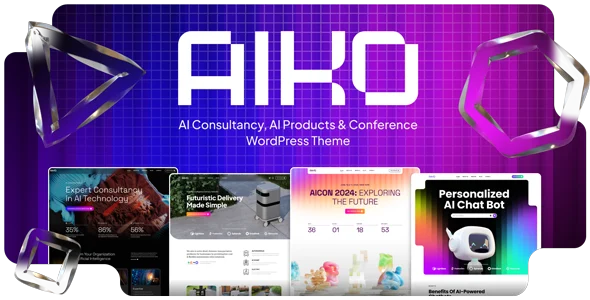
Aiko – AI consultancy WordPress Theme
Aiko AI consultancy WordPress Theme: a Bold Builder-driven PHP/CSS/JS codebase for agencies building AI consulting, SaaS, and startup sites on WordPress 6.x.
- Daily automated updates
- VirusTotal 0/70 clean
- Licensed under GPL
- Secure 256-bit checkout
- Instant direct cloud link
What Is Aiko – AI consultancy WordPress Theme?
Aiko – AI consultancy WordPress Theme is a PHP/CSS/JS WordPress theme engineered for agencies and development teams building websites for AI consultancies, AI product showcases, and artificial intelligence conferences. It resolves the bottleneck of assembling industry-specific layouts from scratch by shipping four pre-built homepages, structured inner pages, and a bundled drag-and-drop builder stack. In production, it functions as a self-hosted presentation layer that renders pages through Bold Builder while delegating commerce and multilingual routing to WooCommerce and WPML.
Key Features of the Theme
At runtime, the codebase serializes builder components into HTML templates, applies per-page setting overrides, and dispatches assets according to screen-resolution and visibility rules defined per element.
Architectural Highlights
- Bold Builder dual-mode editing: The bundled page builder persists component trees in the WordPress post store and renders them on both the admin back end and via front-end editing options, with clipboard copy/paste between pages and separate sites.
- AI Content Generator: Introduced in Bold Builder in October 2023, this module generates text for the Headline and Service elements from user-supplied input data, reducing manual copy drafting inside the builder workflow.
- Bundled companion plugins: The package ships with Bold Themes WordPress Importer (one-click demo import), Cost Calculator, Bold Timeline Lite, and Hero Posts Lite, extending the base template with pricing calculators and timeline layouts without third-party dependency wiring.
- Conditional rendering controls: Elements support time-limited content appearance and hide/appear rules per screen resolution, allowing viewport-specific DOM output without custom CSS media queries.
- Native Customizer integration: Theme options register with the native WordPress Customizer, exposing color schemes, Google Fonts, sticky header variants, boxed/full-width layouts, and per-page global-setting overrides.
Who Should Use This Theme?
This codebase fits WordPress developers and agencies delivering client sites for IT consulting, SaaS, cybersecurity, and startup verticals where the included tags align with the brief. Teams running multisite networks benefit from its WPMU-tested status, and child-theme-ready structure allows safe PHP-level template overrides. For deployments where teams manage consulting deliverables outside the AI niche, pairing the stack with ConsultPress covers corporate consulting layouts under the same builder workflow. Teams building purely hand-coded headless front ends, or administrators unwilling to adopt the Bold Builder component model, should evaluate raw starter themes instead, since this architecture centers on builder-rendered pages rather than unstyled template hierarchy.
Compatibility & Runtime Requirements
Deployment targets WordPress core releases from 6.3.x through 7.0.x, with plugin-level dependencies versioned per the compatibility matrix below.
| Engineering Metric | Deployment Specification |
|---|---|
| Base Technology / Framework | WordPress theme (PHP, CSS, JS files), Gutenberg optimized |
| Runtime / Language Requirements | WordPress 6.3.x–7.0.x; PHP-rendered template hierarchy |
| Data Exchange / Communication Protocols | Google Maps and Open Street Maps elements; Contact Form 7 form submissions; SVG logo ingestion |
| Core Dependencies / Engine Compatibility | WooCommerce 8.x–9.x, WPML, Contact Form 7, W3 Total Cache, Yoast, Bold Builder, Cost Calculator, Bold Timeline Lite, Hero Posts Lite |
| Database / Storage Footprint | WordPress standard post meta and options tables; demo content imported via the bundled importer tool |
How to Install & Deploy the Theme
Deployment follows the standard WordPress theme lifecycle, with the bundled importer reconstructing the demo layout after activation.
- Environment Pre-check: Confirm the server runs a supported WordPress release within the 6.3.x–7.0.x range, verify cache and SEO plugins (W3 Total Cache, Yoast) if used, and validate browser targets (Firefox, Safari, Opera, Chrome, Edge) for QA.
- Package Upload: Transfer the theme archive through the administrative Appearance installer or place the extracted PHP/CSS/JS file set into the wp-content/themes directory.
- Direct Activation: Activate the theme from the administration panel; Bold Builder, the theme options panel, and the bundled companion plugins initialize, and the one-click demo importer becomes available to reconstruct the four homepages and inner pages.
- Configuration & Testing: Adjust colors, fonts, header variants, and layout modes via the Customizer-backed options panel, replace demo imagery (which requires separate licensing for production use), and validate responsive and RTL output across breakpoints.
Agencies operating adjacent vertical stacks can evaluate Nexi, which targets SaaS and AI product sites with a different builder engine, or Solarva for renewable-energy client work sharing the same WooCommerce and WPML compatibility profile.
Frequently Asked Questions
Does the theme support WordPress Multisite installations?
Yes. The codebase is documented as WPMU tested, meaning the theme and its builder workflow operate across network-activated subsites, with child theme support enabling network-wide PHP template customization.
Can I reuse demo photographs on a production site?
No. Images shown on the demo sites are not licensed for third-party production use; you must license any demo image separately before deploying it on a live website.
Is RTL and one-page layout output available?
Yes. The theme ships with RTL stylesheet support and one-page configuration support, alongside under-construction, custom 404, and custom search page designs configurable from the options panel.