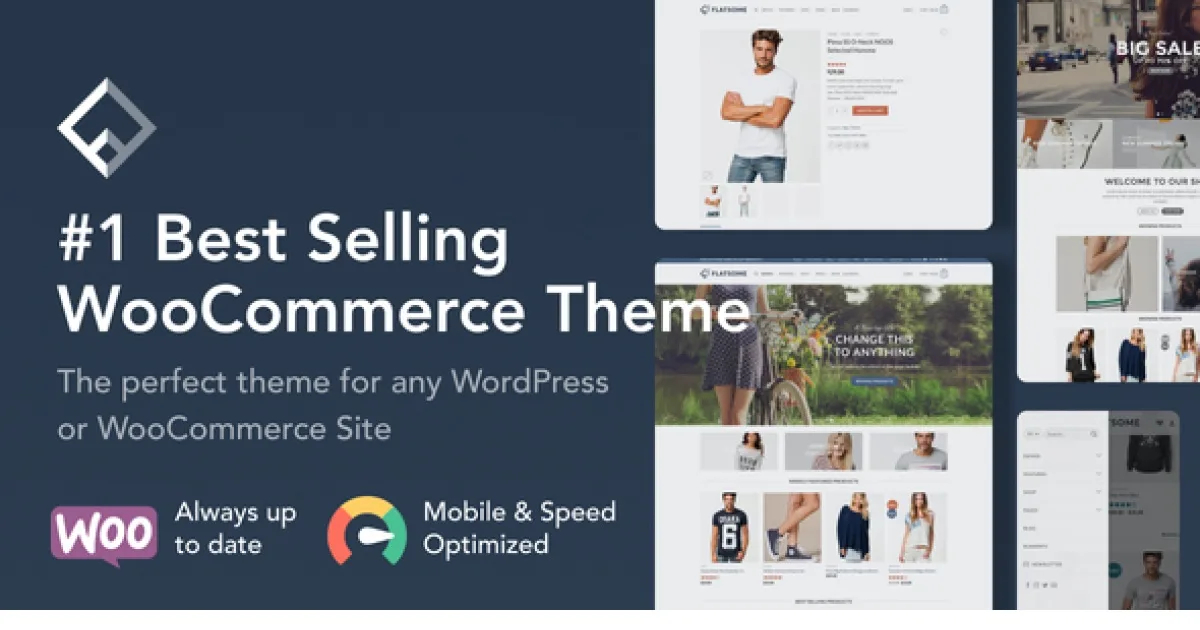
Flatsome | Multi-Purpose Responsive WooCommerce Theme
Flatsome Multi-Purpose Responsive WooCommerce Theme delivers an integrated drag-and-drop builder, live theme options, and one-click shop demos for WordPress developers.
- Daily automated updates
- VirusTotal 0/70 clean
- Licensed under GPL
- Secure 256-bit checkout
- Instant direct cloud link
What Is Flatsome Multi-Purpose Responsive WooCommerce Theme?
Flatsome Multi-Purpose Responsive WooCommerce Theme is a WordPress theme, engineered for agencies, freelancers, and shop developers to build high-performance WooCommerce storefronts and company websites from a single codebase. It resolves the common dependency sprawl of WordPress commerce stacks by bundling its own live page builder, eliminating the need for additional slider plugins. In production workflows it functions as the base presentation layer for client builds, replacing fragmented template, slider, and header plugins with one self-contained architecture.
Key Features of the Theme
Rendering starts at the WordPress template hierarchy, where the theme intercepts standard archive, product, and page templates and injects builder-defined layout data before the DOM tree is emitted. Theme options are read through the native Customizer API, so option changes preview live and persist as theme_mod values without database schema writes. Content blocks built in the builder serialize into reusable sections that can be re-inserted anywhere on a site.
Architectural Highlights
- Integrated Drag & Drop Page Builder: Sliders, grids, banners, and content sections are composed inside one builder interface. Because slider logic is native to the theme, no third-party slider plugin is loaded, reducing asset fragmentation and JS payload count on the frontend.
- Live Theme Options via the Customizer: Headers, colors, fonts, and layout parameters are modified in a live preview environment with an unlimited option set, letting developers match a brand system without touching CSS files.
- One-Click Demo Installation: Pre-made shop and business homepages (Classic Shop, Fullscreen Fashion, Mega Shop, Vendor Shop, Agency, Freelancer, and more) install with a single click, then headers, pages, colors, and fonts can be mixed and matched from the Theme Option Panel.
- Flatsome Studio Layout Library: A large online library of pre-defined layouts and sections inserts into any page, accelerating assembly of landing pages and category layouts from verified building blocks.
- Commerce & Content Modules: WooCommerce category and product features, Catalogue Mode, blog features, portfolio features, parallax scrolling, single-page navigation, and block elements ship in the core package.
For stores that need rule-based discounting on top of the theme layer, deploying WooCommerce Flexible Pricing lets developers add BOGO and cart-level deal logic without modifying template files.
Who Should Use This Theme?
The package targets three engineering personas: freelancers shipping client shop or company sites on a single toolkit; agencies standardizing multi-project delivery around one maintained codebase; and shop developers who want catalog, product, and catalogue-mode controls governed through a live options panel rather than hard-coded templates. Because demos span commerce (Mega Shop, Sport Shop, Big Sale with sale countdown) and business verticals (Corporate, Lifestyle, Explore), it covers both storefront and marketing-site requirements in one install. It is not intended for developers building headless or decoupled frontends, since presentation logic lives inside the WordPress theme layer, nor for projects requiring raw programmatic layout generation where a builder abstraction adds overhead.
Compatibility & Runtime Requirements
Baseline runtime is a standard WordPress plus WooCommerce LAMP stack; no special server extensions or bespoke hosting configuration is required beyond a functioning WordPress administration environment.
| Engineering Metric | Deployment Specification |
|---|---|
| Base Technology | WordPress theme (PHP rendering layer) for any kind of WordPress project |
| Commerce Engine | WooCommerce, with dedicated category, product, and catalogue-mode feature sets |
| Builder Integration | Native Flatsome live page builder; no external page builder or slider plugin dependency |
| Configuration Layer | WordPress Customizer (live preview Theme Option Panel) |
| Content Assets | One-click demo import packages, Flatsome Studio layout library, prebuilt blocks and elements |
Where a project outgrows this stack, XStore Multipurpose WooCommerce Theme provides an Elementor-driven alternative with 150+ prebuilt demo websites for agency pipelines that standardize on the Elementor widget ecosystem.
How to Install & Deploy the Theme
Deployment follows the standard WordPress theme lifecycle; once activated, all builder modules, demo content, and option panels are immediately operational.
- Environment Pre-check: Confirm the server runs a compatible WordPress instance with WooCommerce active, sufficient PHP memory for demo import, and writable upload directories for package transfers.
- Package Upload: Upload the theme archive through the WordPress administration interface (Appearance path) or transfer the extracted folder to wp-content/themes via SFTP.
- Direct Activation: Click Activate. The theme initializes its template overrides, native page builder, Theme Option Panel, and administrative menus in a single pass, with no additional registration step required.
- Configuration & Testing: Import a shop or business demo with one click, then adjust headers, fonts, and colors in the live Customizer. Insert sections from the layout library, validate WooCommerce category and product pages, and run Lighthouse checks against LCP and CLS before go-live.
For catalog-heavy builds, pairing the theme with Milano as a comparison baseline during client pitches helps demonstrate header/footer builder scope across multipurpose WooCommerce architectures.
Frequently Asked Questions
Does the theme require a separate slider plugin for hero and cover sections?
No. The integrated drag-and-drop page builder creates sliders, grids, and cover content natively, so no extra slider plugin is needed. This reduces frontend script fragmentation and keeps slider markup rendered through the theme’s own template layer.
Can demo designs be modified after the one-click import?
Yes. Demos are examples only; headers, pages, colors, and fonts are mixed and matched through the Theme Option Panel afterward. Every imported homepage remains fully editable within the live builder and Customizer preview environment.
Is Catalogue Mode suitable for non-transacting catalog sites?
Yes. Catalogue Mode is a WooCommerce feature set included in the theme that presents category and product data without standard shop transaction flows, making it applicable to brochure-style catalogs and pre-launch store previews on the same install.