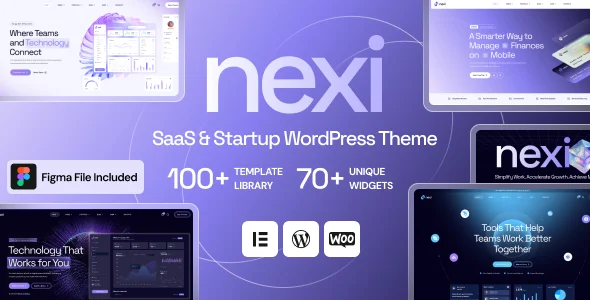
Nexi – SaaS Technology WordPress Theme
Nexi SaaS Technology WordPress Theme is an Elementor-driven codebase for agencies building software, startup, and AI product websites on WordPress.
- Daily automated updates
- VirusTotal 0/70 clean
- Licensed under GPL
- Secure 256-bit checkout
- Instant direct cloud link
What Is Nexi – SaaS Technology WordPress Theme?
Nexi – SaaS Technology WordPress Theme is a WordPress theme built on the WGL Framework with deep Elementor integration, engineered for development teams and digital agencies deploying SaaS, software, AI, and startup product websites. It resolves the recurring bottleneck of assembling landing pages, portfolio grids, and commerce endpoints from disconnected components by consolidating 50+ configurable modules, a drag-and-drop header builder, and WooCommerce 9.x support into one coherent template hierarchy. In production, it functions as the primary presentation layer for client deployments, with per-page metabox overrides enabling localized configuration without forking global theme options.
Key Features of the Theme
Rendering begins when Elementor parses widget trees into the theme’s module wrappers, which resolve global and per-page option values before PHP template parts emit the final DOM. The WGL Framework mediates option lookups between the theme options panel (over 100 entries) and page-level metaboxes, so scoped overrides always win over defaults during template resolution.
Architectural Highlights
- Elementor Header Builder with Presets: Headers are constructed as drag-and-drop Elementor layouts rather than hardcoded PHP includes, so template hierarchy overrides remain clean and header revisions ship as reusable presets across pages.
- Built-in Mega Menu Tool: Menu structures extend the standard WordPress nav walker, injecting multi-column panel markup at the walker level, which keeps dropdown DOM depth controlled and predictable for CSS grid layouts.
- Extended Module Library: More than 50 modules ship with full settings exposure, including product presentation blocks, team member structures, and WGL row animations, each registered as discrete Elementor widgets to avoid monolithic shortcode coupling.
- Portfolio Rendering Engine: Portfolio grids support infinite scroll and a Load More button, dispatching paginated queries through Ajax endpoints instead of full page reloads, which reduces LCP disruption on content-heavy archive views.
- One-Click Demo Import: Demo content, widgets, and option snapshots are installed through an automated importer, giving staging environments a verified baseline layout before custom development begins.
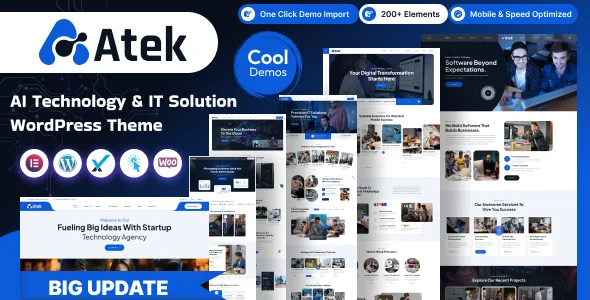
Where a project demands an alternate AI or technology aesthetic within the same Elementor stack, teams sometimes pair this package with Auregon – AI Agency & Technology WordPress Theme, which contributes 10+ prebuilt demos covering similar SaaS deployment scenarios.
Who Should Use This Theme?
This codebase targets front-end and full-stack developers inside agencies who manage multiple client launches in the SaaS, analytics, automation, app, and marketing verticals. It suits teams already standardized on Elementor and Elementor Pro who want header, mega menu, and option control handled at the theme layer rather than through custom plugin development. Freelancers building WooCommerce-backed software product sites also fit the operational profile, since commerce templates arrive ready for WooCommerce 9.x. It is not intended for teams committed to Gutenberg as the primary editing surface — the package is explicitly not Gutenberg optimized — nor for non-technical operators who expect to modify template logic without touching PHP files. Developers preferring block-first architectures should evaluate alternatives before committing.
Compatibility & Runtime Requirements
Deployment depends on a WordPress host meeting the documented core and builder versions, with all listed integrations verified against the official specification.
| Engineering Metric | Deployment Specification |
|---|---|
| Base Technology / Framework | WGL Framework with Elementor and Elementor Pro integration |
| Runtime Requirements | WordPress 6.9.x or 7.0.x; PHP, CSS, and JS files included in the package |
| Browser Support | Firefox, Safari, Opera, Chrome, Edge |
| Commerce Engine | WooCommerce 9.x.x templates and styling |
| Form / Localization Stack | Contact Form 7; WPML and Polylang translation readiness |
| Layout Attributes | Responsive layout, 4+ column support, high-resolution assets, widget-ready sidebars |
How to Install & Deploy the Theme
The procedure below reflects a standard WordPress administrative workflow; once activated, all modules, builder widgets, and option panels become operational immediately.
- Environment Pre-check: Confirm the server runs WordPress 6.9.x or 7.0.x, that Elementor is installed and current, and that WooCommerce 9.x is active if commerce templates will be exercised. Verify PHP memory allocations accommodate demo import routines.
- Package Upload: Transfer the archive through the WordPress appearance uploader, or extract the PHP, CSS, and JS files directly into the server’s themes directory via SFTP for larger builds.
- Direct Activation: Activate the theme from the administration panel. Child theme files included in the package can be activated in place of the parent when custom template overrides are planned.
- Configuration & Testing: Run the one-click demo import to establish the baseline layout, then adjust the 100+ theme options, assign header builder presets, configure the mega menu, and validate portfolio infinite-scroll behavior and WooCommerce product pages against production data.
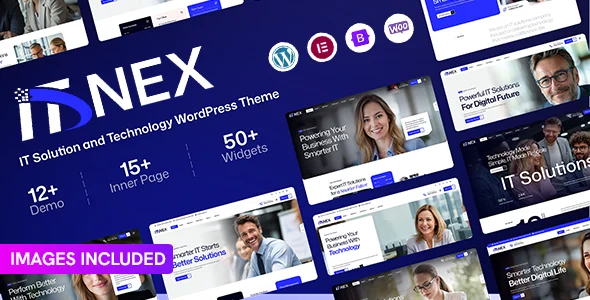
For IT-service and technology client briefs that require a different visual direction on the same runtime, reviewing ITNEX – IT Solution and Technology WordPress Theme provides a comparable Elementor-based service layout structure before committing architecture.
Frequently Asked Questions
Does the theme support multilingual site structures out of the box?
Yes. The codebase is translation ready for WPML and Polylang, so agencies can run localized menus, strings, and commerce pages across a multisite or multilingual network without modifying core template files.
Can custom development be layered on top without editing parent files?
Yes. A child theme ships inside the package, allowing developers to override template parts, enqueue modified CSS and JS assets, and extend WGL modules while preserving the parent installation for future version updates.
Is a page builder mandatory to reproduce the demo layouts?
Yes. The module library, header builder, and row animations are implemented as Elementor widgets, so Elementor must be active on the installation; Elementor Pro extends the available integration surface further.