Emanu – Church WordPress Theme
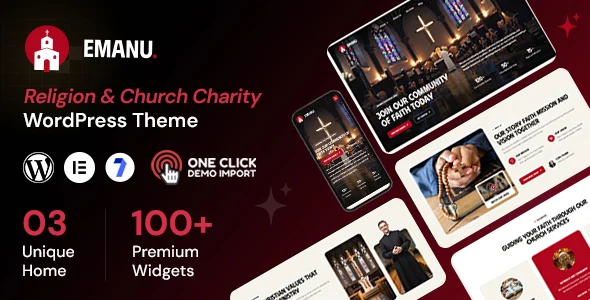
Emanu Church WordPress Theme: an Elementor-based, responsive WordPress package for developers building church, ministry, and non-profit websites with demo import.
- Daily automated updates
- VirusTotal 0/70 clean
- Licensed under GPL
- Secure 256-bit checkout
- Instant direct cloud link
What Is Emanu?
Emanu is a WordPress Theme engineered for developers and agencies building websites for churches, ministries, religious organizations, and non-profit communities. It resolves the recurring bottleneck of assembling a faith-based site from scratch by shipping a pre-structured template hierarchy that covers sermons, ministries, pastoral profiles, and community events without custom PHP work. In production workflows, it functions as a launch foundation: install the package, import a demo layout, and hand a fully navigable site to content editors for population.
Key Features of the Theme
The package executes through a standard WordPress template hierarchy: PHP templates render the DOM tree, enqueue scoped CSS and JS assets, and hand page-level composition to Elementor’s widget renderer. Content is parsed from demo XML payloads during one-click import, then stored as native posts and pages so all output remains editable through the block editor or the page builder canvas.
Architectural Highlights
- Three Homepage Layouts: The codebase ships three distinct front-page compositions, each mapped to a separate Elementor template so agencies can match client presentation styles without duplicating markup.
- One-Click Demo Import: A single importer routine writes demo content, menus, widgets, and media attachments into the database, collapsing staging setup from hours into one administrative action.
- Global Design Control: Typography and color tokens are registered centrally, so updating a single panel propagates changes across every rendered template and builder section.
- Dedicated Content Templates: Archive and single-page templates exist for sermons, ministries, services, and pastors, each with detail views, giving developers a ready-made post-type presentation layer instead of hand-rolled archives.
- Header and Footer Builders: Header and footer regions are editable structures, letting teams restructure navigation and contact blocks per client brand without editing theme PHP files.
Developers who also handle editorial-heavy client work can pair this package with Blueprint – Next-Generation Blog Magazine Theme when a project needs a publishing layer with REST API pagination alongside the church presentation templates.
Who Should Use This Theme?
This theme targets freelance developers and small agencies delivering WordPress builds for faith communities, prayer groups, charities, and missionary organizations on tight deployment timelines. It suits teams comfortable staging on WordPress 6.6 through 7.1 and configuring Elementor or Elementor Pro layouts. It is not intended for teams requiring headless decoupled architectures, custom REST-driven front ends, or multisite networks with per-site design overrides — the asset assumes a standard single-install WordPress environment with the page builder as the composition layer. Content editors benefit indirectly, since post-import population requires no coding.
Compatibility & Runtime Requirements
Deployment requires a WordPress host meeting the core version range below, with the Elementor plugin active before demo import runs.
| Engineering Metric | Deployment Specification |
|---|---|
| Base Technology / Framework | WordPress theme, PHP/CSS/JS file package |
| Runtime / Language Requirements | WordPress 6.6.x, 6.7.x, 6.8.x, 6.9.x, 7.0.x, 7.1.x |
| Data Exchange / Communication Protocols | Contact Form 7 form submission handling; WPML string and content translation |
| Core Dependencies / Engine Compatibility | Elementor, Elementor Pro, Gutenberg block editor |
| Database / Storage Footprint | Standard WordPress tables; demo importer writes posts, pages, menus, widgets, and media |
| Browser Support | Firefox, Safari, Opera, Chrome, Edge |
| Layout / Rendering | Responsive, 4+ column grids, high-resolution assets, widget-ready sidebars |
How to Install & Deploy the Theme
The workflow below assumes a clean WordPress installation with Elementor installed and a PHP runtime matching the supported core versions.
- Environment Pre-check: Verify the WordPress version falls within the 6.6.x–7.1.x range, confirm the Elementor plugin is active, and check that upload limits accommodate the theme archive size.
- Package Upload: Transfer the PHP, CSS, and JS file package through the appearance upload interface in the administration dashboard, or extract it directly into the themes directory via SFTP.
- Direct Activation: Activate the theme from the appearance screen; the administrative menus, template assignments, and builder integration points become operational immediately with no additional configuration gate.
- Configuration & Testing: Run the one-click demo import to populate a chosen homepage layout, then adjust global font and color tokens, assign menus to the header and footer structures, and validate responsive output across desktop, tablet, and mobile viewports before go-live.
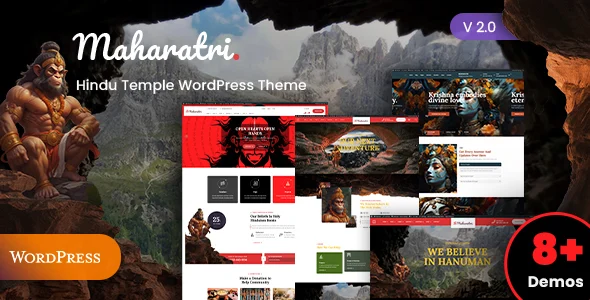
For related vertical builds, developers maintaining a broader portfolio can reference Maharatri – Hindu Temple WordPress Theme, which applies a comparable template structure to temple, sermon, and donation-fundraising sites.
Frequently Asked Questions
Does the demo import require Elementor Pro, or does the free plugin suffice?
Yes, the theme declares compatibility with both Elementor and Elementor Pro, and demo import runs on the free plugin’s widget renderer. Pro unlocks advanced builder widgets, but all shipped homepage layouts remain functional without it.
Can the included sermons and ministries pages be translated into multiple languages?
Yes, WPML compatibility means template strings and imported content can be translated through WPML’s administration interface. Each sermon, ministry, and pastor detail page exposes standard post fields that WPML handles through its translation editor.
Does the package rely on Gutenberg or on the page builder for inner pages?
Both. The theme is Gutenberg optimized, so blog and standard pages render correctly in the block editor, while homepage and structured layouts compose through Elementor’s drag-and-drop canvas with global design tokens applied to each.