Ferlix – IVF, Pregnancy Maternity Healthcare WordPress Theme
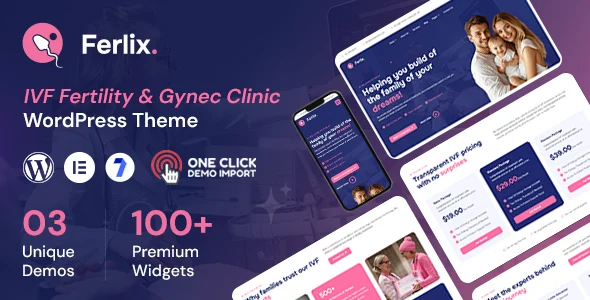
Ferlix IVF Pregnancy Maternity Healthcare WordPress Theme: an Elementor-based codebase for IVF, gynecology, and women's health clinic builds. 700 chars check
- Daily automated updates
- VirusTotal 0/70 clean
- Licensed under GPL
- Secure 256-bit checkout
- Instant direct cloud link
What Is Ferlix – IVF, Pregnancy Maternity Healthcare WordPress Theme?
Ferlix – IVF, Pregnancy Maternity Healthcare WordPress Theme is a WordPress theme, engineered for agencies and independent developers building patient-facing websites for IVF clinics, gynecologists, and women’s health centers. It resolves the bottleneck of assembling medical service pages, appointment flows, and case study structures from scratch by shipping a pre-architected template hierarchy for fertility and maternity niches. In production, the package operates as the presentation layer over WordPress 6.6.x through 7.1.x, with Elementor handling layout composition and drag-and-drop customization without direct PHP edits.
Key Features of the Theme
At runtime, requests resolve through the native WordPress template hierarchy while Elementor widgets render each section as composed DOM containers, with global fonts and colors injected from a centralized design panel. The package ships PHP, CSS, and JS files that register widget-ready zones and supports Gutenberg alongside the primary builder.
Architectural Highlights
- Three Demo Variants with One-Click Import: Demo data seeds posts, pages, media, and widget assignments in a single import pass, standing up a Fertility & IVF, Gynecologist, or Women Health configuration for staging review.
- Hero and Chrome Variability: Four homepage hero layouts plus four header and four footer variations let developers swap structural markup per project without modifying template files.
- Full Inner Page Inventory: About Us, Services, Service Details, Case Study, Case Study Details, Team, Team Details, Pricing, Testimonials, Image Gallery, Video Gallery, FAQs, Contact, Book Appointment, 404, Blog, and Blog Details pages arrive pre-built, reducing custom template authoring.
- Global Design Control: Centralized typography and color tokens propagate across all rendered pages, keeping style changes consistent without per-widget overrides.
- Commerce and Multilingual Readiness: WooCommerce 10.x.x and WPML compatibility allow payment-enabled service pages and translated content trees, while Contact Form 7 and Elementor Pro handle form and advanced widget requirements.
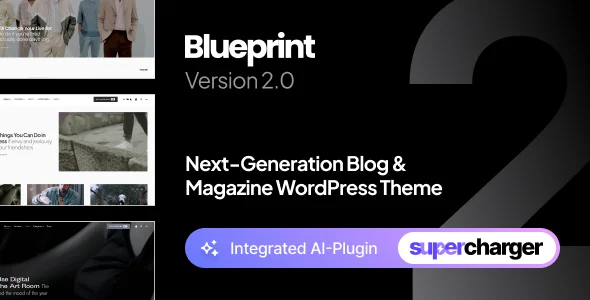
For clinics that also publish research updates or patient education content, pairing this theme with Blueprint – Next-Generation Blog Magazine Theme illustrates how an Elementor-driven publishing codebase structures long-form editorial layouts that this healthcare package can mirror on its Blog and Blog Details templates.
Who Should Use This Theme?
The package targets freelance developers, small agencies, and in-house technical staff deploying sites for IVF and fertility clinics, OB-GYN practices, maternity and obstetrics centers, surrogacy and family planning services, and egg or sperm donation programs. It fits teams that prefer composing layouts in Elementor rather than hand-coding templates, and that need multilingual or WooCommerce-ready medical builds under WPML. It is not intended for developers who require a headless architecture or a pure Gutenberg-only codebase, since the primary composition workflow depends on Elementor and Elementor Pro being installed and active on the host stack.
Compatibility & Runtime Requirements
Deployment requires a WordPress host aligned with the declared core version window and the Elementor plugin family for full layout support.
| Engineering Metric | Deployment Specification |
|---|---|
| Base Technology | WordPress theme (PHP Files, CSS Files, JS Files included) |
| Runtime / Language Requirements | WordPress 6.6.x, 6.7.x, 6.8.x, 6.9.x, 7.0.x, 7.1.x |
| Page Builder Dependencies | Elementor, Elementor Pro; Gutenberg optimized |
| Commerce / Forms Integration | WooCommerce 10.x.x, Contact Form 7 |
| Localization | WPML compatible |
| Browser Targets | Firefox, Safari, Opera, Chrome, Edge |
| Layout / Resolution | Responsive, 4+ columns, high resolution output |
How to Install & Deploy the Theme
Deployment follows the standard WordPress theme lifecycle, with the one-click demo importer handling content seeding after activation.
- Environment Pre-check: Verify the server runs a supported WordPress version within the 6.6.x–7.1.x window, confirm Elementor and Elementor Pro are installed, and check that WooCommerce 10.x.x, Contact Form 7, and WPML are present if those integrations are part of the project scope.
- Package Upload: Transfer the theme archive through the administration interface upload screen or place the extracted PHP, CSS, and JS file structure directly into the wp-content/themes directory via SFTP.
- Direct Activation: Activate the theme from the administration panel; menus, widget-ready areas, header and footer variations, and the demo import routine become operational immediately.
- Configuration & Testing: Run the one-click demo import to seed one of the three demos, adjust global fonts and colors from the centralized panel, select a hero, header, and footer variation, then validate rendered pages, the Book Appointment flow, and responsive breakpoints across target browsers.
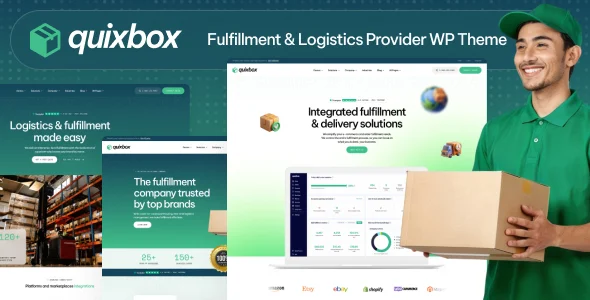
When the same client portfolio also includes logistics or fulfillment verticals, developers can reuse their Elementor workflow patterns by deploying Quixbox – Fulfillment Logistics Provider WordPress Theme, which applies comparable demo import and builder-driven composition to freight and warehouse projects.
Frequently Asked Questions
Does the theme work without Elementor installed?
No. Elementor is the primary composition engine, and Elementor Pro is listed as a compatible dependency. While the theme is also Gutenberg optimized, the pre-built demos, hero layouts, and drag-and-drop customization rely on Elementor being active on the host installation.
Can a single license cover all three healthcare demos simultaneously?
Yes. All three demo configurations—Fertility & IVF Clinic, Gynecologist, and Women Health—are included in the package. The one-click importer lets you seed any demo on one installation, though a WordPress site typically activates one full demo dataset at a time.
Are the appointment and contact forms custom-built?
No. Form handling is delegated to Contact Form 7, a declared compatible plugin, and the Book Appointment and Contact Us pages provide pre-styled containers for those forms. Developers configure form fields and delivery endpoints within the plugin’s own administrative interface.