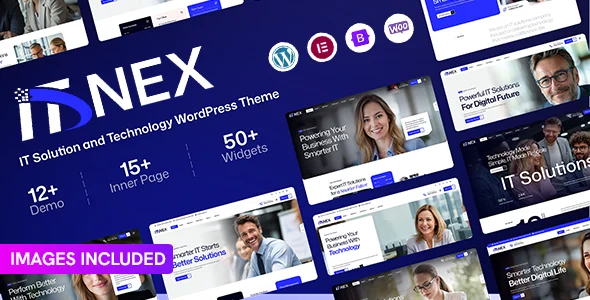
ITNEX – IT Solution and Technology WordPress Theme
ITNEX is a WordPress theme engineered for IT solution and technology websites, covering Elementor layouts, service structures, and agency deployment workflows.
- Daily automated updates
- VirusTotal 0/70 clean
- Licensed under GPL
- Secure 256-bit checkout
- Instant direct cloud link
What Is ITNEX?
ITNEX is a WordPress theme, engineered for developers and digital agencies building websites for IT solution providers, technology consultancies, and software service companies. It resolves the recurring bottleneck of assembling service-portfolio, case-study, and team structures from generic blog-oriented templates by shipping pre-architected layouts mapped to the IT services business model. In production, it operates as the presentation layer of a standard WordPress install, delegating layout editing to the bundled page builder while the theme handles template hierarchy and asset delivery.
Key Features of the Theme
The theme renders pages through the WordPress template hierarchy, intercepting front-end requests and injecting its container-based layout markup before assets are enqueued and minified for delivery. Where teams need additional technology-sector layouts with different section structures, pairing the codebase with Tekzo IT Solutions & Technology WordPress Theme extends the available demo pool without altering the underlying WordPress core. The primary execution surfaces are summarized below.
Architectural Highlights
- Page Builder Layout Engine: Section-based compositions are stored as reusable builder templates, so developers can clone, reorder, and restyle DOM blocks without editing raw PHP template files.
- Service and Portfolio Content Structures: Dedicated content types map IT service offerings, project case studies, and team profiles into separate archive and single templates, keeping query loops isolated from default post types.
- One-Click Demo Import: A structured importer writes demo posts, terms, media attachments, and builder template records into the database in a single pass, giving agencies a staging baseline within minutes.
- Responsive Container Grid: Layouts degrade through defined viewport breakpoints, keeping mobile render trees shallow and limiting cumulative layout shift on constrained connections.
- WooCommerce Readiness: Commerce templates override the native WooCommerce hierarchy so product archives inherit the theme’s header, footer, and typography tokens.
For organizations positioning services around artificial intelligence offerings, the layout patterns in Auregon AI Agency & Technology WordPress Theme demonstrate how comparable builder-based architectures structure SaaS and AI landing sections.
Who Should Use This Theme?
The package fits agencies maintaining multiple client builds in the technology vertical, freelance developers delivering managed WordPress sites for IT consultancies, and in-house teams at software vendors who need a fast staging baseline before custom template work. It also suits integrators who standardize on a single page builder across projects to keep maintenance overhead predictable. It is not intended for developers who prefer to hand-code block themes on the Gutenberg-native stack with no builder dependency, nor for site owners who want to change PHP template logic without touching builder template records; those users should evaluate raw starter themes instead.
Compatibility & Runtime Requirements
Baseline runtime constraints follow the standard modern WordPress hosting profile, with no exotic server extensions required for the core feature set.
| Engineering Metric | Deployment Specification |
|---|---|
| Base Technology | WordPress theme on the standard PHP/MySQL stack |
| Runtime / Language Requirements | PHP 7.4+ recommended, current WordPress major version |
| Data Exchange / Protocols | HTTP/HTTPS asset delivery, standard WP admin AJAX and REST endpoints during demo import |
| Core Dependencies / Engine Compatibility | Elementor page builder plugin, WooCommerce for commerce templates |
| Database / Storage Footprint | Standard wp_posts, wp_postmeta, and wp_terms writes from demo content; media library growth tied to imported demo imagery |
How to Install & Deploy the Theme
Deployment follows the standard WordPress administrative workflow, with the demo importer handling all data seeding once the theme is active.
- Environment Pre-check: Verify the server meets the PHP version floor, confirm the WordPress core is current, and install the required page builder plugin from the plugin repository before theme activation.
- Package Upload: Transfer the theme archive through the admin appearance upload screen or place the extracted directory under wp-content/themes via SFTP, keeping file ownership consistent with the web server user.
- Direct Activation: Click Activate in the appearance screen; the theme’s menus, customizer panels, and builder template records initialize immediately and the front-end renders with default styling, ready for production configuration.
- Configuration & Testing: Run the demo importer to seed layout content, assign navigation menus, set the static front page, tune header and footer variants, and validate responsive output and asset loading in a staging environment before go-live.
Agencies that need a broader demo inventory for parallel client projects frequently maintain a comparison set; deploying Inotek IT Solutions and Business Technology WordPress Theme alongside this package lets teams evaluate two different section architectures against the same client brief before committing.
Frequently Asked Questions
Does ITNEX require a separate demo importer plugin to run?
Yes, the demo import workflow runs through a bundled importer utility that must be active alongside the theme. It writes demo posts, builder templates, and media attachments in one pass, then hands configuration over to the standard customizer and builder interfaces.
Can the theme’s layouts be edited without touching PHP files?
Yes, all section-level layout changes are performed through the page builder’s template editor, which stores compositions as database records. Direct PHP template edits are only necessary when overriding archive logic or the header and footer at the theme hierarchy level.
Is WooCommerce required for the theme to function?
No, WooCommerce is optional. The core service, portfolio, and team structures run on the native WordPress content stack. Installing WooCommerce activates the theme’s commerce template overrides for product archives and single product pages.