LatePoint
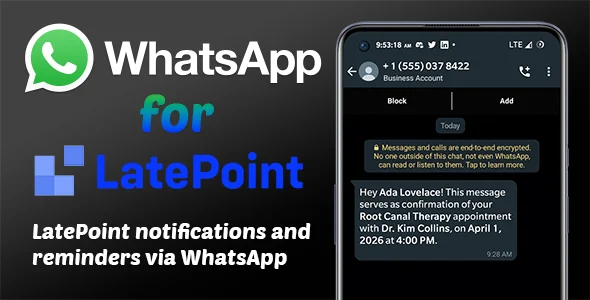
WhatsApp for LatePoint is a WordPress notification add-on that routes booking confirmations, reminders, and payment alerts via WhatsApp Business for agencies.
- Daily automated updates
- VirusTotal 0/70 clean
- Licensed under GPL
- Secure 256-bit checkout
- Instant direct cloud link
What Is WhatsApp for LatePoint?
WhatsApp for LatePoint is a PHP-based WordPress plugin extension, engineered for developers and booking-focused agencies to dispatch appointment notifications through the WhatsApp Business Platform. It resolves the delivery gap where default email channels suffer from low open rates and delayed arrival, connecting the LatePoint booking engine directly to Meta’s messaging API. In production workflows, it operates as a dependent add-on, inheriting booking events from LatePoint and translating them into templated outbound messages for both customers and agents.
Key Features of the Plugin
Execution flows from the LatePoint event layer: when a booking lifecycle action fires — creation, status change, payment, or scheduled reminder time — the add-on resolves the matching template, substitutes parameters, and hands the payload to an enabled WhatsApp processor for transmission. The response and attempt state are then written back for audit.
Architectural Highlights
- Event-Driven Notification Dispatch: Welcome (account created), appointment confirmation, status update, payment/transaction, and reminder events are bound to LatePoint booking state transitions, targeting customers and agents independently.
- Gateway Processor Layer: The WhatsApp Processors section allows enabling and configuring one or more gateways, with API/account credential acquisition instructions surfaced inline in the settings panel.
- Templated Message Construction: Templates created under WhatsApp > Templates define the message structure and parameters consumed by notifications and reminders, allowing per-event content control without code edits.
- Activity Log Audit Trail: Every attempted WhatsApp message is recorded, giving administrators a retrievable history for delivery debugging and compliance review.
- Reminder Scheduling: Reminders are generated for both sides of the booking relationship, reducing no-show volume without external cron tooling beyond standard WordPress scheduling.
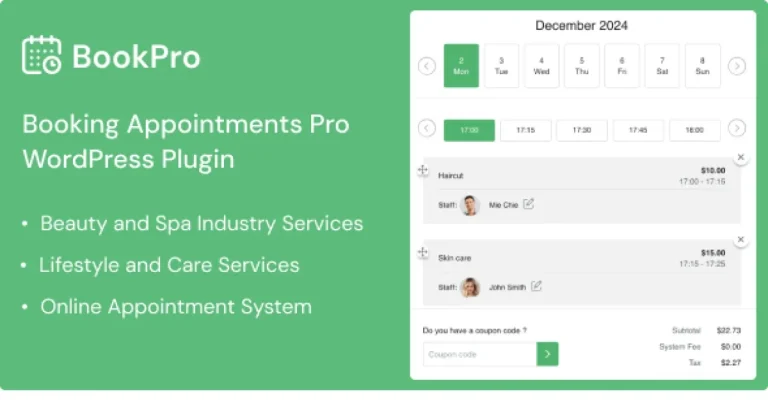
For teams building broader reservation platforms, pairing this add-on with a core scheduling engine matters. While LatePoint remains the required host, agencies evaluating alternative booking stacks can review BookPro Appointment Booking, which structures staff roles, services, and reservation workflows in a comparable plugin architecture.
Who Should Use This Plugin?
This add-on targets WordPress developers and agency engineering teams maintaining client booking systems where WhatsApp is the dominant communication channel — clinics, salons, service desks, and regional markets where email underperforms. It suits operators already running LatePoint v4.7.8 or above on WordPress 6.x stacks. It is not intended for standalone use: without LatePoint installed and operable, the package has no trigger source, no settings surface, and no booking data to process. Non-technical site owners should configure it only under developer supervision, since Meta Business Platform credential provisioning is required.
Compatibility & Runtime Requirements
Baseline runtime constraints center on WordPress core version parity, LatePoint dependency versioning, and a dedicated WhatsApp Business phone number provisioned under Meta’s platform policies.
| Engineering Metric | Deployment Specification |
|---|---|
| Base Technology / Framework | WordPress plugin (PHP), LatePoint add-on architecture |
| Runtime / Language Requirements | PHP execution via standard WordPress runtime; JavaScript, CSS, Sass, HTML, and SQL assets included in the package |
| Data Exchange / Communication Protocols | WhatsApp Business Platform (Meta gateway) API calls for outbound messaging |
| Core Dependencies / Engine Compatibility | WordPress 4.9.x – 6.1.x; LatePoint required (v5.1.0 targets LatePoint v4.7.8+, prior releases target v4.7.0+) |
| Browser / Editor Surface | IE11, Firefox, Safari, Opera, Chrome, Edge; Gutenberg optimized; compatible with Elementor, Elementor Pro, Visual Composer, WPBakery |
A hard operational boundary defined by Meta policy: the provisioned mobile number must be dedicated to the WhatsApp Business Platform and cannot run simultaneously on WhatsApp Messenger or WhatsApp Business Messenger mobile applications.
How to Install & Deploy the Plugin
Deployment follows the standard WordPress administrative workflow, with configuration performed entirely inside the LatePoint dashboard.
- Environment Pre-check: verify LatePoint is installed and at v4.7.8 or above, confirm WordPress core version falls within the supported range, and provision a dedicated WhatsApp Business Platform number with API credentials from Meta.
- Package Upload: upload the downloaded archive through the WordPress plugin installation interface, or extract the PHP and asset files directly into the plugins directory on the server.
- Direct Activation: activate the add-on from the plugins screen; the WhatsApp administrative section becomes available inside the LatePoint dashboard immediately, with all notification modules operational.
- Configuration & Testing: navigate to WhatsApp > Settings, enable and configure the desired WhatsApp Processors using the inline credential instructions, save settings, then build message structures under WhatsApp > Templates and bind them to notifications and reminders.
During staging validation, use the Activity Log to confirm each attempted dispatch and diagnose template parameter mismatches before production traffic arrives. Teams extending the booking front end with widget-based layouts frequently deploy Unlimited Elements for Elementor alongside the booking flow to build custom service-display widgets without touching the plugin’s PHP core.
Frequently Asked Questions
Can this add-on send WhatsApp messages if LatePoint is not installed?
No, the package is explicitly an add-on and not a standalone plugin. It requires an operable LatePoint installation to supply booking events, customer and agent records, and the dashboard surface where its settings and templates are managed.
Does one phone number work for both this add-on and the WhatsApp mobile app?
No, per Meta’s policy the number must be dedicated to the WhatsApp Business Platform. It cannot be used simultaneously with WhatsApp Messenger or WhatsApp Business Messenger mobile applications, so a separate number must be provisioned.
Can multiple WhatsApp gateways run at the same time?
Yes, the WhatsApp Processors section supports enabling and configuring multiple gateways. Each processor accepts its own API or account credentials, and the documentation included in the downloaded archive walks through acquiring them.
Is there a way to verify whether a WhatsApp message actually went out?
Yes, the add-on maintains an Activity Log recording the history of attempted WhatsApp messages. Administrators can review each dispatch attempt there, which is the primary debugging surface for template or gateway delivery failures.