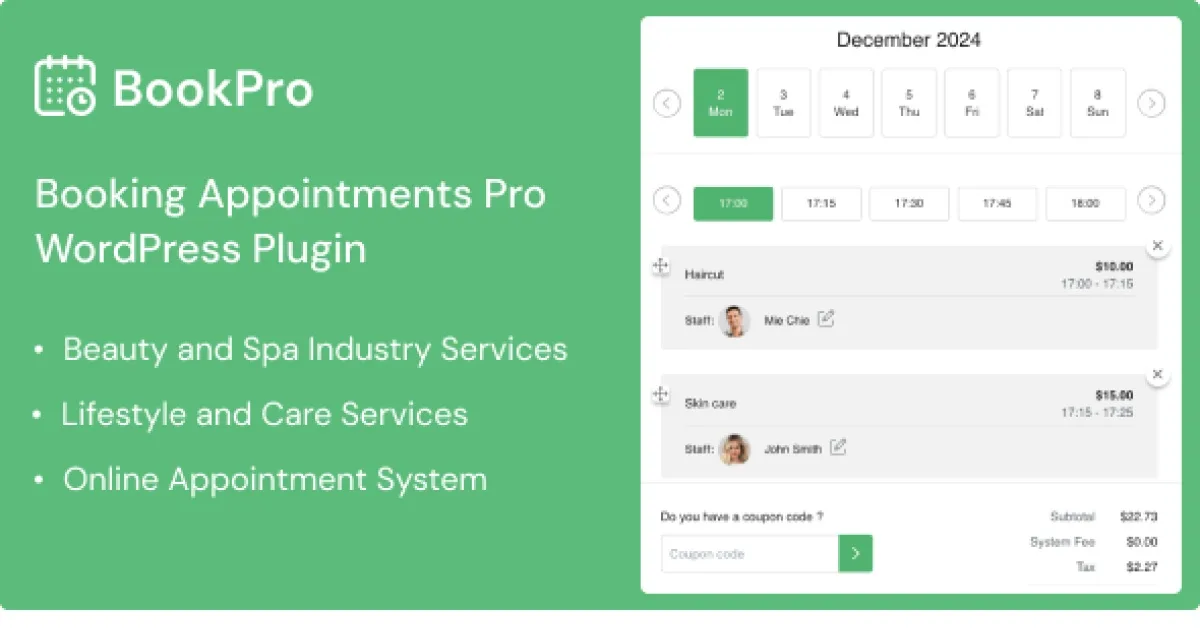
BookPro Appointment Booking
BookPro Appointment Booking is a WordPress plugin for building staff roles, services, and reservation workflows. Built for developers and agencies.
- Daily automated updates
- VirusTotal 0/70 clean
- Licensed under GPL
- Secure 256-bit checkout
- Instant direct cloud link
What Is BookPro Appointment Booking?
BookPro Appointment Booking is a WordPress plugin, engineered for developers and agencies to deploy reservation and scheduling systems directly inside WordPress installations. The plugin resolves the structural gap between static service pages and transactional booking flows by introducing a role-based data model that connects staff members, service types, and bookings through a single administrative pipeline. In production, it operates as the scheduling backbone of a WordPress site, handling configuration, calendar state, and reservation management from setup to booking oversight.
Key Features of the Plugin
The plugin executes through a sequential configuration chain: each administrative module writes records that the next module consumes, so roles, staff, types, and services form a dependency graph that terminates in live bookings. This layered write path keeps every reservation traceable back to a concrete staff member and service definition.
Architectural Highlights
- Role-Based Access Layer: The plugin initializes with a dedicated role module, letting administrators define permission scopes before any staff records exist. This ordering prevents orphaned assignments and keeps booking accountability anchored to real personnel.
- Staff-to-Service Binding: Staff entities are created independently, then service definitions reference them, producing a many-to-many mapping that determines who can fulfill which appointment slots.
- Service Type Taxonomy: The type module acts as a categorization layer above services, so operators can group offerings by discipline and filter booking queries without custom code.
- Centralized Booking Management: The manage bookings module exposes administrative oversight of incoming reservations, giving teams a single screen to inspect, track, and process appointment states.
- Self-Contained WordPress Integration: All modules ship inside one plugin package and register through standard WordPress activation, so the full scheduling stack initializes without external configuration steps.
For deployments where AI-assisted slot allocation or two-way calendar synchronization is required, developers often pair this stack with Booking Hub – AI-Powered Scheduling, Reservation and Appointment System for WordPress, which extends reservation handling with predictive scheduling modes.
Who Should Use This Plugin?
This codebase fits agencies and freelance developers building client sites for salons, clinics, consultants, and service businesses that need structured appointment workflows rather than simple contact forms. Teams comfortable with WordPress administrative flows can wire the six-step configuration chain into a production site within a single working session. It is not intended for site owners who expect a zero-configuration wizard: the plugin’s architecture assumes an operator will deliberately define roles, staff, types, and services before accepting bookings, which is a deliberate trade-off favoring data integrity over one-click defaults. Developers pairing the engine with rental-oriented storefronts can also examine Remons – WooCommerce Booking & Rental WordPress Theme when the project scope extends into commerce-driven rental inventory.
Compatibility & Runtime Requirements
The plugin runs as a native WordPress extension, so its runtime envelope is bounded by the host WordPress installation and its PHP interpreter.
| Engineering Metric | Deployment Specification |
|---|---|
| Base Technology / Framework | WordPress plugin architecture (PHP-based) |
| Runtime / Language Requirements | Standard WordPress-supported PHP runtime on the host server |
| Data Exchange / Communication Protocols | WordPress admin post/request handling for booking operations |
| Core Dependencies / Engine Compatibility | WordPress core with the plugin activated via the standard administration interface |
| Database / Storage Footprint | Records for roles, staff, types, services, and bookings persisted through the WordPress data layer |
How to Install & Deploy the Plugin
Deployment follows the plugin’s documented six-module workflow: activation, then configuration in the exact order the dependency chain requires.
- Environment Pre-check: Verify the target site runs a current WordPress installation on a PHP runtime the core supports, and confirm administrative upload permissions on the server.
- Package Upload: Upload the plugin archive through the WordPress administration interface and confirm the file registers in the plugins list.
- Direct Activation: Click Activate. On initialization, the plugin registers its administrative modules and the scheduling engine becomes fully operational without additional registration screens.
- Create Roles and Staff: Configure the role module first, then add staff records and assign them under the defined roles to establish accountability.
- Define Types and Services: Build service type categories, then create services that reference the staff pool so booking requests resolve to available personnel.
- Manage Bookings: Open the booking management module and validate the end-to-end flow by processing test reservations before exposing the system to customers.
For vertical-specific deployments such as beauty and spa clients, the configuration pattern mirrors the one used in the Salon Booking WordPress Plugin, which applies the same staff-and-service binding logic to salon reservation flows.
Frequently Asked Questions
Does the plugin require staff records to exist before services can be defined?
Yes. The documented workflow is sequential: roles are created first, staff second, types fourth, and services fifth. Because services reference the staff pool, the staff layer must be populated before service definitions can bind appointments to personnel.
Is the booking management screen part of the WordPress admin?
Yes. The manage bookings step operates as a WordPress administrative module, so operators inspect and process reservations from the standard dashboard rather than an external panel, keeping all scheduling state inside the installation.
Can service types be used to organize services into categories?
Yes. The type module exists specifically as a categorization layer created in Step 4, before services are defined. Operators group offerings by discipline so booking configurations remain organized as the service catalog grows.
Does activation make all booking modules available immediately?
Yes. Once the plugin is installed and activated in Step 1, all documented modules, including role, staff, type, service, and booking management, become available and ready for configuration in the administrative dashboard.