Restrict Content Pro Plugin
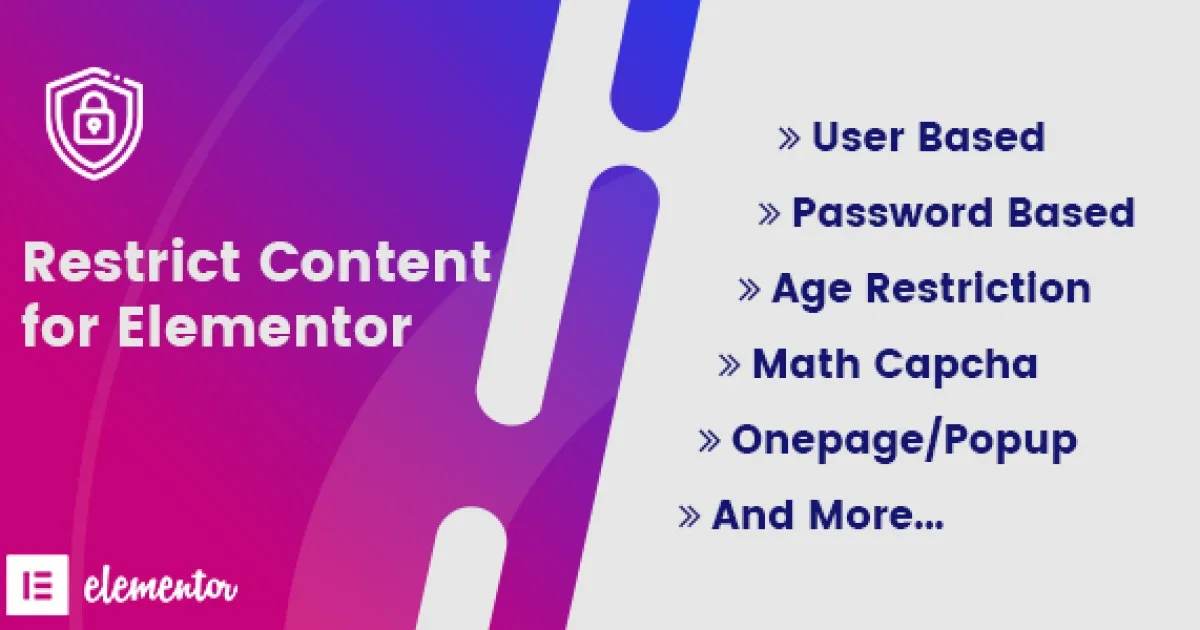
Master Addons Restrict Content is an Elementor Pro widget gating content by user role, password, age gate, or math captcha on page or in popup.
- Daily automated updates
- VirusTotal 0/70 clean
- Licensed under GPL
- Secure 256-bit checkout
- Instant direct cloud link
What Is Master Addons Restrict Content?
Master Addons Restrict Content is an Elementor widget shipped inside the Master Addons Pro suite, engineered for WordPress developers and agencies to gate Elementor-rendered content behind conditional access rules. It resolves the architectural gap between Elementor’s visual layout system and server-side access control, allowing a single section to switch output between protected content and a warning message based on the visitor’s state. In production workflows, it functions as an inline gating layer placed directly into a section, eliminating the need for separate membership shortcodes or custom PHP conditionals around rendered templates.
Key Features of the Plugin
At runtime, the widget parses two independent control axes before rendering: a layout selector that decides where the gate manifests, and a gate type selector that decides what mechanism must be satisfied to unlock the content. Once the rule resolves, the widget swaps the protected payload for either inline custom content, a full Elementor template, or a warning message, all styleable through the standard Style tab controls.
Architectural Highlights
- Two Layout Modes: The first Restrict Type parameter selects On Page or Popup rendering, letting the gate either replace content in the document flow or present itself as an overlay requiring interaction before access.
- Four Gate Types: The second selector offers User Based, Password Based, Age Restriction, and Math Captcha gates. Each type binds to a corresponding rule input: a user role selection, a set password value, a minimum age with an Age Restrict Type, or a Math Type configuration.
- Dual Content Sources: The Restrict Content field accepts Custom Content typed inline or a saved Elementor Template, so a designed gate screen with images and links can be reused across pages instead of rebuilt per section.
- Configurable Warning Messages: A dedicated Warning Message field renders custom rejection text, and the entire gate surface is styled through Elementor’s Style tab without custom CSS.
- Server-Side Role Enforcement: User Based gates on the On Page layout prevent visitors lacking the selected role from ever receiving the protected markup in the response.
Who Should Use This Plugin?
This widget targets agencies and developers maintaining Elementor builds that need lightweight gating without a full membership platform: role-locked documentation sections, password-gated client preview areas, age-verified content, and math-captcha screens for casual friction. It fits production sites already standardized on Elementor and Master Addons Pro. It is not intended for high-security use cases: operators who need cryptographically protected payloads should note that the lighter gates operate client-side, and teams requiring deep data-driven visibility rules may prefer extending Elementor through Dynamic Content For Elementor, which adds conditional rendering widgets alongside 80+ other widgets.
Compatibility & Runtime Requirements
The module operates as a Pro-tier extension of the Master Addons ecosystem, which itself runs on a standard WordPress Core environment with Elementor as the parent page builder. Baseline deployment parameters are outlined below.
| Engineering Metric | Deployment Specification |
|---|---|
| Base Technology | WordPress Core Environment with Elementor page builder |
| Suite Dependency | Master Addons Pro active with the Restrict Content widget toggled on in its settings panel |
| Editor Integration | Native Elementor drag-and-drop widget, dropped into any section |
| Content Data Sources | Inline Custom Content or Elementor Template references |
| Rendering Contexts | On Page document flow or Popup overlay layout |
Limitations & Technical Considerations
The security boundary differs materially across gate types, and architects should map gate selection to threat models before deployment. User Based restriction on the On Page layout executes a true server-side check: visitors without the selected role never receive the protected content, keeping it out of the page source entirely. By contrast, Password, Age, and Math Captcha gates hide content in the browser only, meaning the gated content remains present in the HTML source and inspectable by any client. This makes the lighter gates suitable for friction and compliance UX, not confidentiality. Because the widget runs inside the Elementor render pipeline, gating is scoped per widget instance rather than globally, so site-wide rules must be replicated per section. For structured role-aware field logic beyond this widget’s scope, pairing the build with Advanced Custom Fields Pro lets developers expose role-mapped data through field groups that templates can consume. Editors should also enable the widget deliberately in Master Addons settings; a disabled toggle removes it from the widget panel, which can break cloned layouts silently.
Frequently Asked Questions
Does the User Based gate keep protected content out of the HTML source?
Yes. When User Based restriction is combined with the On Page layout, the widget checks the visitor’s role server-side, and users without the selected role never receive the protected content in the rendered page.
Are Password, Age, and Math Captcha gates cryptographically secure?
No. These three gate types hide content in the browser, so the gated content is still present in the page source. They are designed as light gates for friction and verification UX, not confidentiality enforcement.
Can the gate screen itself be a designed Elementor layout?
Yes. The Restrict Content source selector accepts a saved Elementor Template, so the warning or gate screen can include images, links, and full design styling instead of plain inline text.
Where must the widget be enabled before it appears in the editor?
With Master Addons Pro active, the Restrict Content toggle must be switched on in the Master Addons widget settings panel; only then does the widget become draggable into an Elementor section.
}