Sale Flash Pro WooCommerce Extension
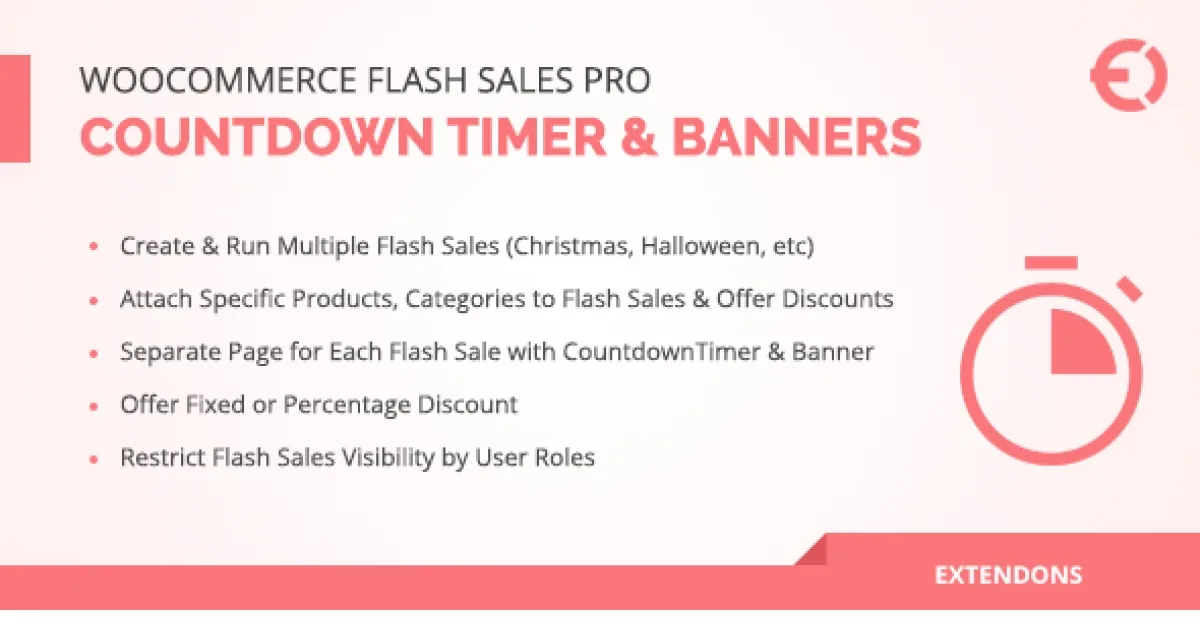
Sale Flash Pro WooCommerce Extension is a WordPress plugin for developers deploying scheduled flash sales, per-product discount badges, and countdown timers.
- Daily automated updates
- VirusTotal 0/70 clean
- Licensed under GPL
- Secure 256-bit checkout
- Instant direct cloud link
What Is Sale Flash Pro WooCommerce Extension?
Sale Flash Pro WooCommerce Extension is a WordPress plugin engineered for WooCommerce store developers and agencies to automate scheduled flash sales, discount badges, and countdown timers across product catalogs. It resolves the native WooCommerce limitation where sale pricing renders only static “Sale” labels without date-driven visibility control or urgency signaling. In production workflows, it operates as a layer over WooCommerce’s pricing engine, scheduling promotional windows and rendering dynamic sale badges without requiring theme template rewrites.
Key Features of the Plugin
The plugin hooks into WooCommerce’s product price and loop rendering filters, evaluating configured sale date ranges against server time before output is dispatched to the template layer. Badge markup, styling, and countdown output are injected through standard WooCommerce action and filter points, keeping the codebase compatible with custom template hierarchies.
Architectural Highlights
- Scheduled Sale Windows: Sale start and end dates are attached to products through WooCommerce’s native sale price date fields, and the plugin gates badge and countdown visibility against those timestamps, so promotions activate and expire without manual catalog edits.
- Per-Product and Global Badge Configuration: Discount badges can be defined at the product level or applied store-wide, with the rendering engine overriding the default WooCommerce “Sale” flash output through the dedicated badge filter.
- Countdown Timer Output: A time-to-expiry countdown can be rendered on sale products, giving shoppers a live expiration signal sourced directly from the configured end-date timestamp.
- Badge Text and Styling Control: Custom badge labels, including percentage-off values calculated from regular versus sale price, are injected into the loop and single-product templates via the plugin’s filter implementation.
- Template-Level Integration: Because output rides on WooCommerce core hooks, developers can reposition badge and timer markup by adjusting template files or removing and re-hooking the plugin’s actions in a child theme.
For stores running mixed checkout rules, pairing this scheduling engine with WooCommerce Active Payments lets developers gate available payment methods per shipping method while the sale layer handles the pricing presentation.
Who Should Use This Plugin?
This module targets WooCommerce developers and agencies managing promotional calendars for client stores, particularly merchants running time-boxed campaigns such as weekend sales, holiday windows, or clearance events that require automated start and stop behavior. It fits teams comfortable working with WooCommerce template overrides, hooks, and custom CSS to align badge markup with brand styling. It is not intended for non-technical merchants who need a full campaign builder with email automation or coupon distribution; the plugin scopes itself to sale scheduling, badge rendering, and countdown output, leaving broader marketing automation to dedicated campaign tools.
Compatibility & Runtime Requirements
The package operates within a standard WordPress and WooCommerce runtime, depending on the parent platform’s hook system for all rendering and scheduling behavior.
| Engineering Metric | Deployment Specification |
|---|---|
| Base Technology | PHP-based WordPress plugin |
| Parent Ecosystem Dependency | WordPress Core with WooCommerce active |
| Integration Points | WooCommerce pricing, loop, and product template hooks |
| Data Handling | Native WooCommerce sale price date fields; no custom schema |
| Rendering Output | Server-rendered badge and countdown markup within theme templates |
Limitations & Technical Considerations
The scheduling boundary is the product-level sale date configuration inherited from WooCommerce; the plugin does not introduce its own campaign database tables or external cron scheduling, so expiry behavior follows page-load evaluation against stored timestamps. Badge and countdown markup inherit the active theme’s CSS scope, meaning custom styling adjustments are typically required to match non-default themes. Where high-volume catalogs display sale state across listing pages, developers should evaluate caching layers so badge rendering does not bypass page caches unintentionally. Stores that also charge conditional surcharges at checkout can separate that concern into WPC Smart Fees for WooCommerce, which applies conditional checkout fees independently of sale pricing logic.
Frequently Asked Questions
Does the plugin require any custom database tables for scheduling sales?
No, it relies on WooCommerce’s built-in sale price date fields attached to each product, so all scheduling data persists through the existing WooCommerce schema without additional tables or migration steps.
Can the countdown timer be repositioned within a custom theme?
Yes, because the timer and badge output attach through WooCommerce template hooks, developers can remove and re-hook the plugin’s actions or override the relevant template files in a child theme to relocate the markup.
Does the badge display automatically when a scheduled sale expires?
Yes, badge and timer visibility are evaluated against the configured end-date timestamp, so once a sale window closes the promotional markup stops rendering without manual intervention on the product record.
Is custom badge text like a percentage discount supported?
Yes, the plugin can render calculated percentage-off labels derived from the difference between the regular and sale prices, alongside custom badge text configured per product or globally.