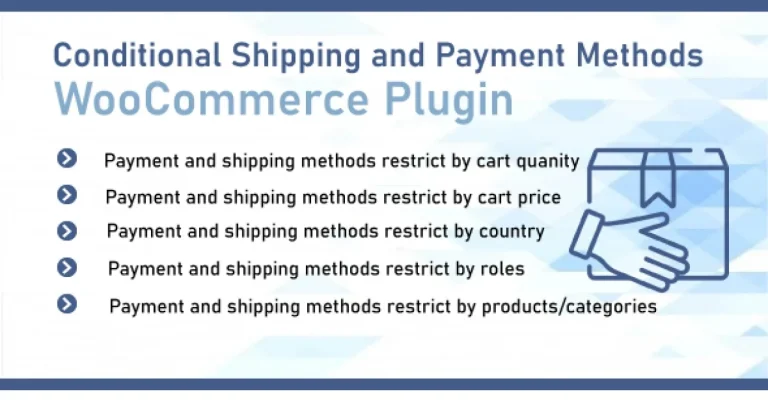
WooCommerce Active Payments
Conditional Payments based on Shipping in WooCommerce is a PHP plugin that gates payment methods per shipping method for developers and agencies.
- Daily automated updates
- VirusTotal 0/70 clean
- Licensed under GPL
- Secure 256-bit checkout
- Instant direct cloud link
What Is Conditional Payments based on Shipping in WooCommerce?
Conditional Payments based on Shipping in WooCommerce is a PHP WordPress plugin, engineered for store developers and agencies to restrict which payment gateways appear at checkout based on the customer’s selected shipping method. It resolves a native WooCommerce limitation, where the checkout payment section renders every enabled gateway regardless of shipping context, producing invalid payment options such as cash on delivery for carrier-shipped parcels. In production, the module acts as a checkout-level filtering layer that keeps the payment step synchronized with the logistics choices made earlier in the order flow.
Key Features of the Plugin
The plugin hooks into the WooCommerce checkout rendering cycle and evaluates shipping-to-payment mappings before gateways are printed to the cart and checkout templates. Administrators define the rules through a settings panel rather than code, so the filtering behavior persists without template edits. When a customer changes the shipping selection, the module re-evaluates the active rule set and re-renders the available payment methods accordingly.
Architectural Highlights
- Shipping-conditional gateway filtering: The engine maps each WooCommerce shipping method, rate, or option to an allowlist of payment gateways, and unregisters any gateway outside the matched set during checkout evaluation.
- Admin-driven rule configuration: All shipping-payment pairs are defined through a dedicated settings screen, removing the need to write custom PHP filters or maintain a functions.php snippet for every gateway exclusion.
- Checkout state synchronization: Payment method visibility updates dynamically as the shipping selection changes, keeping the gateway list consistent with the chosen delivery method across cart and checkout states.
- Legacy WooCommerce support: The codebase is built to run on WooCommerce 2.6 and below, making it a fit for long-lived client installs that still operate on older commerce stacks.
- Low-overhead operation: Filtering occurs at the existing gateway query layer without introducing new database tables, REST endpoints, or cron schedules, keeping the runtime footprint minimal.
For stores that need rule gating on the logistics side as well, deploying the Conditional Shipping and Payments WooCommerce Extension alongside this module lets teams define complementary shipping restrictions under the same rule-based model.
Who Should Use This Plugin?
The package targets WooCommerce developers, system integrators, and agency maintenance teams who manage checkout logic on client storefronts and need deterministic payment availability per delivery channel. Typical deployments include grocery or food-service sites where cash on delivery must be restricted to local pickup, and freight-heavy catalogs where card gateways should only appear for parcel-shippable orders. It is also practical for legacy builds pinned to WooCommerce 2.6 or older that cannot absorb a modern checkout rewrite. The module is not intended for non-technical operators expecting drag-and-drop rule builders, and teams already migrated to current WooCommerce versions should evaluate whether their checkout stack still exposes the legacy hooks this plugin relies on.
Compatibility & Runtime Requirements
Runtime expectations center on a standard WordPress + PHP hosting stack with a WooCommerce install at or below version 2.6.
| Engineering Metric | Deployment Specification |
|---|---|
| Base Technology / Framework | WordPress plugin architecture for the WooCommerce commerce layer |
| Runtime / Language Requirements | PHP execution on a standard WordPress hosting environment |
| Data Exchange / Communication Protocols | Server-side PHP hook evaluation within the WooCommerce checkout request lifecycle; no external API calls |
| Core Dependencies / Engine Compatibility | WooCommerce 2.6 and below; standard enabled payment gateway set |
| Database / Storage Footprint | Configuration stored via the WordPress options layer; no dedicated custom tables |
How to Install & Deploy the Plugin
Deployment follows the standard WordPress plugin lifecycle and requires no external registration steps before the module becomes operational.
- Environment Pre-check: Confirm the target site runs WordPress with PHP available, and verify the WooCommerce version is 2.6 or below so the checkout hooks the plugin evaluates are present.
- Package Upload: Upload the plugin archive through the WordPress administration Plugins screen, or transfer the extracted folder to the wp-content/plugins directory via SFTP.
- Direct Activation: Click Activate in the Plugins list. All conditional filtering modules and the administration settings screen become fully active immediately upon activation.
- Configuration & Testing: Open the plugin settings panel, map each shipping method to its permitted payment gateways, then place test orders with different shipping selections to confirm the checkout gateway list filters correctly.
Because checkout behavior depends on the storefront theme rendering the standard WooCommerce payment section, validate the filtering output on staging before rollout. On template-heavy grocery or retail builds such as sites running the Zilly Theme, confirm the theme does not override the legacy checkout gateway loop with a custom renderer, since that would bypass the plugin’s filtering layer.
Frequently Asked Questions
Does the plugin require any code changes to the checkout template?
No. Filtering is applied through the plugin’s internal evaluation layer before gateways render, so a stock WooCommerce checkout template works as-is. Template edits are only needed if a theme has replaced the native payment rendering loop with custom output.
Can I map multiple shipping methods to the same payment gateway?
Yes. The rule configuration allows any shipping method to reference any subset of enabled gateways, and the same gateway may appear in multiple mappings. Unmatched shipping selections fall back to the default gateway availability defined in WooCommerce.
Does the module add administrative overhead to the database?
No. The shipping-to-payment mappings are persisted through the standard WordPress options storage, and evaluation happens per checkout request without cron jobs, custom tables, or persistent background processes.
Will it work on a store running WooCommerce 3.0 or newer?
No. The official specification targets WooCommerce 2.6 and below. On newer commerce cores, teams should audit whether the legacy checkout hooks remain available, or adopt a current equivalent for payment gating.