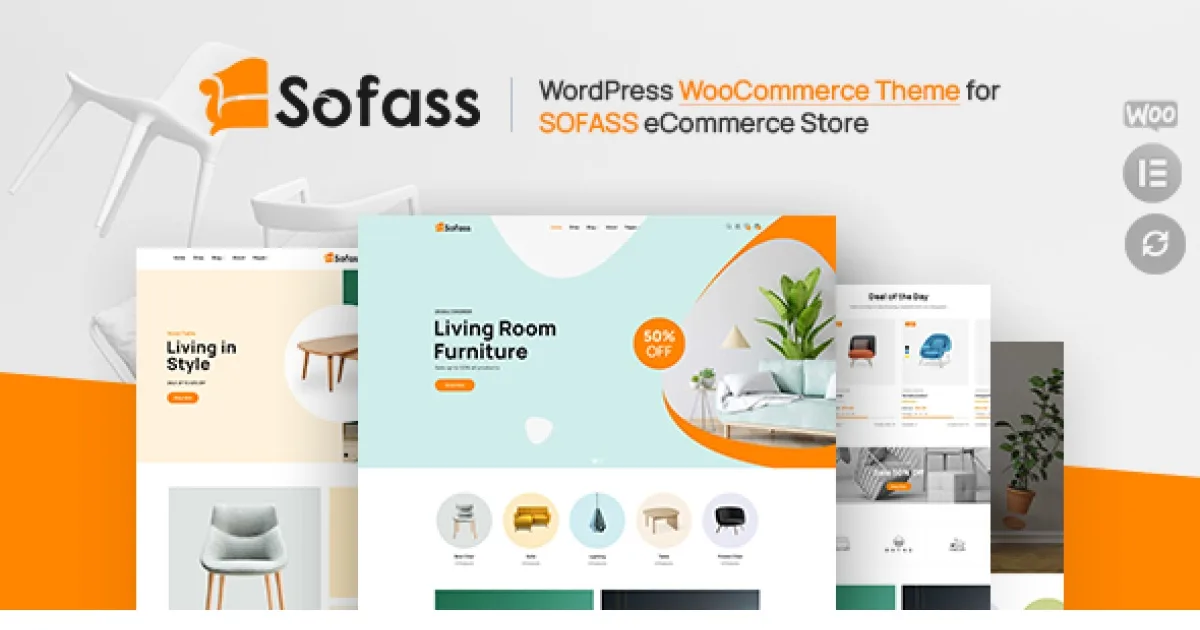
Sofass – Elementor WooCommerce WordPress Theme
Sofass is an Elementor WooCommerce WordPress theme for developers building furniture and home decor stores with 6 demos and 10+ shop layouts.
- Daily automated updates
- VirusTotal 0/70 clean
- Licensed under GPL
- Secure 256-bit checkout
- Instant direct cloud link
What Is Sofass?
Sofass is an Elementor WooCommerce WordPress Theme, engineered for developers and agencies to assemble furniture, decor, and home goods commerce storefronts on the WordPress platform. It resolves the bottleneck of hand-coding shop templates by exposing prebuilt homepage compositions and shop page variants that map onto the Elementor widget and WooCommerce template hierarchy. In production, the package functions as the active theme layer, supplying layout scaffolding, commerce templates, and demo-imported configuration so a staging site can reach a client-reviewable state within a single build session.
Key Features of the Theme
The theme executes through the WordPress template hierarchy, intercepting WooCommerce archive and product templates while delegating layout composition to the Elementor rendering engine. Requests resolve to prebuilt section structures, which Elementor parses into widget instances and emits into the DOM before WooCommerce injects product loop data. Bundled premium plugins ship with the package, extending widget coverage and commerce tooling without additional procurement. Architectural highlights include:
Architectural Highlights
- Six Prebuilt Homepage Compositions: The codebase ships six distinct homepage configurations (Homepage 01 through Homepage 06), each importable as a complete Elementor section tree so developers can benchmark layout variants against conversion goals instead of rebuilding headers and hero blocks manually.
- Ten-plus Shop Page Variants: Archive-level layout logic ships in more than ten shop page templates, including a left sidebar configuration, letting teams switch product grid, filtering, and sidebar placement by assigning the appropriate archive template rather than overriding PHP files.
- Bundled Premium Plugin Layer: Premium plugins are packaged with the theme, so activation registers their widgets and shortcodes alongside the core theme functions, reducing dependency drift across client installs.
- WooCommerce Template Integration: Commerce loops, cart actions, and checkout surfaces render through native WooCommerce hooks, keeping order data writes inside WooCommerce’s own database tables and preserving compatibility with standard WooCommerce extensions.
- Sidebar-Driven Merchandising: The left sidebar shop layout provides a registered widget area for filtering and category navigation widgets, allowing merchandising blocks to be rearranged from the admin without template edits.
For teams that need to extend dynamic layouts beyond the shipped widgets, deploying Elementor Pro alongside the theme exposes theme builder conditions and WooCommerce builder widgets that attach to the same template hierarchy.
Who Should Use This Theme?
The package fits agency developers maintaining multiple WooCommerce client builds in the furniture and interior decor vertical, freelancers delivering fixed-scope storefront projects, and in-house teams standing up a catalog-driven store on a deadline. Because layout work happens inside Elementor’s editor rather than raw PHP, the theme suits engineers comfortable with the WordPress template hierarchy and hook system who want to compress the markup phase of delivery. It is not intended for operators who require headless or decoupled architectures, since the rendering layer depends on the server-side WordPress and Elementor stack, nor for projects demanding fully custom design systems from a blank starter theme. Teams building content-first magazine or portfolio sites should evaluate multipurpose alternatives such as Bridge, which covers a broader demo range beyond commerce.
Compatibility & Runtime Requirements
Baseline runtime constraints follow the standard WordPress and WooCommerce server profile, with Elementor required as the active layout engine.
| Engineering Metric | Deployment Specification |
|---|---|
| Base Technology / Framework | WordPress theme layer with WooCommerce commerce integration |
| Runtime / Language Requirements | PHP runtime per current WordPress core minimums; MySQL/MariaDB data store |
| Data Exchange / Communication Protocols | WordPress admin AJAX and WooCommerce request cycle for cart and checkout actions |
| Core Dependencies / Engine Compatibility | Elementor page builder plugin and WooCommerce plugin, both active before template assignment |
| Database / Storage Footprint | Standard WordPress options and postmeta writes; demo import populates posts, pages, and attachments |
How to Install & Deploy the Theme
Deployment follows the conventional WordPress theme installation path, with plugins registered immediately after theme activation.
- Environment Pre-check: Confirm the server meets current WordPress PHP requirements, verify the WooCommerce plugin is installed and updated, and confirm Elementor is active, since shop templates depend on both engines.
- Package Upload: Transfer the theme archive through the administration interface under Appearance, Add New Theme, Upload Theme, or place the extracted folder into wp-content/themes via SFTP for larger builds.
- Direct Activation: Click Activate to initialize the theme; required plugin notices appear in the admin, and installing the bundled premium plugins registers their widgets, menus, and core modules for immediate production use.
- Configuration & Testing: Run the demo import to populate one of the six homepage configurations and shop variants, assign the preferred archive template including the left sidebar layout, then validate product grids, cart flow, and responsive breakpoints against the live catalog.
Post-launch, store operations often need transactional automation; wiring Trakoo into the same WooCommerce install adds carrier tracking and SMS notification routines that consume the order data this theme’s checkout templates already write.
Frequently Asked Questions
Does the theme require the demo import to be used, or can templates be built from scratch?
No, the demo import is optional. The six homepages and ten-plus shop layouts import as ready structures, but developers can equally compose pages with Elementor widgets directly and assign custom templates through the WordPress hierarchy.
Are the bundled premium plugins stored inside the theme package itself?
Yes, the package ships with its premium plugins included, and they install from the admin after theme activation, registering their widgets and modules within the same WordPress environment as the theme.
Can the left sidebar shop layout be applied to selective product categories only?
Yes, because shop layouts are template-level configurations, the left sidebar variant can be assigned to specific archive contexts while other categories resolve to full-width or alternative grid templates.