Trakoo – WooCommerce Orders Tracking – SMS – PayPal Tracking Autopilot
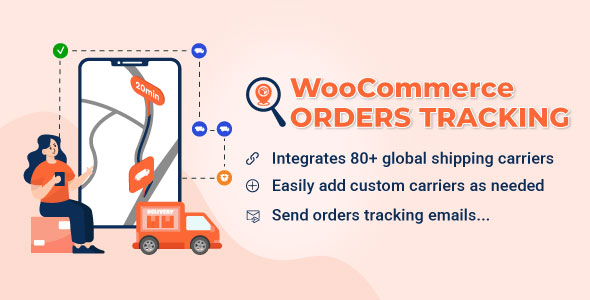
Trakoo WooCommerce Orders Tracking is a WordPress plugin adding carrier tracking, SMS alerts, PayPal sync, and CSV bulk import for WooCommerce store operators.
- Daily automated updates
- VirusTotal 0/70 clean
- Licensed under GPL
- Secure 256-bit checkout
- Instant direct cloud link
What Is Trakoo WooCommerce Orders Tracking?
Trakoo WooCommerce Orders Tracking is a PHP-based WordPress Plugin, engineered for WooCommerce developers and store operators to attach carrier tracking data to orders and push status updates across email, SMS, and PayPal. It resolves the post-purchase visibility gap where buyers generate support tickets because shipment milestones never reach their inbox or mobile device. In production, it operates as the fulfillment communication layer between the WooCommerce order pipeline, external tracking aggregates, and payment gateways.
Key Features of the Plugin
The core mechanism executes through scheduled synchronization jobs and webhook listeners that poll or receive courier status payloads, write them to order records, and dispatch notifications on each state transition. Admin-side, tracking data is manipulated through hooks attached to the WooCommerce order screen and bulk CSV pipelines rather than external dashboards. Teams running rule-based fulfillment logic often pair this module with Automatic Payment Status WooCommerce so completed payments feed directly into the tracking workflow without manual status edits.
Architectural Highlights
- Granular tracking model: Tracking numbers attach at order level, item level, or item-quantity level, with unlimited codes per line item, supporting multi-warehouse dispatch and split-package dropshipping workflows.
- Six tracking service adapters: The codebase integrates TrackingMore, Cainiao, EasyPost, AfterShip, TrackTry, and 17Track via API; the first five require a valid access key, while Cainiao needs none. Cron-based schedules refresh statuses, and webhooks push updates instantly to the WooCommerce dashboard.
- 92 carriers plus custom carriers: Select from 92 integrated shipping companies, toggle their visibility, and register custom carriers by defining a name, slug, and tracking URL template.
- PayPal transaction sync: Carrier name, tracking number, and shipment status are written to the PayPal transaction automatically, with a sandbox mode for staging tests before live credentials are enabled.
- SMS dispatch via three gateways: Twilio, Nexmo, and Plivo deliver tracking URLs on status changes, with a text mode available to verify gateway connectivity.
Who Should Use This Plugin?
This module targets WooCommerce developers, agency fulfillment engineers, and dropshipping operators who manage high order volumes across multiple carriers. It fits multi-warehouse storefronts, AliExpress-sourced businesses using the companion ALD plugin, and international sellers who require WPML or Polylang-localized emails and SMS. Stores wanting to retain customers on-domain benefit from the shortcode-embeddable tracking page with customizable layout, colors, and promotional banners. It is not intended for non-technical operators expecting a fully visual no-configuration tool: carrier keys, SMS gateway credentials, and PayPal sandbox testing all require administrative setup. Stores that need rule-based restrictions on which shipping methods appear per region can enforce those constraints upstream with the Conditional Shipping and Payments WooCommerce Extension.
Compatibility & Runtime Requirements
Baseline runtime constraints center on WordPress core versions, WooCommerce cart engine versions, and a standards-compliant browser set for the admin interface.
| Engineering Metric | Deployment Specification |
|---|---|
| Base Technology | PHP, JavaScript, CSS (Gutenberg optimized, high resolution assets) |
| Platform Compatibility | WordPress 6.1.x through 7.1.x |
| Commerce Engine | WooCommerce 6.x.x through 10.x.x |
| Supported Browsers | Firefox, Safari, Chrome, Edge |
| External Integrations | TrackingMore, Cainiao, EasyPost, AfterShip, TrackTry, 17Track, Twilio, Nexmo, Plivo, PayPal (with sandbox mode) |
| Localization Layer | WPML and Polylang for multilingual emails, SMS, and tracking page strings |
How to Install & Deploy the Plugin
Deployment follows the standard WordPress administrative installation path and activates all core modules immediately.
- Verify the server runs a WordPress version between 6.1.x and 7.1.x with WooCommerce 6.x through 10.x active, and confirm outbound HTTPS access for tracking service API calls.
- Upload the package archive containing the PHP, JavaScript, and CSS source files through the plugin installation screen, or transfer the extracted files to the wp-content/plugins directory.
- Activate the plugin from the administrative interface; order tracking menus, the CSV import/export module, and notification dispatchers become operational on activation.
- Configure carriers, enter tracking service API keys, connect an SMS gateway, and enable PayPal sandbox mode to validate the full synchronization chain before switching to live credentials.
For catalog-heavy storefronts built on flexible parent frameworks such as Betheme, verify shortcode rendering inside builder layouts during staging so the tracking form inherits the active theme’s typography.
Frequently Asked Questions
Does the Cainiao integration require an API key to function?
No, Cainiao is the only tracking service among the six supported adapters that retrieves shipment information without an API key or access credential. The remaining five services require valid keys, and third-party providers may charge fees for their plans.
Can tracking numbers be pushed to PayPal automatically for AliExpress orders?
Yes, when the ALD plugin is installed and active, AliExpress order syncing triggers automatic tracking number submission to PayPal transactions. PayPal sandbox mode allows the entire pipeline to be validated against test accounts before live deployment.
How are bulk tracking updates handled across large order sets?
Yes, orders are exported to a CSV file, tracking data is filled in offline, and the file is imported back to write tracking info to orders and PayPal transactions. Export filters cover created, paid, and completed dates, statuses, addresses, payment, and shipping methods.
Can the tracking page be restricted against automated abuse?
Yes, Google reCAPTCHA protects the tracking form, blocking bots and brute-force queries that attempt to harvest order data. Customers authenticate lookups by submitting an order ID and email pair, and a default timeline can display before the first courier scan exists.