Soxa – Natural Product Landing Page WooCommerce Theme
Soxa Natural Product Landing Page WooCommerce Theme is an Elementor-driven WordPress storefront engine for organic, wellness, and skincare e-commerce builds.
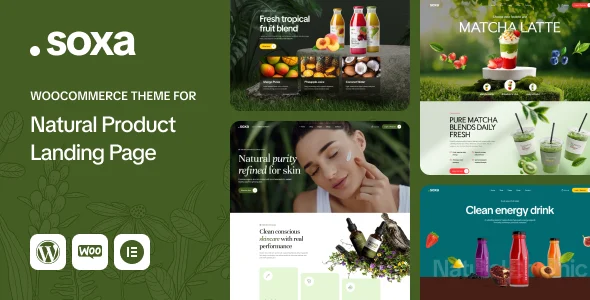
- Daily automated updates
- VirusTotal 0/70 clean
- Licensed under GPL
- Secure 256-bit checkout
- Instant direct cloud link
What Is Soxa Natural Product Landing Page WooCommerce Theme?
Soxa Natural Product Landing Page WooCommerce Theme is a WordPress theme built on the Elementor drag-and-drop builder and WooCommerce commerce engine, engineered for agencies and store operators launching organic product, supplement, skincare, and wellness storefronts. It resolves the recurring bottleneck of assembling landing-page-driven commerce sites where conversion-focused product presentation must coexist with a full WooCommerce transaction layer, without custom template coding. In production, it functions as the complete presentation layer of a self-hosted WordPress stack, handling DOM rendering, shop template overrides, and theme option persistence from a single codebase.
Key Features of the Theme
Runtime execution follows the standard WordPress template hierarchy: incoming requests resolve through PHP template files, which the theme overrides for shop, product, and landing contexts, while Elementor widgets render section-level markup and the Customizer serializes layout and styling values into site options. Assets ship as PHP, CSS, and JS files with vector icon sets that scale cleanly on high-resolution displays.
Architectural Highlights
- Elementor Builder Integration: Layouts are composed through Elementor’s section/column/widget tree, with parallax background images attachable to rows, header backgrounds, boxed content wrappers, and client logo strips, so structural changes never require editing PHP templates.
- Header and Footer Builder: A dedicated builder function generates header and footer structures independently of static page templates, and touch-friendly interaction states keep navigation operational on smartphones and tablets.
- WordPress Customizer Control Layer: The Customizer exposes main options, side area options, social links, post list options, styling options, layout settings, and footer/header section options, including full control over site width in full-width or boxed mode plus content area and sidebar sizing.
- Sidebar Generator and Color Tokens: A generator provisions an unlimited number of sidebars, while a primary/secondary site color selection drives consistent token propagation across the stylesheet output.
- Bundled Slider and Demo Pipeline: Revolution Slider ships with the package, and a one-click demo import routine provisions the reference layout so staging environments can be populated before content replacement.
Operators running adjacent commerce verticals can compare this engine’s landing-page emphasis against alternatives such as Zilly Theme for grocery-focused Ajax filtering workflows, though Soxa’s scope remains the wellness and organic product category.
Who Should Use This Theme?
This package fits freelance WordPress developers and small agency teams delivering client storefronts for organic product stores, health and wellness brands, herbal supplement sellers, skincare and beauty retailers, food and nutrition shops, and eco-friendly businesses. It suits projects where a non-technical client must maintain pages post-handover through Elementor and the Customizer, while the developer retains PHP-level override capability. It is not intended for Gutenberg-first builds — the theme is explicitly not Gutenberg optimized — nor for headless or decoupled architectures where WordPress renders no markup. Teams requiring a theme with block-editor FSE theming should evaluate other stacks.
Compatibility & Runtime Requirements
Deployment requires a WordPress host meeting the declared core and plugin version envelopes below.
| Engineering Metric | Deployment Specification |
|---|---|
| Base Technology | WordPress theme (PHP Files, CSS Files, JS Files), Elementor page builder |
| Runtime Requirements | WordPress 6.0.x through 7.0.x; standard PHP/MySQL hosting per WordPress core |
| Browsers | Firefox, Safari, Opera, Chrome, Edge |
| Core Dependencies | WooCommerce 7.x.x through 10.x.x, Elementor, Contact Form 7, Revolution Slider (bundled) |
| Layout & Output | Responsive layout, widget-ready, high-resolution vector icons, 4+ column support |
How to Install & Deploy the Theme
- Environment Pre-check: Confirm the server runs a supported WordPress version (6.0.x–7.0.x) and that WooCommerce plus Elementor are installed and active, since the shop and builder layers depend on both plugins.
- Package Upload: Transfer the theme archive through the WordPress administration upload interface, or extract the PHP/CSS/JS files directly into the themes directory via SFTP.
- Direct Activation: Activate the theme from the Appearance screen; the Customizer panels, sidebar generator, header/footer builder, and widget areas initialize immediately without additional setup steps.
- Configuration & Testing: Run the one-click demo import to provision reference layouts, then configure primary/secondary colors, site width mode, sidebars, and header/footer structures through the Customizer, and validate product pages and Contact Form 7 endpoints in the target browsers.
For pharmacy and clinical inventory verticals that need a related but differently scoped storefront engine, Medik Medical WooCommerce Store addresses healthcare-specific catalog structures with equivalent WooCommerce 10.x coverage.
Frequently Asked Questions
Does the theme support the Gutenberg block editor for layout composition?
No. The theme is explicitly listed as not Gutenberg optimized; layout composition is handled through Elementor, while the WordPress Customizer manages global options such as styling, layout settings, and header or footer section configuration.
Are demo images included with the package files?
No. Sample images shown in the live preview are for demonstration purposes only and are excluded from the purchase; operators must supply their own product and brand imagery after demo import.
Do demo fonts render identically on every host?
Not always. Some demos use Adobe Fonts (formerly Typekit), and when those fonts are unavailable on a given environment they are substituted with default fonts or Google Fonts, which can alter typographic rendering.