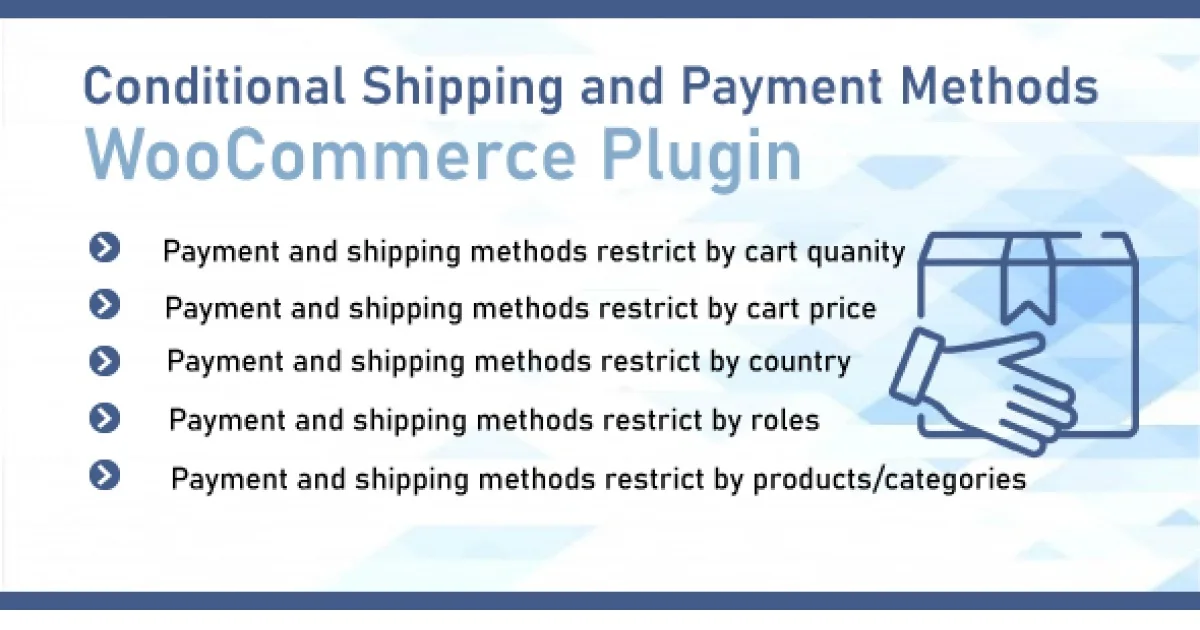
Conditional Shipping and Payments WooCommerce Extension
Conditional Shipping and Payments WooCommerce Extension: a developer-grade plugin for defining rule-based shipping and payment gating in WooCommerce storefronts.
- Daily automated updates
- VirusTotal 0/70 clean
- Licensed under GPL
- Secure 256-bit checkout
- Instant direct cloud link
What Is Conditional Shipping and Payments WooCommerce Extension?
Conditional Shipping and Payments WooCommerce Extension is a WordPress plugin engineered for WooCommerce developers and store operators to gate shipping methods and payment gateways behind condition-based rules. It resolves the limitation of WooCommerce’s native checkout, where shipping and payment options are exposed globally regardless of cart contents, destination, or customer context. In production, the module acts as a rule evaluation layer that intercepts checkout state and filters available methods before rendering and order processing.
Key Features of the Plugin
The plugin hooks into WooCommerce’s cart, shipping, and payment calculation cycle: on each cart update or checkout load, it evaluates a rule set against order context and applies include/exclude filters to the methods WooCommerce would otherwise render. Rules are configured through an administration interface and execute server-side without requiring theme modifications.
Architectural Highlights
- Compound condition builders: Define rules from cart contents, product categories, shipping destination (country, state, postcode), customer data, order totals, and shipping classes, then combine them into match conditions that gate one or more shipping or payment methods.
- Shipping method filtering: Restrict or disable specific rates — flat rate, local pickup, or table-rate entries — per condition set, preventing ineligible methods from reaching the checkout template.
- Payment gateway gating: Hide or disable payment gateways (such as COD for long-distance postcodes or bank transfer above a threshold) based on the same condition engine, enforced at gateway availability evaluation time.
- Multiple rule rows with additive logic: Stack several rule entries per method; each row adds further restrictions, enabling layered policies like per-zone exclusions plus per-product overrides.
- Notice messaging: Emit customer-facing messages when methods are hidden, communicating why an option is unavailable rather than silently dropping it from the DOM.
For stores whose theme layer needs to complement this checkout logic, deploying a WooCommerce-ready theme such as Milano – Multipurpose WooCommerce WordPress Theme keeps the front-end template stack aligned with dynamically filtered shipping and payment states.
Who Should Use This Plugin?
This codebase targets WooCommerce engineers, agency maintainers, and store administrators who need deterministic checkout logic without forking core templates or writing custom filter callbacks for every edge case. It fits client builds with regional shipping restrictions, COD eligibility policies, carrier-specific exclusions, and category-dependent payment rules — particularly multi-zone stores where native WooCommerce zones alone cannot express the policy matrix. It is not intended for developers seeking a generic shipping-rate calculator or table-rate pricing engine; the module filters availability, it does not compute new rate amounts. Teams requiring fully headless storefronts should expect to replicate rule evaluation in their own checkout API layer.
Compatibility & Runtime Requirements
Baseline deployment requires a functioning WordPress installation with WooCommerce active, since the plugin registers its rule evaluation against WooCommerce’s shipping and payment APIs rather than operating independently.
| Engineering Metric | Deployment Specification |
|---|---|
| Base Platform | WordPress with WooCommerce extension (plugin architecture, hook/filter based) |
| Runtime / Language | PHP server runtime per WordPress minimums; standard MySQL/MariaDB persistence |
| Data Exchange | Server-side cart and checkout state evaluation; admin-ajax/REST-backed admin configuration |
| Core Dependencies | WooCommerce shipping zones, payment gateway registry, cart session lifecycle |
| Storage Footprint | Rule definitions persisted via WordPress options; no dedicated custom table schema required |
How to Install & Deploy the Plugin
- Environment pre-check: confirm the server meets the WordPress PHP baseline, verify WooCommerce is installed and active, and back up the database before modifying checkout behavior.
- Package upload: in wp-admin, navigate to Plugins, choose Add New, and upload the plugin archive, or transfer the extracted folder into wp-content/plugins via SFTP.
- Direct activation: click Activate in the plugin list; the rule builder appears under the WooCommerce settings area, and all condition engines become operational immediately.
- Configuration and testing: create rule rows targeting specific shipping or payment methods, then validate behavior by populating a cart that matches and fails each condition, confirming method visibility on the cart and checkout screens and verifying that hidden methods are also blocked at order-processing level.
When the surrounding storefront uses a builder-driven theme, verify template overrides do not bypass WooCommerce’s shipping renderer; Betheme | Responsive Multipurpose WordPress WooCommerce Theme ships WooCommerce 11.2 compatibility, reducing override conflicts during rule rollout. Stores migrating catalogs from other platforms can pair this deployment with S2W – Import Shopify to WooCommerce to normalize product and category data before wiring category-based conditions.
Frequently Asked Questions
Does hiding a payment gateway at checkout also prevent it from being used via direct order-pay links?
Yes. The plugin filters gateway availability through WooCommerce’s gateway registry, so conditions apply at the availability-evaluation layer rather than only as front-end CSS or template suppression of checkout markup.
Can multiple rules targeting the same shipping method coexist and stack restrictions?
Yes. The engine supports multiple rule rows per method, and each row adds its restrictions additively, letting administrators compose per-zone, per-product, and per-customer exclusions into a single policy for that method.
Does the plugin require any template or theme file edits to function?
No. Rule evaluation executes server-side against WooCommerce’s cart and checkout lifecycle hooks, so no theme template overrides or front-end file modifications are required for conditions to take effect.
Are customer-facing messages shown when a method is hidden by a rule?
Yes. The module can display configurable notices informing customers why a shipping or payment option is unavailable, avoiding silent removal of methods from the checkout interface.