WooCommerce Product Addons
WooCommerce Product Addons is a WordPress plugin that attaches configurable option fields to products so developers can deploy selectable variants fast.
- Daily automated updates
- VirusTotal 0/70 clean
- Licensed under GPL
- Secure 256-bit checkout
- Instant direct cloud link
What Is WooCommerce Product Addons?
WooCommerce Product Addons is a WordPress plugin archetype, engineered for WooCommerce developers and agencies to attach configurable option fields to variable and simple products without modifying core commerce templates. The module resolves the architectural bottleneck of hardcoded product variants: instead of duplicating listings for every color, size, or carrier combination, each catalog item exposes a Select Options workflow that renders addon fields on the single-product page and merges their values into the cart line item. In production, it functions as the customization layer between catalog data and checkout, letting a storefront sell an iPhone XR carrier-locked unit and a Garmin vívoactive 3 bundle through one shared field schema.
Key Features of the Plugin
The engine parses addon field definitions at product load, injects rendered inputs into the add-to-cart form, and serializes selected values into the cart item metadata before totals are recalculated. Merchants then price each option, so a $100 Apple iPhone XR and a $2,000 iPhone 11 Pro Max can share the same field group while diverging only in configured surcharges. Teams running bulk catalog operations typically pair the module with the Product CSV Import Suite WooCommerce Extension so addon schemas and base prices ship into staging alongside product rows.
Architectural Highlights
- Per-product field binding: Addon groups attach to individual catalog entries, so an Amazon Essentials necktie at $12.00 and an Amazfit GTS smartwatch at $149.99 each carry their own option set rather than inheriting a global template that does not match their attributes.
- Select Options runtime: Variable products expose a Select Options entry point instead of a direct add-to-cart action, forcing the client to resolve required fields before the line item enters the session.
- Cart metadata serialization: Chosen values persist through cart and checkout objects, keeping the selected configuration attached to the order record for fulfillment review.
- Price composition: Option values adjust the displayed and calculated total at runtime, letting locked-carrier iPhone SKUs and accessory items share one pricing pipeline.
- Theme-agnostic rendering: Because fields render through standard WooCommerce hooks, storefronts built on Elementor-based engines integrate without template forks; for electronics catalogs, deploying Nevixra Electronics Store WooCommerce Theme with this module keeps gadget option panels inside the native product loop.
Who Should Use This Plugin?
The codebase targets WooCommerce plugin developers, agency engineering teams, and store builders who need structured product customization on self-hosted WordPress stacks. It fits client builds where carriers, engraving, sizing, or accessory choices must be captured at add-to-cart time — for example, suit retailers selling a Kenneth Cole slim-fit jacket or a Hanayome blazer with fit adjustments, and gadget shops differentiating iPhone XS Max storage or carrier terms. It is not intended for operators who want purely visual landing-page editors with no field logic, nor for headless builds that bypass WooCommerce cart internals entirely, since the addon values traverse the PHP cart session rather than a decoupled API contract.
Compatibility & Runtime Requirements
Deployment assumes a standard WordPress plus WooCommerce runtime; the module writes through WooCommerce cart and order APIs rather than maintaining its own tables.
| Engineering Metric | Deployment Specification |
|---|---|
| Base Technology / Framework | WordPress plugin on the WooCommerce e-commerce core |
| Runtime / Language Requirements | PHP-capable WordPress hosting meeting current WordPress minimums |
| Data Exchange / Communication Protocols | HTTP form submission into the WooCommerce add-to-cart handler; server-side cart session serialization |
| Core Dependencies / Engine Compatibility | WooCommerce plugin active; WooCommerce hook surfaces for single-product rendering |
| Database / Storage Footprint | No dedicated schema; addon selections stored as cart item and order metadata |
How to Install & Deploy the Plugin
Deployment follows the standard WordPress administrative workflow; no external verification step interrupts activation.
- Environment pre-check: Confirm the host runs a current PHP version, WordPress is up to date, and WooCommerce is installed and active, since the module registers its field rendering against WooCommerce hooks only.
- Package upload: Transfer the plugin archive through the WordPress admin plugin installer or upload the extracted directory to wp-content/plugins via SFTP.
- Direct activation: Click Activate in the plugins list. The addon administration surfaces become operational immediately, and product edit screens expose addon configuration fields without further setup.
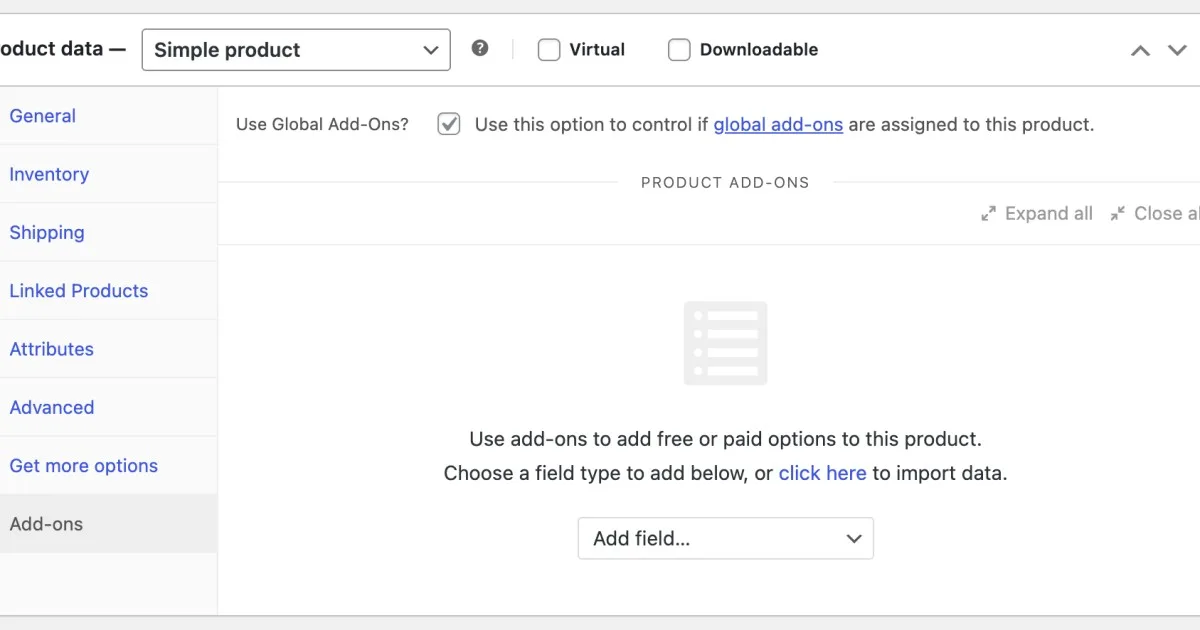
- Configuration & testing: Open a product — for instance the Garmin vívoactive 3 listing — attach an option group, set option pricing, then run a test add-to-cart to verify that the selected value and adjusted total persist into the cart and order preview.
Frequently Asked Questions
Does the plugin require a separate database installation step?
No. Addon definitions and customer selections persist through WooCommerce’s existing metadata storage, so activation completes without running schema migrations or creating custom SQL tables on the host.
Can two products share one addon configuration?
No, bindings are authored per product. However, each entry — from a $12.00 necktie to a $1,000.00 iPhone 11 Pro Max — can replicate the same field schema in minutes from the product edit screen.
Do addon fields work on variable products with multiple carrier options?
Yes. Locked-carrier listings such as the iPhone 11 Pro Max and iPhone XR expose a Select Options flow, and the chosen variation plus addon values serialize together into a single cart line item.
Is the plugin compatible with Elementor-built storefront themes?
Yes. Because field output rides WooCommerce’s native product rendering rather than fixed templates, Elementor-based storefront themes display addon inputs inside the standard single-product layout without theme modification.