Augury | Horoscope, Astrology WordPress Theme
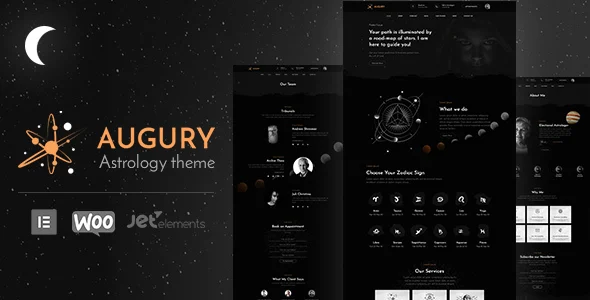
Augury Astrology WordPress Theme: an Elementor-driven horoscope, tarot, and booking theme for developers building WooCommerce astrology sites.
- Daily automated updates
- VirusTotal 0/70 clean
- Licensed under GPL
- Secure 256-bit checkout
- Instant direct cloud link
What Is Augury Astrology WordPress Theme?
Augury Astrology WordPress Theme is a PHP/CSS/JS WordPress theme, engineered for developers and agencies to build horoscope, tarot, numerology, and astrology consultation websites with online booking and commerce. It resolves the recurring bottleneck of wiring appointment scheduling, service catalogs, and zodiac content into a single coherent WordPress template hierarchy without custom development. In production, it operates as a self-hosted parent codebase (v3.7) whose layouts are assembled and maintained through Elementor drag-and-drop editing.
Key Features of the Theme
Request routing flows through the WordPress template hierarchy: PHP template files render the DOM tree, a Designthemes core plugin registers shortcodes and custom post types, and Elementor widgets compose page layouts at the application layer.
Architectural Highlights
- Booking Manager Module: A dedicated plugin component handles reservation state for services such as tarot readings, Vastu consultancy, and gemstone appointments; the changelog records targeted fixes for its parse errors and asset loading, confirming it is a maintained subsystem rather than a static page mock.
- Services and Persons Custom Post Types: Dedicated content entities with metabox updates (v1.5) model astrologer profiles and service offerings, exposing structured data the booking flow can reference without schema hacking.
- WooCommerce 5.x–10.x Integration: Shop templates are kept synchronized with WooCommerce releases — the changelog repeatedly patches outdated templates — and YITH WooCommerce Wishlist support extends the cart state; storefronts selling books, gift cards, or healing products can process multi-currency payments once configured, and gateway depth can be extended by pairing it with Global Payments HPP for WooCommerce.
- One-Click Unyson Demo Import: The importer clones the demo dataset into a staging install, so agencies start from a populated DOM rather than empty taxonomies; an additional light demo set (v2.2) provides a lower-asset baseline.
- Slider Revolution and Events Calendar Support: Hero sliders handle text, image, and video slides with transition animations, while Events Calendar and Events Calendar Pro render workshops, seminars, and astrology event schedules through native calendar templating.
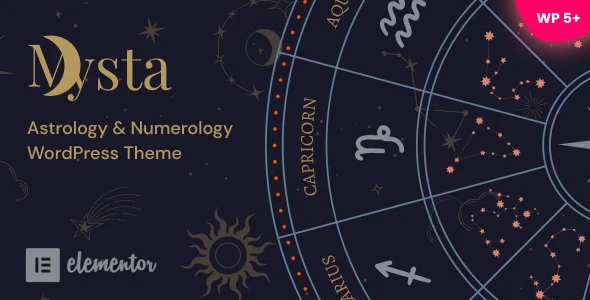
For agencies running multiple astrology or esoterics client builds on a shared stack, the Elementor-plus-WooCommerce pattern here parallels Mysta – Astrology Numerology WordPress Theme, allowing reuse of the same builder workflow across projects.
Who Should Use This Theme?
This codebase fits WordPress developers and small agencies delivering client sites for astrologers, spiritual coaches, tarot readers, and holistic service providers who need bookings plus product sales from one install. It suits teams comfortable administering Elementor, WooCommerce, and premium plugin dependencies on standard LAMP hosting. It is not intended for block-editor-first workflows: the package is explicitly not Gutenberg optimized, so teams standardizing on native FSE block themes should evaluate fit before committing. Agencies that prefer headless or decoupled rendering will also find this a traditional server-rendered theme, not an API-first asset.
Compatibility & Runtime Requirements
Baseline runtime is WordPress core on a PHP host, with the codebase tracking major core releases from 5.6 through 7.0.x.
| Engineering Metric | Deployment Specification |
|---|---|
| Base Technology / Framework | WordPress theme (PHP, CSS, JS files included); Elementor and Elementor Pro builder layer |
| Runtime / Language Requirements | WordPress 5.6.x–7.0.x; PHP 8.1/8.2 confirmed compatible (changelog v2.1–v2.3) |
| Data Exchange / Communication Protocols | Contact Form 7 form submissions; WooCommerce checkout and cart state; WPML for multilingual content |
| Core Dependencies / Engine Compatibility | Elementor, Elementor Pro, WooCommerce 5.x–10.x, Events Calendar / Pro, Slider Revolution, Unyson, YITH WooCommerce Wishlist, Booking Manager |
| Database / Storage Footprint | Standard WordPress posts/meta tables plus custom post types (Services, Persons); demo media excluded — demo images are copyrighted and licensed separately |
How to Install & Deploy the Theme
Deployment follows the standard WordPress theme lifecycle; premium bundled plugins install as companions during setup.
- Environment Pre-check: Verify the server runs a compatible PHP version (8.1 or 8.2 tested), a supported WordPress release, and reserve disk space for the bundled plugin set before upload.
- Package Upload: Transfer the theme archive via the Appearance upload screen or by copying the PHP/CSS/JS file tree into the themes directory with SFTP.
- Direct Activation: Activate the theme in the admin panel; required plugins — the Designthemes core features plugin, Booking Manager, Slider Revolution, and Unyson — register their menus and post types, making all modules operational.
- Configuration & Testing: Run the Unyson one-click demo import to replicate the reference layout, configure Contact Form 7 templates for consultation intake, wire WooCommerce product categories for the store, and validate booking submissions and responsive breakpoints against the live demo reference.
Frequently Asked Questions
Does the package include the demo photographs shown on the demo site?
No. Demo images are copyrighted and excluded from the downloadable files; license links for those images are provided separately, so production builds must substitute original or licensed media assets.
Can the site be edited without writing PHP or touching template files?
Yes. Elementor and Elementor Pro handle page composition visually, the Designthemes core plugin supplies shortcodes and custom post types, and Contact Form 7’s editor panel modifies form templates — though template-level overrides still require PHP knowledge.
Is Gutenberg used for layout building?
No. The theme is explicitly not Gutenberg optimized; all page assembly happens through Elementor widgets and the bundled shortcode system, so block-editor layouts are outside the intended workflow.