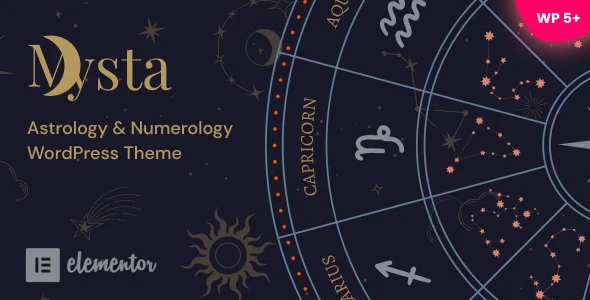
Mysta – Astrology Numerology WordPress Theme
Mysta Astrology Numerology WordPress Theme is an Elementor-based horoscope and zodiac shop theme for agencies deploying WooCommerce astrology sites.
- Daily automated updates
- VirusTotal 0/70 clean
- Licensed under GPL
- Secure 256-bit checkout
- Instant direct cloud link
What Is Mysta Astrology Numerology WordPress Theme?
Mysta Astrology Numerology WordPress Theme is a PHP/WordPress theme package engineered for web developers and boutique agencies building astrology, numerology, zodiac, horoscope, tarot, and mystical product storefronts. It resolves the recurring bottleneck of assembling an Elementor-driven content layer, a WooCommerce commerce layer, and multilingual delivery separately by shipping all three as one pre-wired codebase. In production, it functions as a complete theme layer that developers activate, restyle through the Customizer, and hand off to editors who require no coding workflow.
Key Features of the Theme
At runtime, WordPress resolves template hierarchy files (PHP, HTML, CSS, JS) through the theme, while Elementor renders page-level DOM and WooCommerce overrides handle shop templates; the Customizer injects color, header, and footer variables into the front-end output.
Architectural Highlights
- Elementor Page Builder Integration: Layout composition happens entirely through the drag-and-drop builder rather than Gutenberg, so DOM structure is defined at the section and container level, reducing template-file edits during client revisions.
- 1-Click Demo Install: The importer (revised in v1.16 with a second install method) provisions demo content, widget assignments, and images, collapsing staging setup from hours into a single routine.
- WooCommerce Commerce Layer: Verified against WooCommerce 5.x through 10.x, the theme overrides shop and product templates, enabling horoscope report shops and zodiac forecast stores with standard cart and checkout flows.
- Front-End Theme Customizer: Accent colors, header/footer background colors, sticky header toggling, header background images, and logo height (added in v1.08 via Appearance > Customize > Header) are all controlled through the native WordPress Customizer API.
- Supporting Stack: Smart Slider 3 drives hero/scroll-animation sequences, Bootstrap 4 Grid structures responsive columns, and Contact Form 7 plus MailChimp handle form intake and list synchronization; widget areas are registered and ready.
For teams managing multiple vertical builds alongside this one, the same Elementor-plus-WooCommerce pattern appears in Intrix – Digital Creative Agency WordPress Theme, which adds a header builder for agency portfolio deployments.
Who Should Use This Theme?
This codebase targets freelance developers, boutique agencies, and self-hosting astrologers who need a themed WooCommerce storefront plus blog without touching PHP. It suits deliverables such as horoscope reading sites, zodiac report shops, astrology conference and event pages, and content-led astrology blogs with customizable layouts. Because Gutenberg optimization is explicitly not a design goal, teams building block-editor-first editorial experiences, or developers planning headless decoupled front-ends, should treat this package as a poor architectural fit. It is likewise unsuitable for projects requiring multilingual delivery without a translation plugin, since WPML and TranslatePress must supply that layer.
Compatibility & Runtime Requirements
Deployment is constrained by the WordPress core line, the Elementor plugin, and the WooCommerce version in use on the host.
| Engineering Metric | Deployment Specification |
|---|---|
| Base Technology / Framework | WordPress theme (PHP, HTML, CSS, JS files) with Bootstrap 4 Grid and Elementor page builder |
| Runtime / Language Requirements | WordPress 5.5.x through 7.0.x (v1.21 verified against the 6.9/7.0 lines) |
| Data Exchange / Communication Protocols | MailChimp list integration; Contact Form 7 submissions; translation strings via WPML and TranslatePress |
| Core Dependencies / Engine Compatibility | Elementor, WooCommerce 5.x-10.x, WPML, Smart Slider 3, Contact Form 7 |
| Database / Storage Footprint | Standard WordPress options and post-meta storage; demo importer writes demo posts, widgets, and media to the wp-content uploads tree |
How to Install & Deploy the Theme
- Environment Pre-check: Confirm the host runs a supported WordPress core version (5.5.x-7.0.x) and install the required companion plugins, since Elementor and WooCommerce supply the layout and commerce engines the theme expects.
- Package Upload: Transfer the theme archive through the WordPress administration interface or upload the extracted PHP/HTML/CSS/JS tree into the themes directory of the destination site.
- Direct Activation: Activate the theme from the administrative panel; all template overrides, widget areas, Customizer controls, and module bindings become immediately operational with no additional gating steps.
- Configuration & Testing: Run the 1-click demo import (choosing between the two install methods introduced in v1.11 and v1.16), then set accent colors, sticky header behavior, and header/footer backgrounds under Appearance > Customize, and validate shop pages, sliders, and mobile rendering before launch.
Teams that need to replicate this deployment pattern across other verticals can study how Frameflow – Multipurpose WordPress Theme structures its 15+ Elementor demos and header/footer builders, or how Museon – Art Gallery and Museum WordPress Theme applies the same Elementor rendering model to image-led cultural layouts.
Frequently Asked Questions
Does the theme work with the native block editor for page composition?
No, the package is explicitly not Gutenberg optimized. Page composition is delegated to the Elementor visual builder, while blog layouts remain customizable through the theme’s own layout controls rather than block templates.
Are demo images and graphics included with the import routine?
Yes, the documentation lists bundled images and graphics, and the demo installer provisions them onto the site, so staging environments populate with visual content before any media uploads are performed manually.
Can the sticky header and logo dimensions be changed after activation?
Yes, sticky header toggling, header/footer background images, and logo height are all exposed through Appearance > Customize > Header, allowing deployment-time adjustments without editing template PHP files directly.